




New Trade Zone
Trade Zone is now live
Use the new Trade Zone for auctions and instant-price trades so Pokemon and item offers are easy to find.

Loreley
Registered User
-
Joined
-
Last visited
-
Feel free to pm when you are on ! ^^
-
I just transfered, waiting for you ^^
-
Sold. Are you on Gold or Silver ? Do I need to transfer ?
-
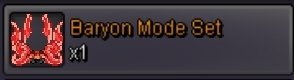
Want to sell Baryon Mode Set (Very Rare PvP Chest Reward). Auction Details: Start Price: 35m End Point: 48 hours (after start price is met) Insta Price: 60M Minimum Raise: 500k Accepted Payments: Pokedollars, Coin Capsules (x1 Coin Capsule = 500k), IV Reroll Tickets (x1 IV Reroll Ticket = 500k). Important Reminders: If you intend to purchase with an alt account, specify the account alongside your bid. If a bid is received in the final 15 minutes of the auction, the end point will be delayed by 15 minutes from that bid, and will be delayed by 15 minutes for each new bid thereafter, until the current offer has been held for a full 15 minutes. Currently on Gold Server, I will transfer on Silver for the trade if necessary.
-
Hello ! I'm Loreley and I'm looking for a guild on Gold Server. I have 206 hours of playtime, I finished the story and I'm currently farming bosses and pokes to be able to build teams for PvP and PvE. I'm looking for a guild with a good mood to make dungeons and helping each other ! I'm quite active on game, maybe a little shy at first, but I like comitting myself in game and groups ! Oh, and my main language is French but I can do with English. Feel free to contact me in game or to answer here ! ^^
