




New Trade Zone
Trade Zone is now live
Use the new Trade Zone for auctions and instant-price trades so Pokemon and item offers are easy to find.


Daicasam
Suspended
-
Joined
-
Last visited
-
i buy zapdos, keldeo, heatran, landorus sv
-
buy sv Megagengar - Baby lugia - lake trio
-
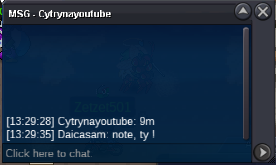
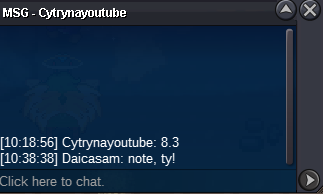
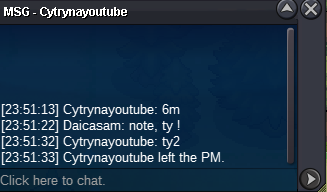
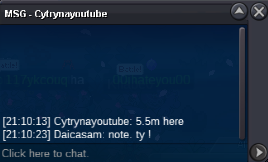
Thank you admin @Ruhm , We have completed the transaction.
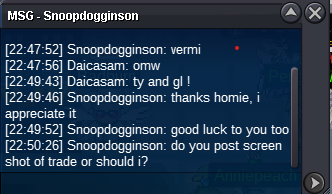
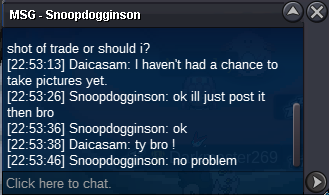
-
This is my first time selling on the forum, and due to the time zone difference, I hope the admin can assist me so that I can continue my work here.
-
@Snoopdogginson I am very sorry, my friend, the trading job has ended, thank you!
-
End. Thank you all !
-
4m1
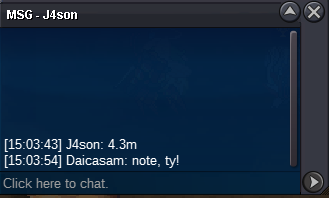
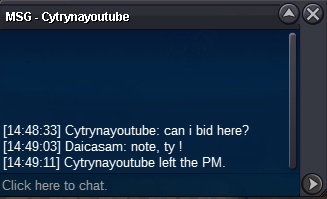 Daicasam changed their profile photoStart : 4m Min bid : 100k No insta End 48h after first bid Accept payment : Pokedolar Capsule coin 450k IV reroll 550k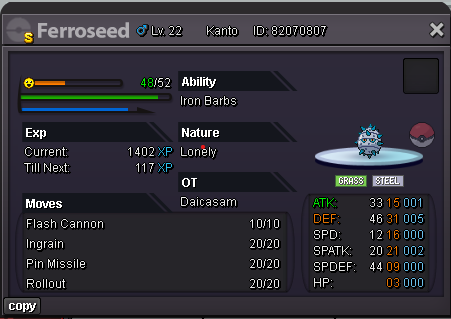

Account
Navigation
Search
Configure browser push notifications
Chrome (Android)
- Tap the lock icon next to the address bar.
- Tap Permissions → Notifications.
- Adjust your preference.
Chrome (Desktop)
- Click the padlock icon in the address bar.
- Select Site settings.
- Find Notifications and adjust your preference.
Safari (iOS 16.4+)
- Ensure the site is installed via Add to Home Screen.
- Open Settings App → Notifications.
- Find your app name and adjust your preference.
Safari (macOS)
- Go to Safari → Preferences.
- Click the Websites tab.
- Select Notifications in the sidebar.
- Find this website and adjust your preference.
Edge (Android)
- Tap the lock icon next to the address bar.
- Tap Permissions.
- Find Notifications and adjust your preference.
Edge (Desktop)
- Click the padlock icon in the address bar.
- Click Permissions for this site.
- Find Notifications and adjust your preference.
Firefox (Android)
- Go to Settings → Site permissions.
- Tap Notifications.
- Find this site in the list and adjust your preference.
Firefox (Desktop)
- Open Firefox Settings.
- Search for Notifications.
- Find this site in the list and adjust your preference.