




New Trade Zone
Trade Zone is now live
Use the new Trade Zone for auctions and instant-price trades so Pokemon and item offers are easy to find.

Zeketm1
Registered User
-
Joined
-
Last visited
Everything posted by Zeketm1
-
-
Hey i have been trying to reach you!
-
Tkl070701 pm me when you are online!
-
Bidding period ended! Tkl070701 wins! i will be pming you sir
-
Bump!
-
Start
-
Bump
-
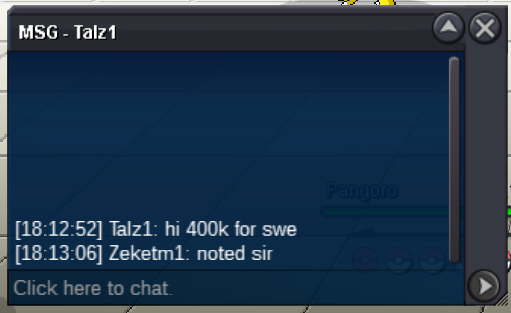
S.O. 300k Min. Raise 100k No Insta End in 48 hours after start Auctioning My Godly and Epic Swellow — Perfect for PvP, bossing or anything! Nature: Adamant Ability: Guts Level: 100 EV Trained: Yes IVs: ATK: 29 DEF: 27 SPD: 31 SP. ATK: 28 SP. DEF: 28 HP: 29 Don't miss out on this monster. Let the bidding wars begin! Happy Bidding!
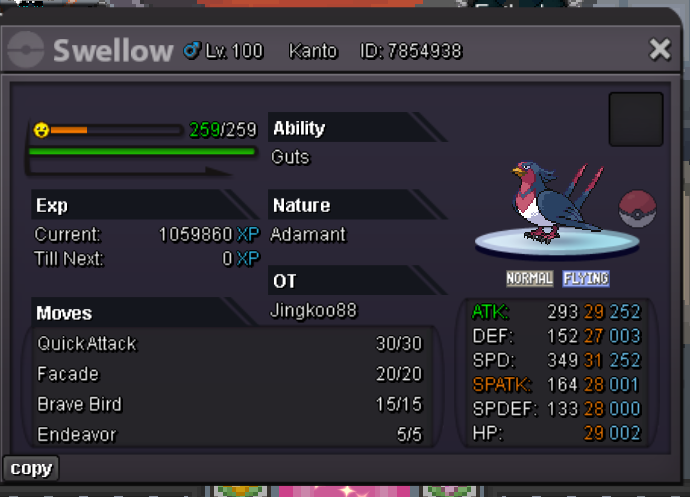 Sold to Kerosaki at insta for 800k. Thank you everyone for bidding!500k By Username123456!
 100k by Icewolfdf!
 S.O. 100k Min. Raise 50k Insta- 800k End in 48 hours after start EPIC METAGROSS Nature: Jolly Ability: Clear Body IVs: Atk: 26 Def: 26 Speed: 26 Sp. Atk: 30 Sp. Def: 26 HP: 20 Don't miss out on this monster. Let the bidding begin!
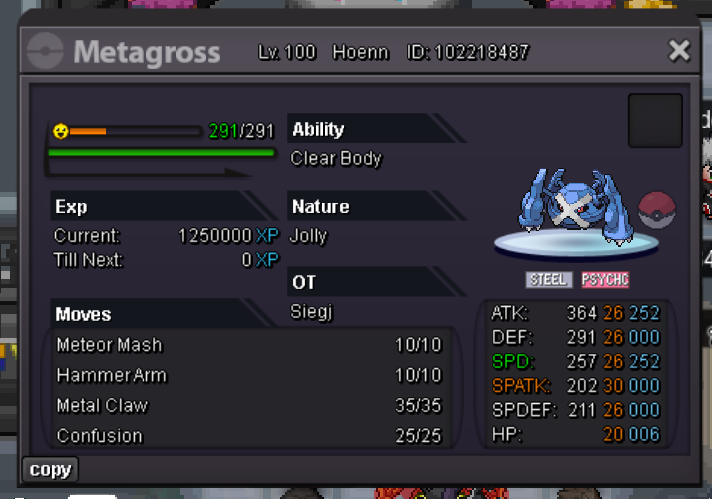 PM me ingame akeziel when you are online! thank you!Akeziel has won the auction at 2.7m! Thank you for bidding everyone!1.1m by Meaglin Noted!
 noted!S.O. 300k Min. Raise 100k No Insta End in 48 hours after start Auctioning my Godly and Epic Swampert — Perfect for PvP, bossing or anything! Nature: Adamant Ability: Torrent Level: 100 EV Trained: Yes IVs: ATK: 30 DEF: 22 SPD: 25 SP. ATK: 21 SP. DEF: 31 HP: 30 Don't miss out on this monster. Let the bidding begin!
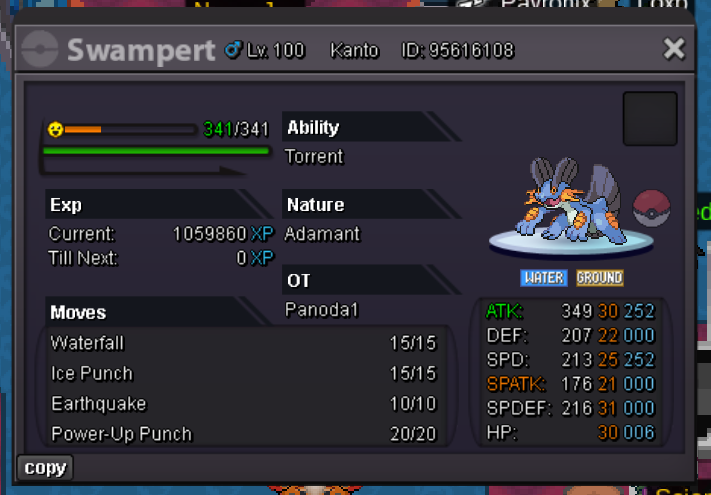 Yes! Sure 😄Nlyax has won this auction at 1.4m. Thank you so much!



Account
Navigation
Search
Configure browser push notifications
Chrome (Android)
- Tap the lock icon next to the address bar.
- Tap Permissions → Notifications.
- Adjust your preference.
Chrome (Desktop)
- Click the padlock icon in the address bar.
- Select Site settings.
- Find Notifications and adjust your preference.
Safari (iOS 16.4+)
- Ensure the site is installed via Add to Home Screen.
- Open Settings App → Notifications.
- Find your app name and adjust your preference.
Safari (macOS)
- Go to Safari → Preferences.
- Click the Websites tab.
- Select Notifications in the sidebar.
- Find this website and adjust your preference.
Edge (Android)
- Tap the lock icon next to the address bar.
- Tap Permissions.
- Find Notifications and adjust your preference.
Edge (Desktop)
- Click the padlock icon in the address bar.
- Click Permissions for this site.
- Find Notifications and adjust your preference.
Firefox (Android)
- Go to Settings → Site permissions.
- Tap Notifications.
- Find this site in the list and adjust your preference.
Firefox (Desktop)
- Open Firefox Settings.
- Search for Notifications.
- Find this site in the list and adjust your preference.