




New Trade Zone
Trade Zone is now live
Use the new Trade Zone for auctions and instant-price trades so Pokemon and item offers are easy to find.

Yumeko77
Registered User
-
Joined
-
Last visited
-
900k
-
800k
-
500k
-
-
3.6
-
3.2
-
i didnt understand what ya mean by that ._. , there are already subforum of other zones excluding the trades, and what do u want to check excluding trades? The General support? There is already a subforum specifically like the General Support area and everything
-
-1 , no need to be honest , u can just check below the topic , which topic it belongs to and if u want to check for the trade zone only just go check on the subforum itself
-
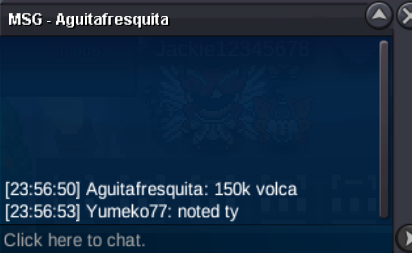
wtb the clefable
-
-
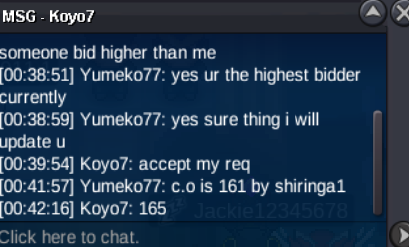
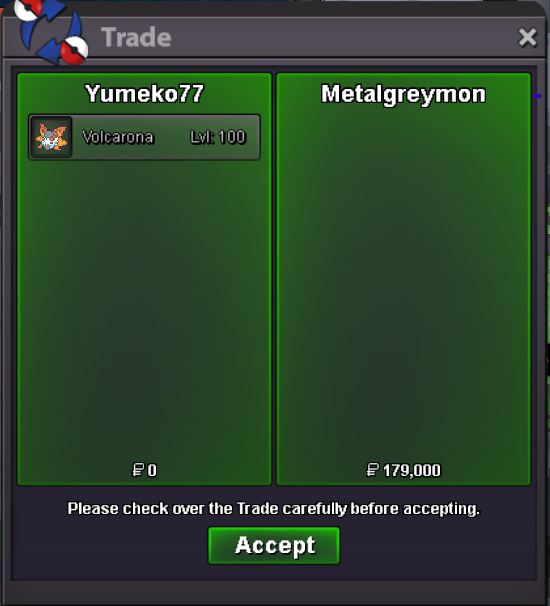
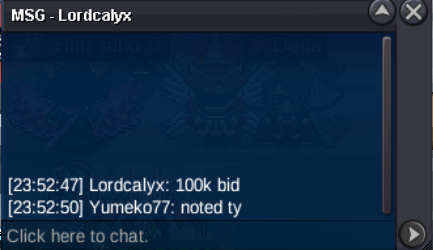
heyy lemme know when ur online so we can trade or schedule a time on which we both can agreeplayer ask to update him about the c.o, C.O - 165K


Account
Navigation
Search
Configure browser push notifications
Chrome (Android)
- Tap the lock icon next to the address bar.
- Tap Permissions → Notifications.
- Adjust your preference.
Chrome (Desktop)
- Click the padlock icon in the address bar.
- Select Site settings.
- Find Notifications and adjust your preference.
Safari (iOS 16.4+)
- Ensure the site is installed via Add to Home Screen.
- Open Settings App → Notifications.
- Find your app name and adjust your preference.
Safari (macOS)
- Go to Safari → Preferences.
- Click the Websites tab.
- Select Notifications in the sidebar.
- Find this website and adjust your preference.
Edge (Android)
- Tap the lock icon next to the address bar.
- Tap Permissions.
- Find Notifications and adjust your preference.
Edge (Desktop)
- Click the padlock icon in the address bar.
- Click Permissions for this site.
- Find Notifications and adjust your preference.
Firefox (Android)
- Go to Settings → Site permissions.
- Tap Notifications.
- Find this site in the list and adjust your preference.
Firefox (Desktop)
- Open Firefox Settings.
- Search for Notifications.
- Find this site in the list and adjust your preference.