




New Trade Zone
Trade Zone is now live
Use the new Trade Zone for auctions and instant-price trades so Pokemon and item offers are easy to find.

Ovanke
Registered User
-
Joined
-
Last visited
Everything posted by Ovanke
-
son12102006 contact my discord bro so we can decide time
-
start i will pay by alt account : Dauduongxomcho
-
430k mandi
-
-
Hi graklak when can we meet mate
-
280k
-
I wtb story service for kanto and johto
-
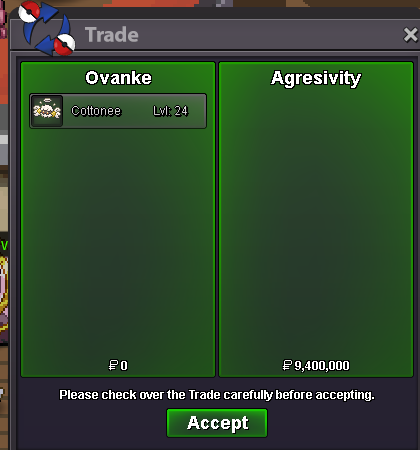
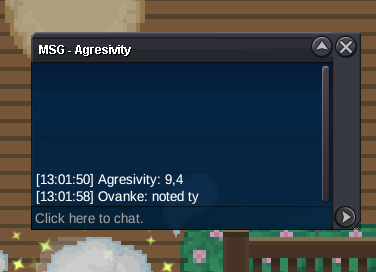
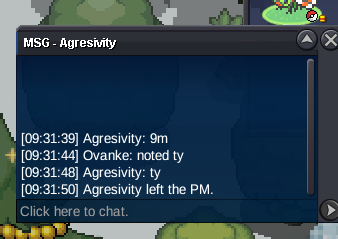
@Sanda08 he asked me two days ago but i pretend to take an auction so i didnt accept his offerbumpAuction Details: Starting: 6m Min Bid: 200K Insta: N/A Duration: 72h after first bid https://vclock.com/timer/#countdown=02:59:00&date=2025-12-19T13:00:29&sound=xylophone&loop=1 check duration timer clock here Accepted items Coin Capsule -480k Iv Reroll ticket - 720k notice: if the winner from sever gold, they will need to transfer sever to silver. Accept rules 15mins
 Auction Details: Starting: 10m Min Bid: 100K Insta: N/A Duration: 72h after first bid Accepted items Coin Capsule -480k Iv Reroll ticket - 720k notice: if the winner from sever gold, they will need to transfer sever to silver.
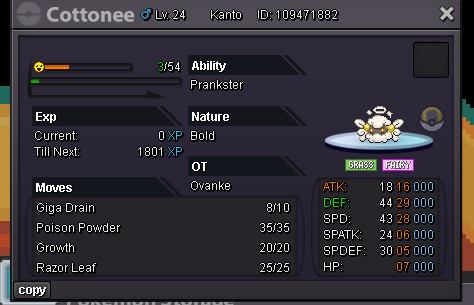 1.5m1.2m1m150k700k650k600k550k510k470kGl


Account
Navigation
Search
Configure browser push notifications
Chrome (Android)
- Tap the lock icon next to the address bar.
- Tap Permissions → Notifications.
- Adjust your preference.
Chrome (Desktop)
- Click the padlock icon in the address bar.
- Select Site settings.
- Find Notifications and adjust your preference.
Safari (iOS 16.4+)
- Ensure the site is installed via Add to Home Screen.
- Open Settings App → Notifications.
- Find your app name and adjust your preference.
Safari (macOS)
- Go to Safari → Preferences.
- Click the Websites tab.
- Select Notifications in the sidebar.
- Find this website and adjust your preference.
Edge (Android)
- Tap the lock icon next to the address bar.
- Tap Permissions.
- Find Notifications and adjust your preference.
Edge (Desktop)
- Click the padlock icon in the address bar.
- Click Permissions for this site.
- Find Notifications and adjust your preference.
Firefox (Android)
- Go to Settings → Site permissions.
- Tap Notifications.
- Find this site in the list and adjust your preference.
Firefox (Desktop)
- Open Firefox Settings.
- Search for Notifications.
- Find this site in the list and adjust your preference.