New Trade Zone
Trade Zone is now live
Use the new Trade Zone for auctions and instant-price trades so Pokemon and item offers are easy to find.

Nickdemon
Registered User
-
Joined
-
Last visited
Everything posted by Nickdemon
-
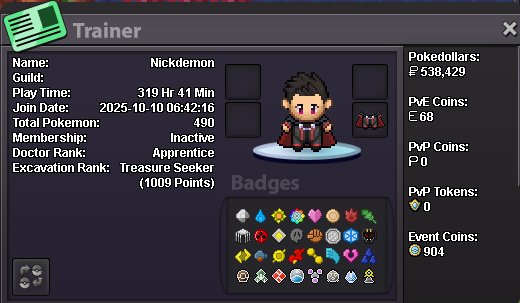
what can you contribute to Dynasty? Currently not much besides being an active user at least 5 days a week since my account is 1 month old. My goal is to finish all the end game PvE content and then focus on farming for PvP teams. I'd like some some guidance on PvP though since I have no experience but I have lots of top level competitive CCG experience (turn based gameplay, opponent reading) so it would be easy for me to learn with some help (team building, why pokemon use certain moves and what role do they fit in the team, meta, etc) what is your real life and ingame name? Nick - NickDemon (wow, very imaginative) how old are you and where are you from? 29 - Greece discord tag? how often are you online there? nickdemon33 - Usually after 13:00 GMT but mostly on mute, feel free to spam my DMs in order to reply 😅 screenshot of your trainercard