




New Trade Zone
Trade Zone is now live
Use the new Trade Zone for auctions and instant-price trades so Pokemon and item offers are easy to find.
.jpg.22127259d82423376d0332ca91099606.jpg)

Dax0nfire
Registered User
-
Joined
-
Last visited
Everything posted by Dax0nfire
-
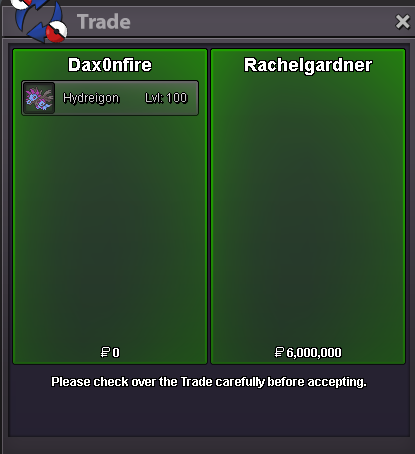
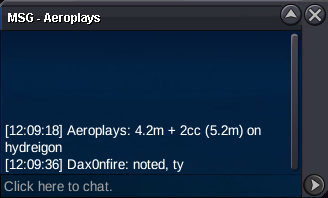
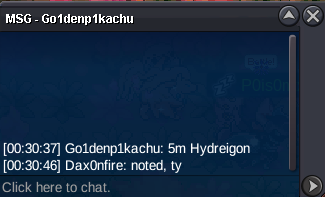
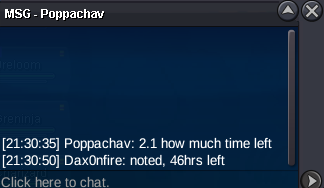
@Glitterwing Ok, thanks for the clarification. @Rachelgardner Congratulations! Let me know when you're available. You can contact me ingame, here, or on discord @dax0nfire 🙂Color me confused. Is it over? Or the 15 minutes count from this post? Since rachel probably refrained from bidding because of the whole thing@Dragonknightx I'm afraid your last bid was a couple seconds too late. Although I think the bid came a tad bit late, please bear with me while I ask for a mod to take a look at it. @RachelgardnerExtended by 15 more minutes 5.5m by taushif
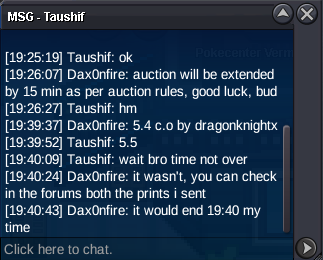 Extended by 15 more minutes
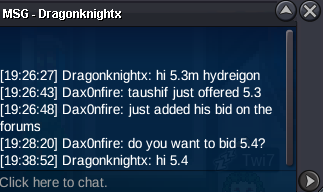 Auction extended by 15 minutes.
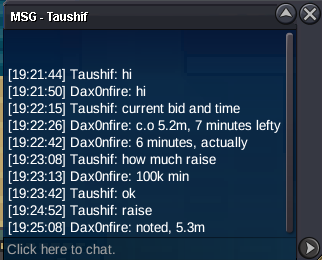 Auction ends in less than 30 minutes Ending Time: Feb. 05th, 7:28 P.M, UTC -03:00Bump Auction ends in 24h20mS/o: 2m; End Point: 48hrs after first bid; Insta: N/a; Min. Raise: 100k; Accepted Payment(s): PokéDollars; Coin Capsule=500k; _____________________________________________________________________________________________ This is a gold server auction, you must transfer if you win.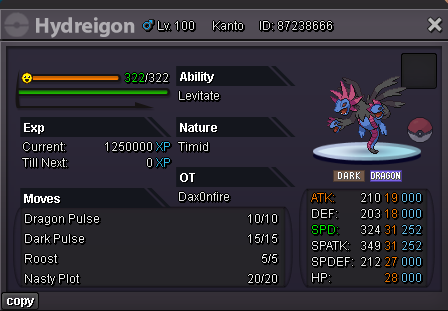
Account
Navigation
Search
Configure browser push notifications
Chrome (Android)
- Tap the lock icon next to the address bar.
- Tap Permissions → Notifications.
- Adjust your preference.
Chrome (Desktop)
- Click the padlock icon in the address bar.
- Select Site settings.
- Find Notifications and adjust your preference.
Safari (iOS 16.4+)
- Ensure the site is installed via Add to Home Screen.
- Open Settings App → Notifications.
- Find your app name and adjust your preference.
Safari (macOS)
- Go to Safari → Preferences.
- Click the Websites tab.
- Select Notifications in the sidebar.
- Find this website and adjust your preference.
Edge (Android)
- Tap the lock icon next to the address bar.
- Tap Permissions.
- Find Notifications and adjust your preference.
Edge (Desktop)
- Click the padlock icon in the address bar.
- Click Permissions for this site.
- Find Notifications and adjust your preference.
Firefox (Android)
- Go to Settings → Site permissions.
- Tap Notifications.
- Find this site in the list and adjust your preference.
Firefox (Desktop)
- Open Firefox Settings.
- Search for Notifications.
- Find this site in the list and adjust your preference.