




New Trade Zone
Trade Zone is now live
Use the new Trade Zone for auctions and instant-price trades so Pokemon and item offers are easy to find.

Dadarkade
Registered User
-
Joined
-
Last visited
-
Hello @Beacon like I said earlier I already found the culprit (the one I showed you in the past pictures) that triggered a battle which rewarded me of the bag but the bag is nowhere to be found in my inventory and the volbeat I took the bag from don't do anything anymore and ayva didn't take it from me and act like i failed the quest
-
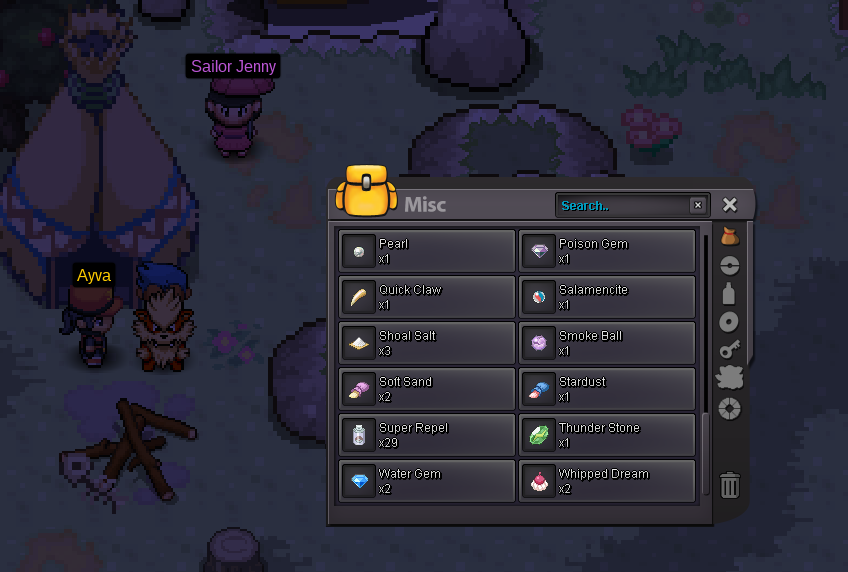
Hello again @Beacon I already finished the salemencite quest like I said in the first post(here's the salamencite in my inventory as a proof) only after that did I went to talk to ayva wich started the stolen bag quest
-
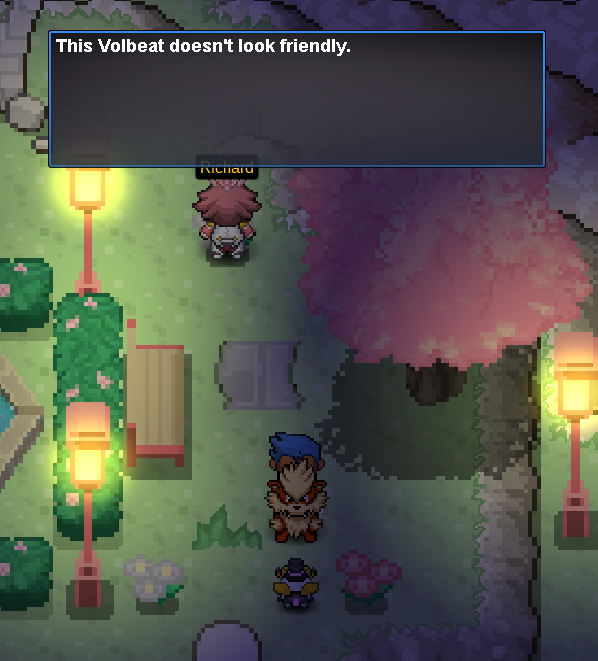
@Beacon I did as you said but when I go to the volbeat the dialogue box will only say that it dosen't look friendly
-
hello dear beacon thanks for the fast reply. After checking I could not find the item in my inventory but I swear I found the volbeat and batlle it for the bag before getting a dialogue box saying I retrieved it still here's the ayva I'm talking to and the quest dialogue


-
Hello dear PRO staff members I finished the salamencite quest then talk to Ayva who suddenly started a stolen bag quest,I found her bag and brought it back to her but she's not taking it what do I do?