New Trade Zone
Trade Zone is now live
Use the new Trade Zone for auctions and instant-price trades so Pokemon and item offers are easy to find.

Lostwhitehat
Registered User
-
Joined
-
Last visited
-
Lostwhitehat changed their profile photo
-
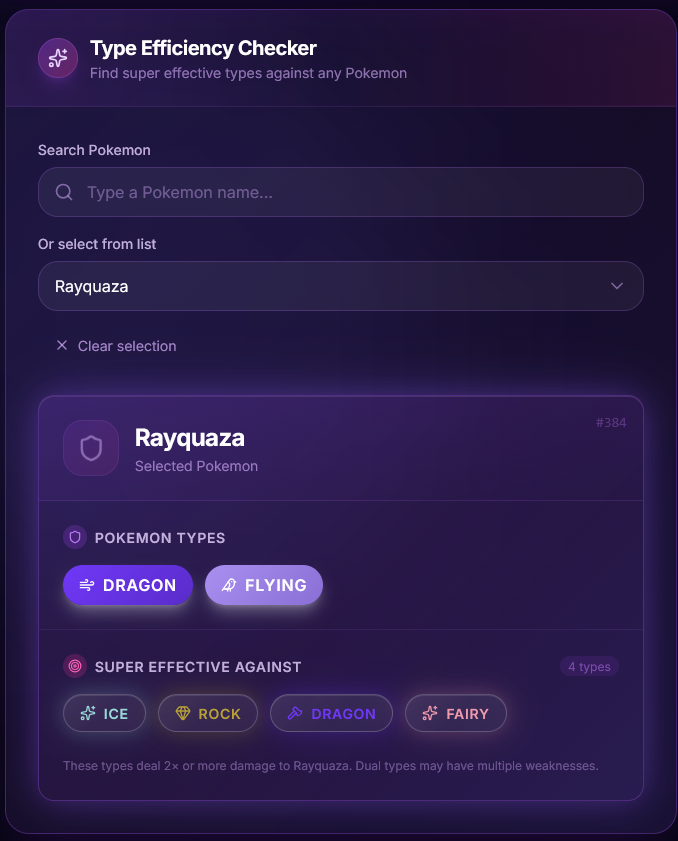
I like the overall style of the tool and also the tool itself. The idea behind it seems super useful for playing PRO. It definitely feels like something I would actually use a lot. Nice work, and I am looking forward to seeing more of it. If you ever need a hand with testing, feedback, contributing, or anything else, I would be happy to help. I also have an idea for a useful companion feature for players who do not know every Pokemon type matchup by heart. A Type Matchup Checker could also be really useful. You pick a Pokemon, and it instantly shows its type, weaknesses, and which types are most effective against it. It would also save people from having to search the wiki every time they want to check a matchup.