




New Trade Zone
Trade Zone is now live
Use the new Trade Zone for auctions and instant-price trades so Pokemon and item offers are easy to find.

Rhomaru
Registered User
-
Joined
-
Last visited
-
thanks so much @Hallowglow it works . sorry my guide is out dated xD
-
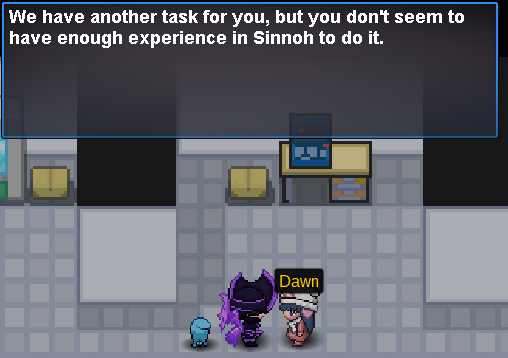
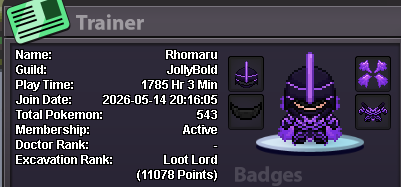
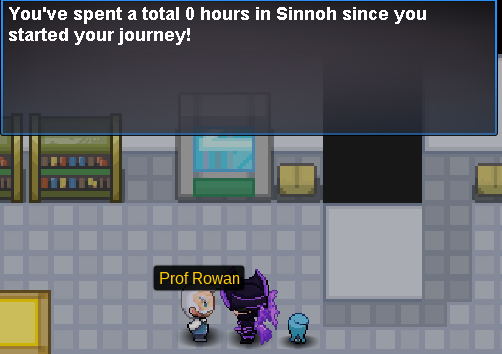
i cant proceed because it says 0 hours plays in sinnoh region. i cant get my legendary poke . pls fix it want to get my halloween forms :( already done with seen data of lake trio also arceus,dialga and palkia
-
i cant catch it it says cant use items inside ev spot
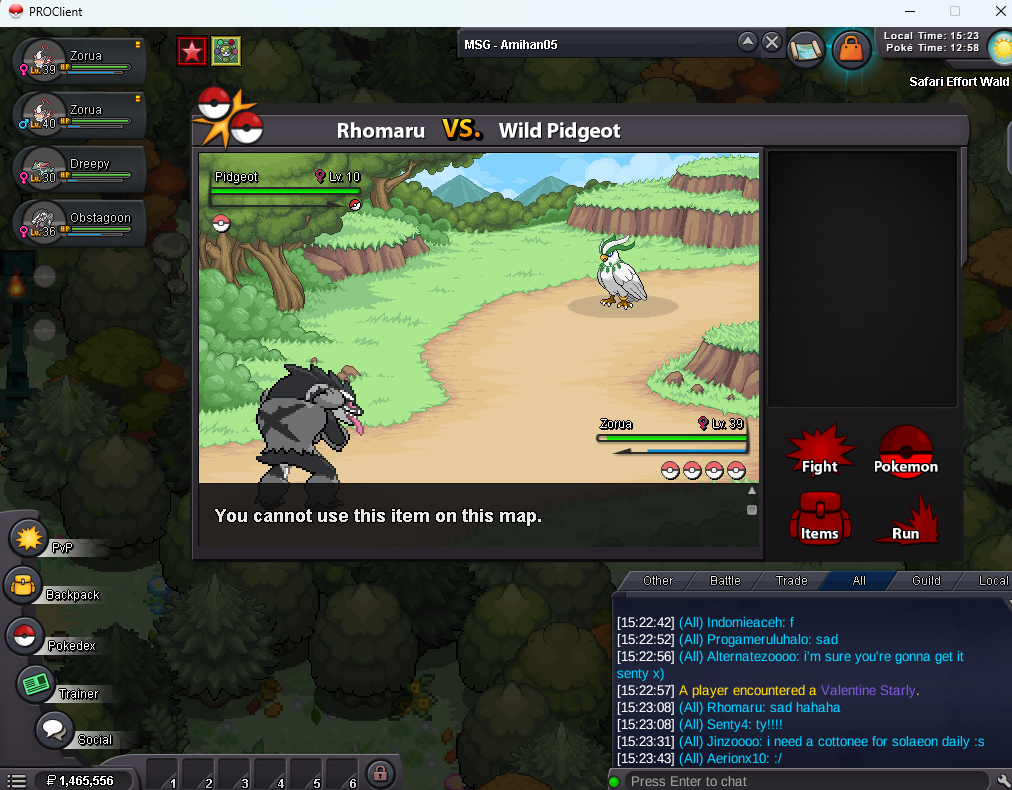
-
i see . thanks its working now :)
-
hi . i dunno why i cant fight the boss . im top1 in all mini games is this bug or something? please check thank you .
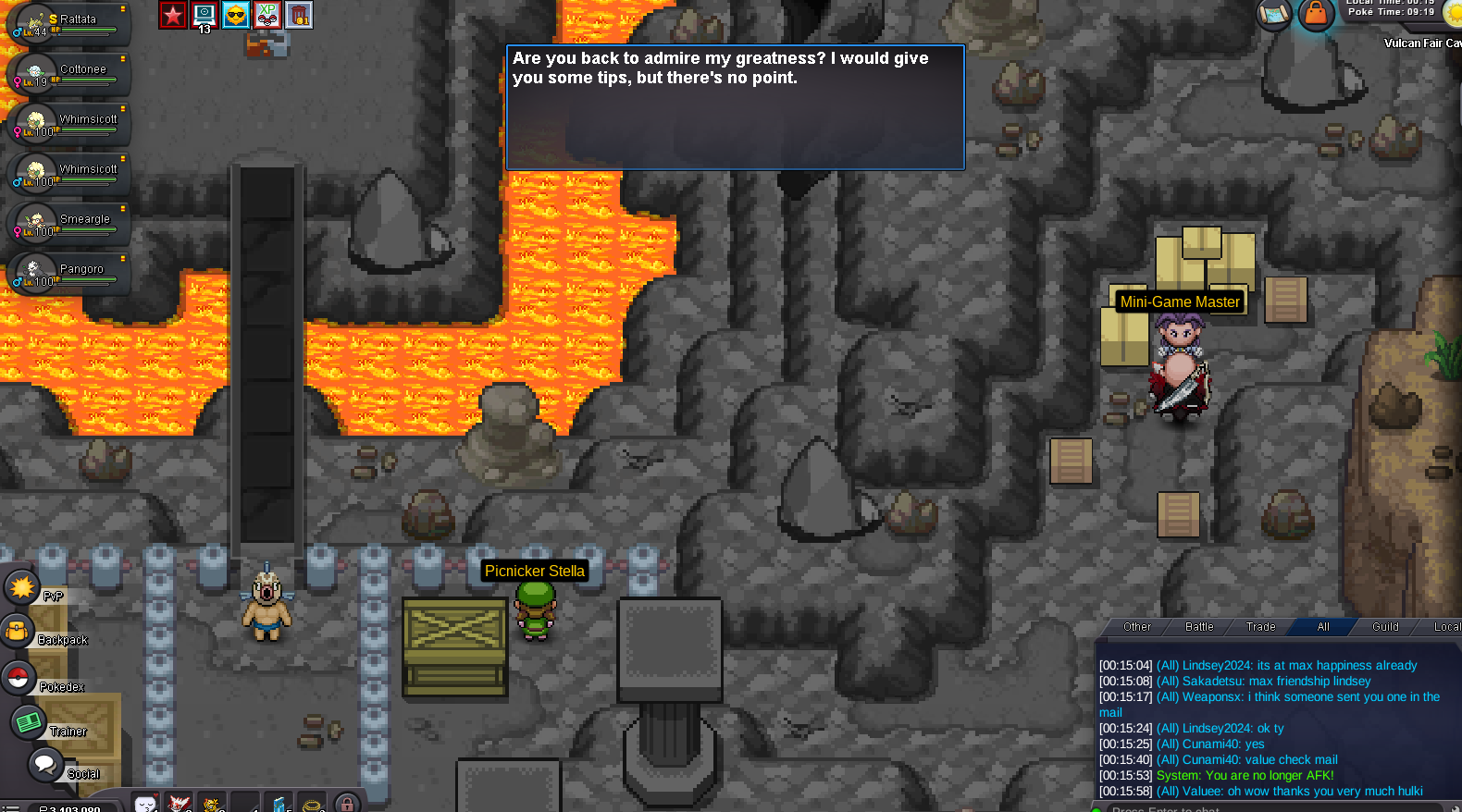
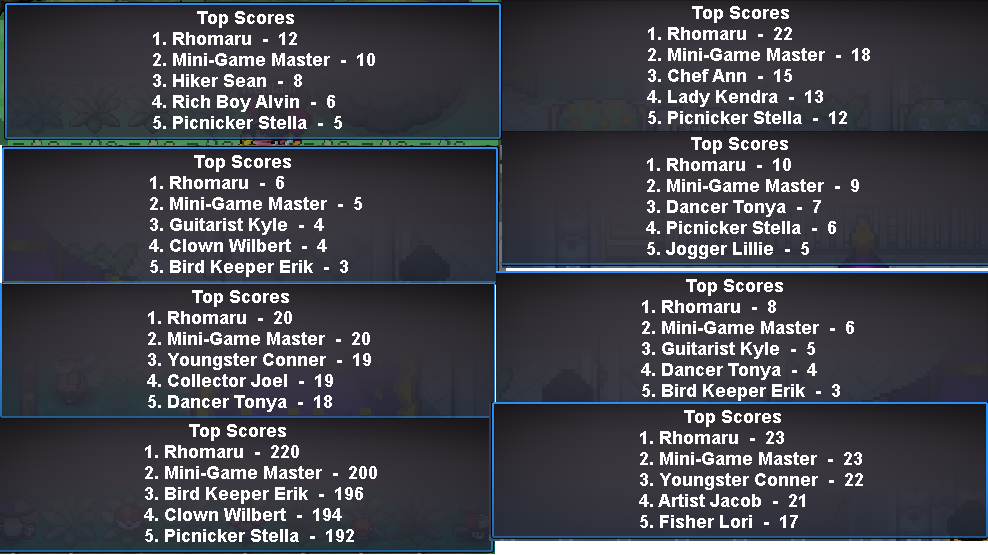
-
1.650m
-
auction ends. Ahmed007 win for 2.6m thanks
-
15mins leftlast 30minsauction will end in 1hr thanksoh im sorry i dont know im new to this thing my badup


Account
Navigation
Search
Configure browser push notifications
Chrome (Android)
- Tap the lock icon next to the address bar.
- Tap Permissions → Notifications.
- Adjust your preference.
Chrome (Desktop)
- Click the padlock icon in the address bar.
- Select Site settings.
- Find Notifications and adjust your preference.
Safari (iOS 16.4+)
- Ensure the site is installed via Add to Home Screen.
- Open Settings App → Notifications.
- Find your app name and adjust your preference.
Safari (macOS)
- Go to Safari → Preferences.
- Click the Websites tab.
- Select Notifications in the sidebar.
- Find this website and adjust your preference.
Edge (Android)
- Tap the lock icon next to the address bar.
- Tap Permissions.
- Find Notifications and adjust your preference.
Edge (Desktop)
- Click the padlock icon in the address bar.
- Click Permissions for this site.
- Find Notifications and adjust your preference.
Firefox (Android)
- Go to Settings → Site permissions.
- Tap Notifications.
- Find this site in the list and adjust your preference.
Firefox (Desktop)
- Open Firefox Settings.
- Search for Notifications.
- Find this site in the list and adjust your preference.