New Trade Zone
Trade Zone is now live
Use the new Trade Zone for auctions and instant-price trades so Pokemon and item offers are easy to find.

Rognation95
Registered User
-
Joined
-
Last visited
-
Yes so I have done that 3 times including once where I managed to time a level up and reaching 255 happiness in the same battle and I still don't have a Roselia
-
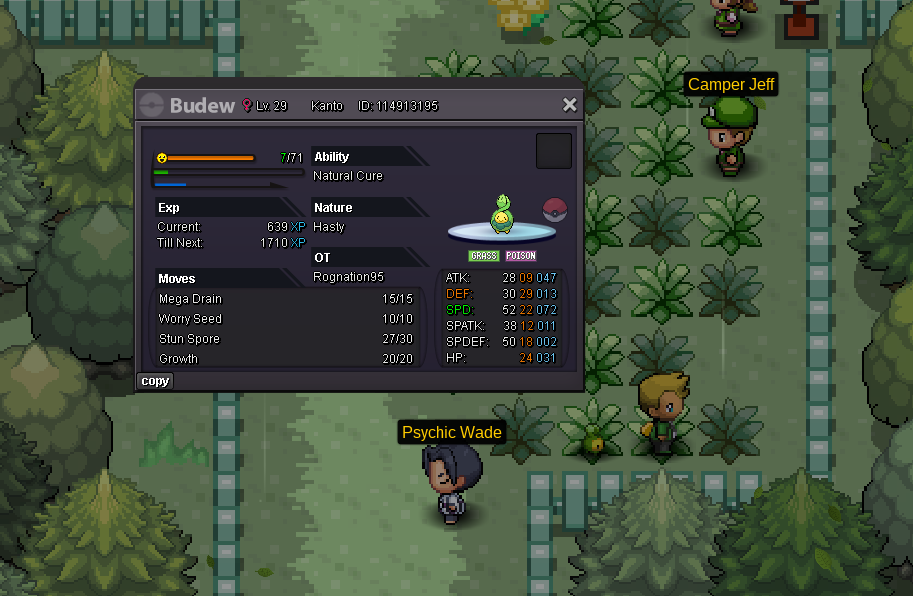
that Screen shot isn't large enough but in game time was 6:55 when this screenshot was taken. After trying to do it day and having it not work.. I first achieved 255 happiness during the day at level 17, did researched figured out I needed to do it in the morning or day. So as you've instructed like other to feint and re level up bedews happiness at the correct time tried it in the day twice and no Roselia, so I tried in the morning twice and still no Roselia. I then tried feinting logging off login back in and achieving 255 happiness, still no Roselia
-
I got him to 255 happiness during morning and day on 4 separate occasions ive tired everything
-
My Budew will not evolve to Roselia. I have reached 255 happiness multiple time, tried feinting and relogging and even managed to time a level up with also reaching 255 happiness in a single battle. I would appreciate some assitance