




New Trade Zone
Trade Zone is now live
Use the new Trade Zone for auctions and instant-price trades so Pokemon and item offers are easy to find.

Dinasaysmeow
Registered User
-
Joined
-
Last visited
-
*bump*
-
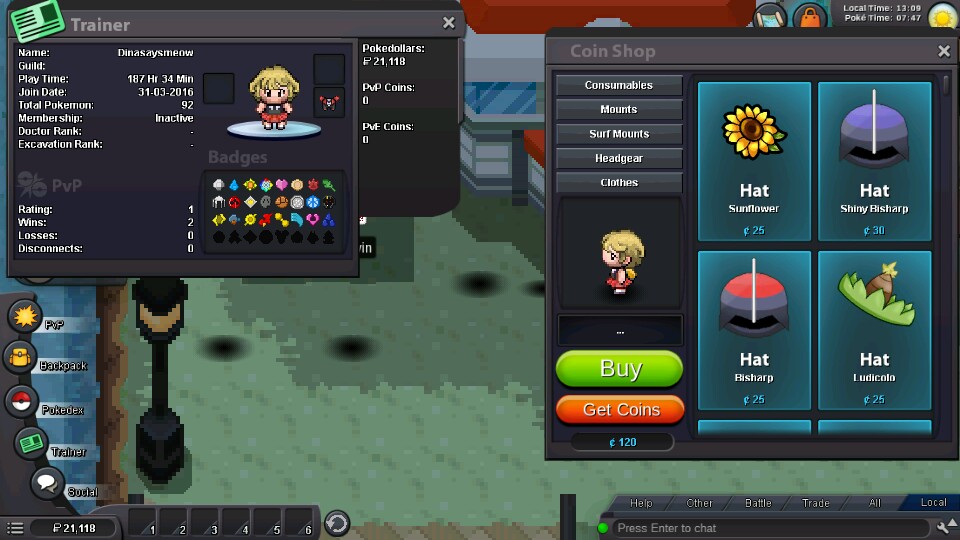
I've reinstalled the Android client for the game multiple times, from different mirrors and cleared the cache too, yet for some reason the trainer and Pokemon sprites are always invisible, except for the shadows underneath them. So far it seems like only the overworld sprites are missing, since I can view my trainer sprite from various menus (see below screenshots)

-
if you turn superpichu999 upside down, he is transformed into the devil! :D:
-
I heard Tolley is the king of piratebay and has access to all the torrents on the planet and potentially the whole universe :D:
-
Still banned for misspelling souvlaki! :D:
-
Banned for misspelling "souvlaki" :D:
-
9/10, cause I like Bisharp! :Heart-eyes:
-
Walking, altho I've never driven a car, so my opinion might change. Overcooked, coal-like, bitter popcorn or fried mantises? :devil:
-
bad topic :Cry:
-
I heard that thousands of restaurants closed, because Charismo would eat all their noodles, like, forever, as if he was living in a .gif image... :D:
-
literally the best 99/10
-
Hi! Welcome to the Pokemon Revolution Online forums! :Smile:
-
omg why would anyone post here, that's so silly! :Cry:
-
bad topic :Cry:
-
fliflo never caught a shiny Snorlax