New Trade Zone
Trade Zone is now live
Use the new Trade Zone for auctions and instant-price trades so Pokemon and item offers are easy to find.

Mufasasucasa
Registered User
-
Joined
-
Last visited
-
start beldum
-
#2 550k
-
#2 450k
-
Start
-
start
-
-
start
-
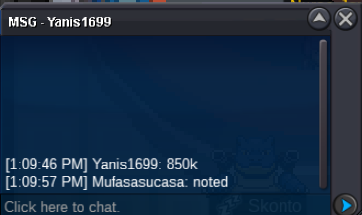
I'll make the trade to ppouz. It's the fact you literally stated you can't prove 15 minutes have past but you're enforcing the rule as if it has. Trade rules need to be changed if they are going to be enforced based off 14 minutes.
-
I don't care about the money. I care about the principle and integrity of the auction. No bidder had an issue with the auction.
-
Bids could've been made at 1:19 and 59 seconds and 1:34 and 1 second. That's not a full 15 minutes. That is 14 minutes and 2 seconds.
-
With all due respect, that means the rule being enforced is a 14 minute bid extension not a 15 minute one. The rule being upheld is different from the rule stated in trade rules.
-
i was monitoring it, and was doing my best to monitor the seconds past since the post was made as mentioned in the trade rules. it didnt actually hit 15 minutes best off what I observed. Unless there is a way to see the seconds as to which the post was made? Based off the time stamps available in forums, we can't confirm 15 minutes have pasted until there is 16 minutes between posts.
-
10 more minutes!