New Trade Zone
Trade Zone is now live
Use the new Trade Zone for auctions and instant-price trades so Pokemon and item offers are easy to find.


Whitehockey
Registered User
-
Joined
-
Last visited
-
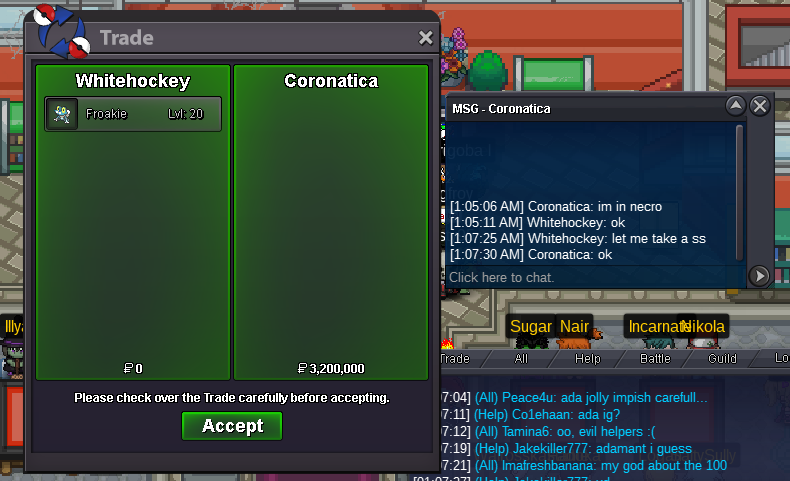
The Auction has Ended. Winner ''coronatica'' @ 3.2m.
-
27 hours remains for the auction to be ended.

-
i dont really care, i will just keep it for myself and train him.
-
The Pokémon will not be trained, And with a heavy wind , The time continues ticking and if anyone has problems with my post, I would like a moderator to tell me first. I am not going to change any words from my post for anyone.
-
Whitehockey changed their profile photo
-
There is a way to know that?
-
Hello trainers, im auctioning a godly froakie (Spd 31, SpAtk 30)^^ Payment options: Pokedollars, cc [400k], Reroll [700k] SOLD!


-
I am really sorry that i forgot to upload the screenshot ,my mentor. I thought i did but it was my mistake, I am sorry again. The screenshot has been uploaded with this post as an attachment.
-
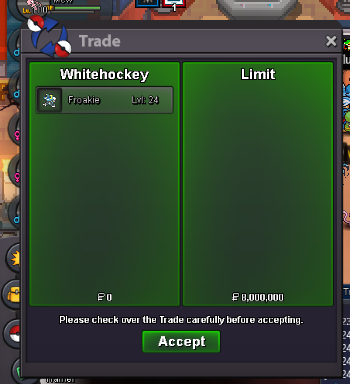
INSTA SOLD TO LIMIT! THANK YOU.
-
I want to auction my toad. C.o : 3m insta. : 8m time. : 48 hours min rise bid : 200k accpt. : CC(400k)reroll ticket(700k) GL guys Note : I can reject the offer in last moment if i dont like the final offer and cancel the auction,

-
Name Change legendarylord change into: WhiteHockey Server: Silver
-
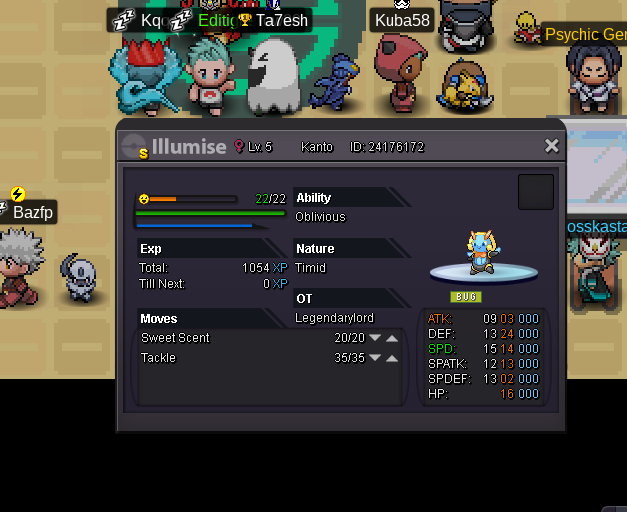
Start Offer - 300k, Insta - 1m Auction will start the moment someone starts the bid and end in 24 hours. I have got all the rights to cancel the auction if i dont get satisfied with the offer.

-
Bid starts 300k , Insta 1m. Clocks: 24 hours. 24 hours.
-
350
-
250
-
OKA! I WILL START WITH 200k.