




New Trade Zone
Trade Zone is now live
Use the new Trade Zone for auctions and instant-price trades so Pokemon and item offers are easy to find.

Heatherr
Registered User
-
Joined
-
Last visited
-
Thank you for your reply! I was able to find a solution for me. I found out that when I merged over from the old servers, I had not only an account on silver but one on gold as well. My account on gold had made more progress so I went ahead and merged that one over to silver for me to play on. I won't be needing anymore assistance for now. I do appreciate you taking the time to look into my issue!
-
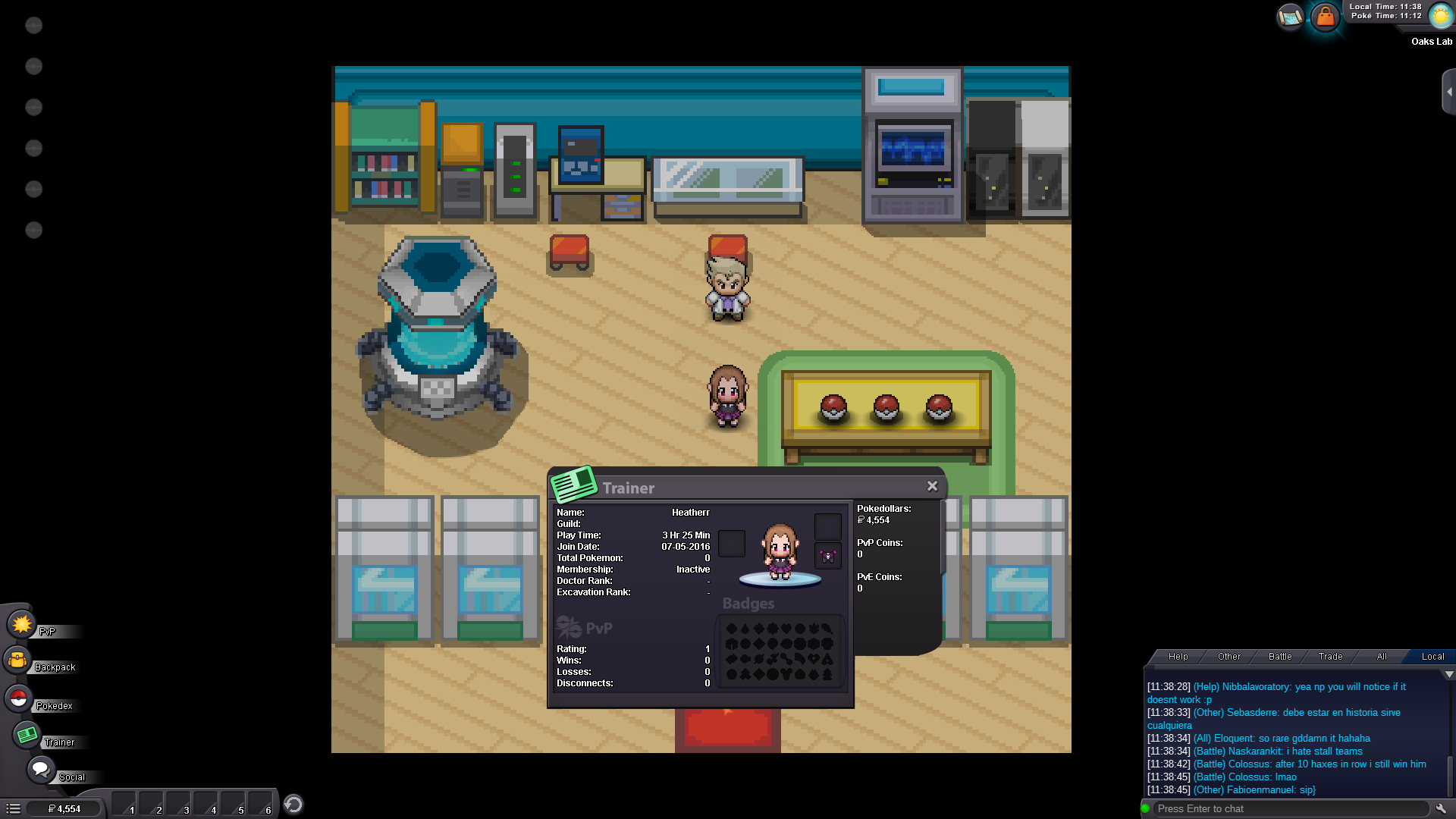
I wanted to bump this thread and add a screenshot of what I am seeing. I went all the way back to Prof. Oak to see if maybe I needed to start over and grab a Pokemon and now I'm stuck in Oak's lab with him. He wont say anything when I talk to him and when I try to leave he will say he wants to talk to me. As seen in the screenshots I have no Pokemon. Yet, the money and playtime merged over with me. Please let me know if you have any questions for me that could help resolve this issue. Thanks!
-
Hi there. I just merged from red to silver this morning. When I logged in the money merged with me but all my Pokémon were gone. Is there anyway for me to get the Pokémon back? Please let me know if you need any additional information.