




New Trade Zone
Trade Zone is now live
Use the new Trade Zone for auctions and instant-price trades so Pokemon and item offers are easy to find.

Dotsu
Suspended
-
Joined
-
Last visited
Everything posted by Dotsu
-
pm me @Hohlyeraser
-
-
medi 300k
-
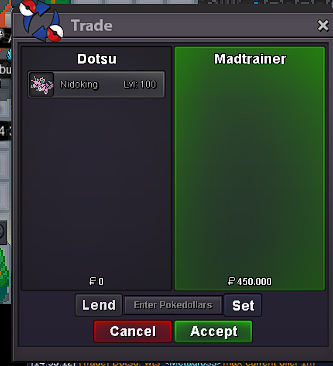
okayokaytell me when you are online @BojacKRULES: -Fake offers will be reported. -48H after the start. -Accept cc as 380k / RR: 700k S.O : 1.5 m Insta:3m SOLD S.O: 400k Insta: 800k SOLD S.O: 450K INSTA 1M S.O: 500K INSTA: 900K SOLD S.O: 500K INSTA: 1M SOLD
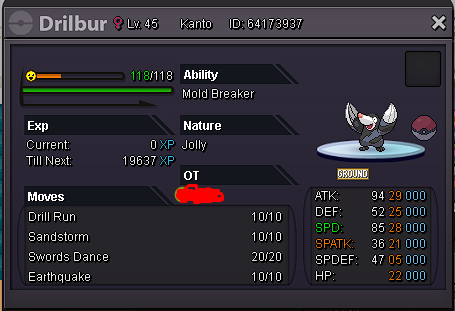
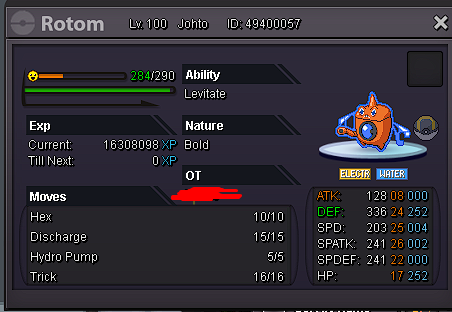
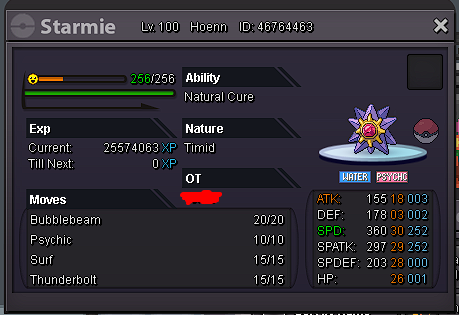
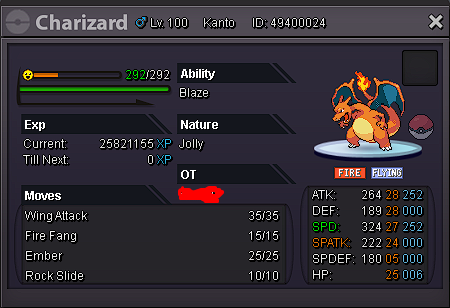
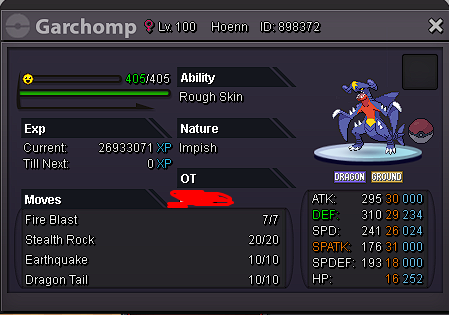 Please disregard this topic. Im at silver server. It' s a mistake.RULES: -Fake offers will be reported. -48H after the start. -Accept cc as 380k / RR: 700k S.O : 1.5 m Insta:3m S.O: 400k Insta: 800k S.O: 450K INSTA 1M S.O: 500K INSTA: 900K S.O: 500K INSTA: 1M
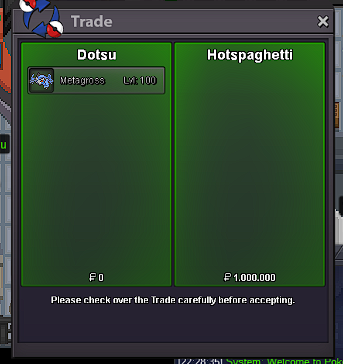
4mstart pinsirAre you online?.Whats the hidden power?3.5 mAunction on metagross ended @HotSpaghetti won My IGN is Dotsu and my discord is Dotsu#2808 please contact me
Please disregard this topic. Im at silver server. It' s a mistake.RULES: -Fake offers will be reported. -48H after the start. -Accept cc as 380k / RR: 700k S.O : 1.5 m Insta:3m S.O: 400k Insta: 800k S.O: 450K INSTA 1M S.O: 500K INSTA: 900K S.O: 500K INSTA: 1M
4mstart pinsirAre you online?.Whats the hidden power?3.5 mAunction on metagross ended @HotSpaghetti won My IGN is Dotsu and my discord is Dotsu#2808 please contact me
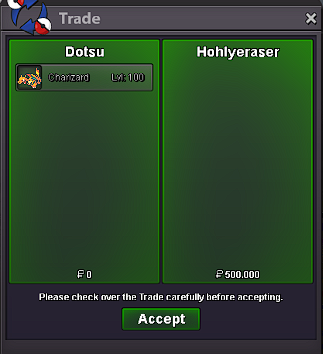
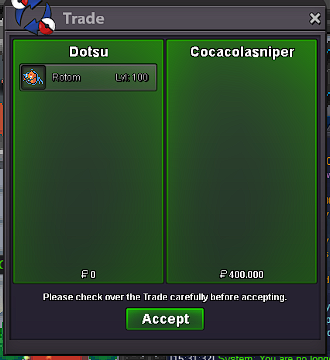
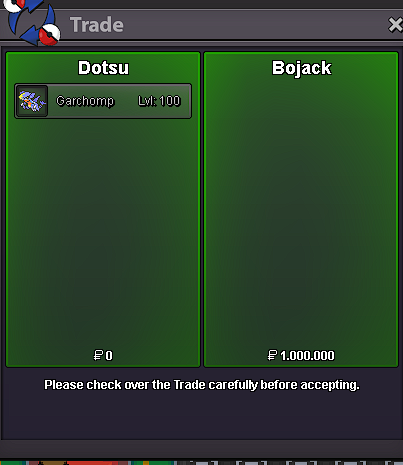


Account
Navigation
Search
Configure browser push notifications
Chrome (Android)
- Tap the lock icon next to the address bar.
- Tap Permissions → Notifications.
- Adjust your preference.
Chrome (Desktop)
- Click the padlock icon in the address bar.
- Select Site settings.
- Find Notifications and adjust your preference.
Safari (iOS 16.4+)
- Ensure the site is installed via Add to Home Screen.
- Open Settings App → Notifications.
- Find your app name and adjust your preference.
Safari (macOS)
- Go to Safari → Preferences.
- Click the Websites tab.
- Select Notifications in the sidebar.
- Find this website and adjust your preference.
Edge (Android)
- Tap the lock icon next to the address bar.
- Tap Permissions.
- Find Notifications and adjust your preference.
Edge (Desktop)
- Click the padlock icon in the address bar.
- Click Permissions for this site.
- Find Notifications and adjust your preference.
Firefox (Android)
- Go to Settings → Site permissions.
- Tap Notifications.
- Find this site in the list and adjust your preference.
Firefox (Desktop)
- Open Firefox Settings.
- Search for Notifications.
- Find this site in the list and adjust your preference.