New Trade Zone
Trade Zone is now live
Use the new Trade Zone for auctions and instant-price trades so Pokemon and item offers are easy to find.

Paterambrosios0
Registered User
-
Joined
-
Last visited
-
I fully understand that Devs have a lot up to their plate and of course i am patient... it's just a bit annoying when surfing there is not even the shadow... but after that visual bug anything else runs smoothly... i also wish you have a nice day and thank you for replying to my post @Noxious
-
@Noxious yes! this is the version i run in the macbook ..sorry in advance for the tag
-
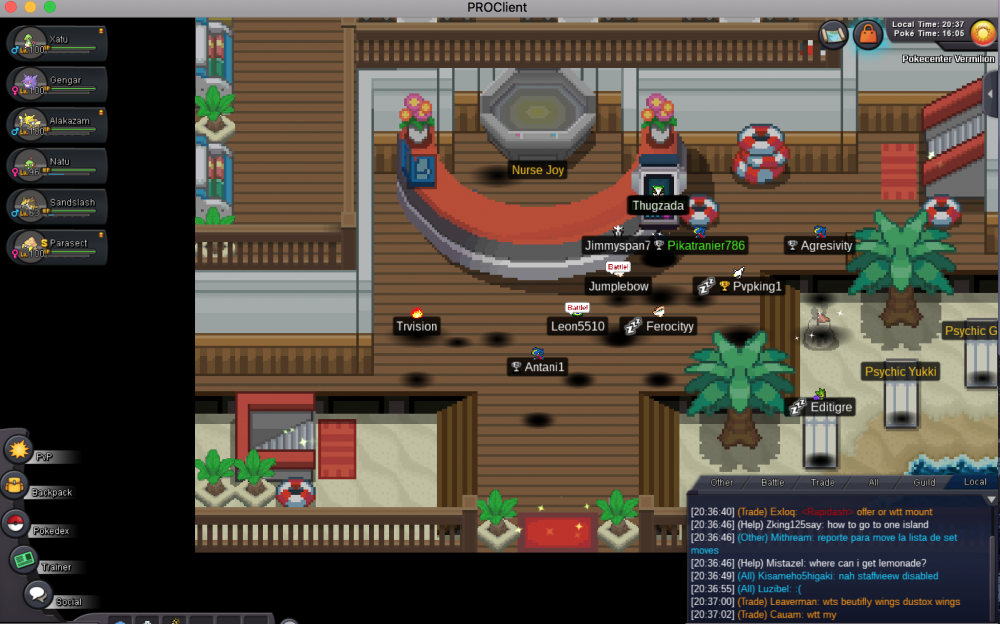
There is an issue in game where you cannot see any other player , npc ,or pokemon walking behind ...check the uploaded pic
-
start scizor 7 m ..silver player
-
Re: Kinwa [ PVP team] update 3/6 <t>i take back my offer for insta buy in sableye</t>
-
Re: Kinwa [ PVP team] update 3/6 <t>i will instabuy (2.6 m ) the sableye</t>
-
Re: (update 2-6:tyra,azu,corphish,ferro,bulba,donphan,toge,sableye,excadrill,gliscor,weavile)moz's epic shop <t>670 ferrothorn</t>
-
Re: (update 2-6:tyra,azu,corphish,ferro,bulba,donphan,toge,sableye,excadrill,gliscor,weavile)moz's epic shop <t>590 for ferrothorn</t>
-
Re: (update 1-6:ferro,bulba,donphan,toge,sableye,excadrill,gliscor,weavile)moz's epic shop <t>560k for ferrothorn</t>