New Trade Zone
Trade Zone is now live
Use the new Trade Zone for auctions and instant-price trades so Pokemon and item offers are easy to find.

Adam
Registered User
-
Joined
-
Last visited
Everything posted by Adam
-
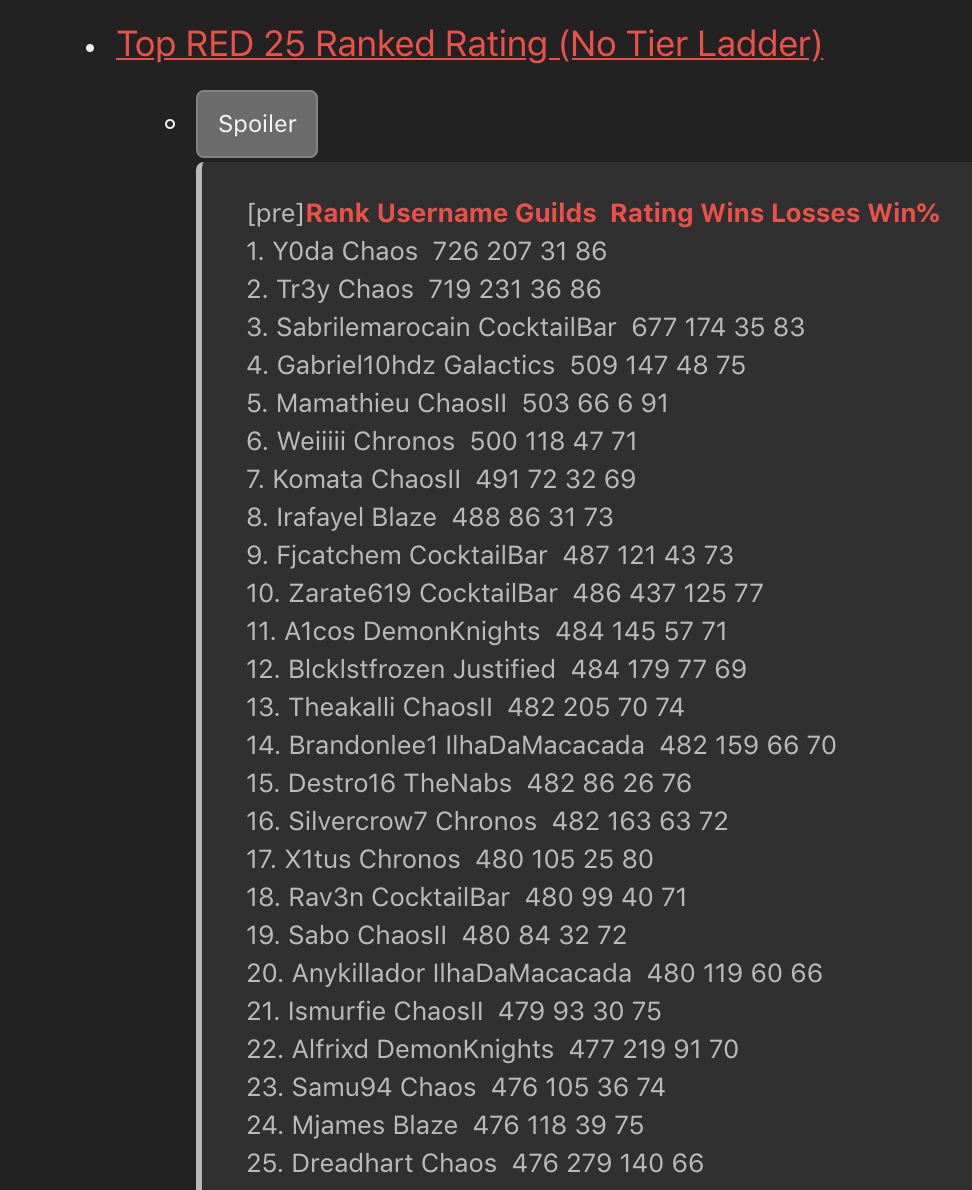
Vote: Yes Reason: (Really ?) For be a real PvP Pokemon Game we need Team Preview. This is one of the last few things this game has to be competitive, please do it. Current Rating : Ladder January 2018
-
Goodbye the biggest richmen on PRO :(
-
:O :(
-
OMG Mamagod, rip all PRO Players...
-
i start 200k
-
Goodbye Burdy !
-
Drain Punch is buged, you can see the reason here :
-
-
Noice
-
Is not a Goodra but a GODra Good selling.
-
Auction end, can be close the pkmn stay with me. :(
-
Can start 1.2m if you want.
-
Kaminogod have the new b/o 21 hours left.
-
Update picture / infos / text.
-
24 hours left. @zekma have the actual b/o.
-
:up:
-
Sure ^^ 48 hours left so.
-
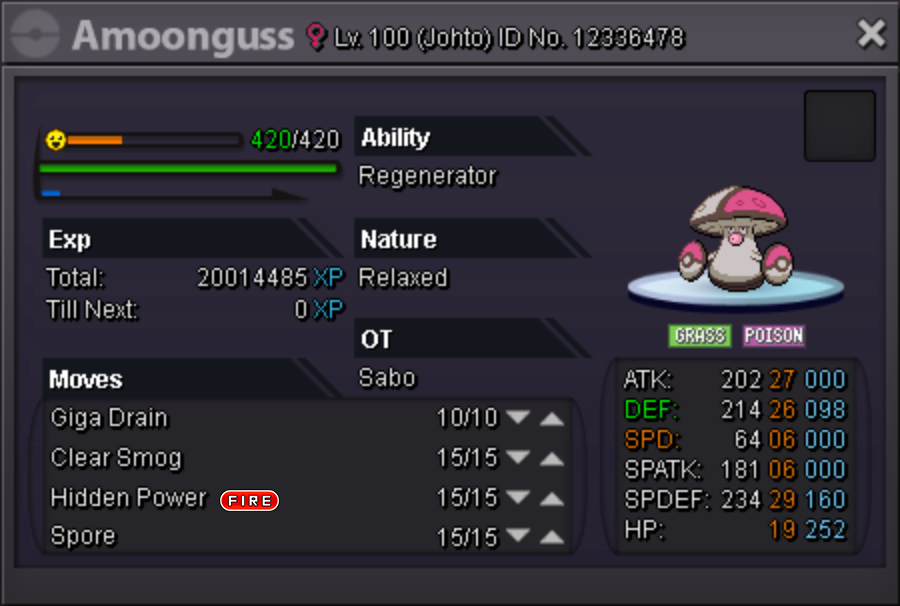
A Hello, i decide to sell this Amoonguss with Hidden Ability & HP Fire. This nature is really good for the 7G Mixed Assault Vest set. • The auction will start after the first bid. (Not insta yet) • No time for the auction end yet. • I keep the right to keep the pokemon if the final price does not suit me. Thanks.
-
-
2.300.000$
-
Eviolite should be in bugged & no bannable section, a critical hit ignore the Eviolite effect...
-
-
Nice suggestion @Eblis +1
-
At the moment i don't know but the Froakies will up after the Event' ^^
-
5/10 Greninja 8.5/10 1st Froakie 7.5/10 2nd Froakie