




New Trade Zone
Trade Zone is now live
Use the new Trade Zone for auctions and instant-price trades so Pokemon and item offers are easy to find.


Trisco
Registered User
-
Joined
-
Last visited
Everything posted by Trisco
-
@Ismamstander pm in discord ^^^
-
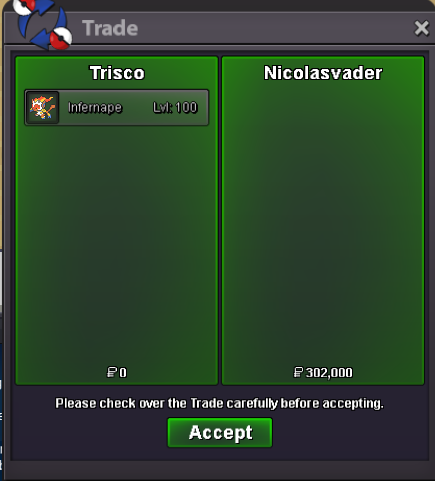
Thank u very much ^^^
-
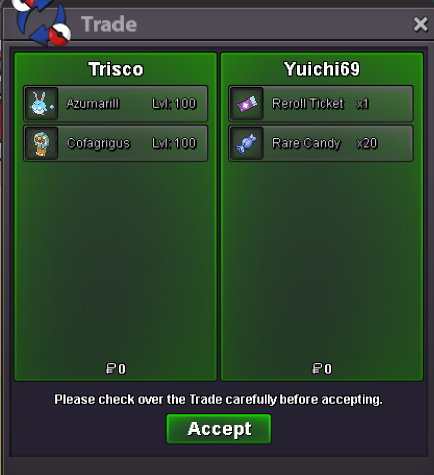
Thanks a lots xD!!!
-
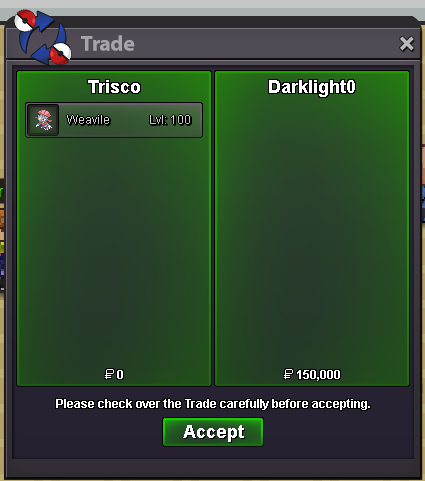
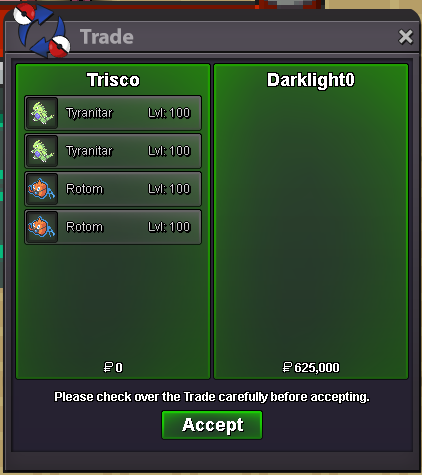
Thank you for shopping and see you soon in the future xD
-
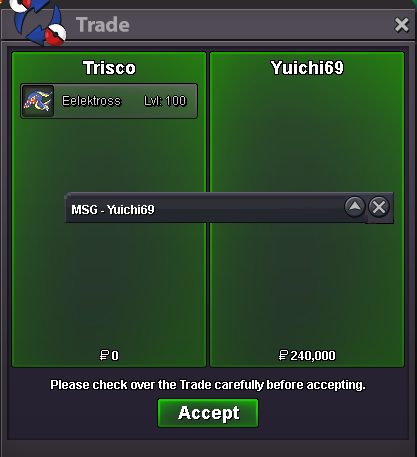
Thank you for shopping xDDDDDDD
-
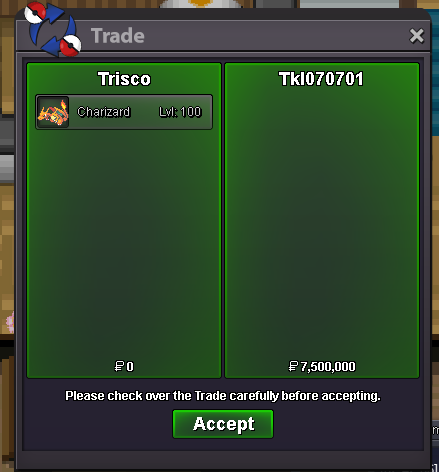
Gud luck to you!!!
-
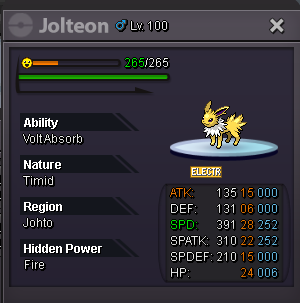
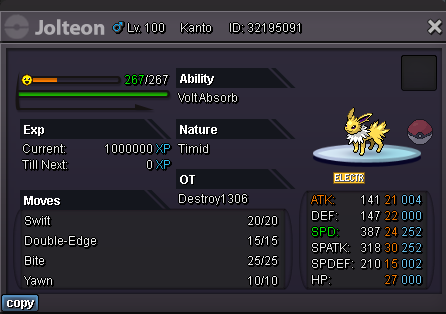
Spoiler Spoiler 💌Thank all of you for visiting my shop💌 Spoiler
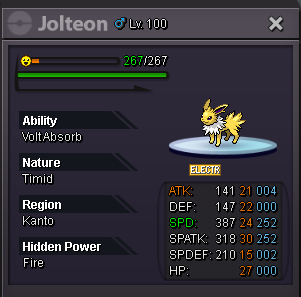
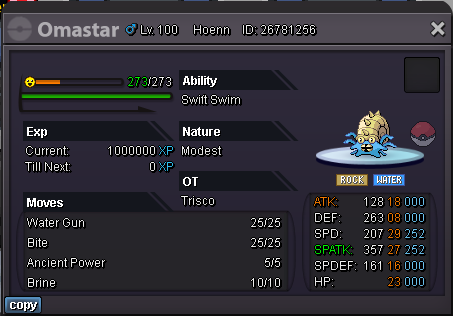
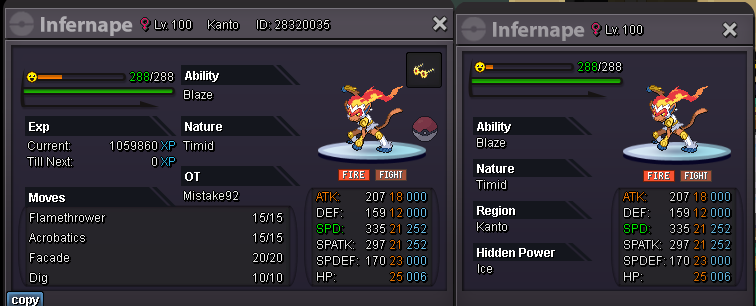
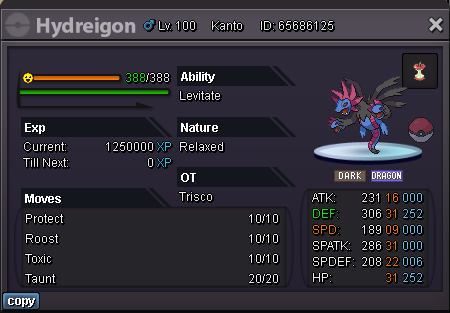
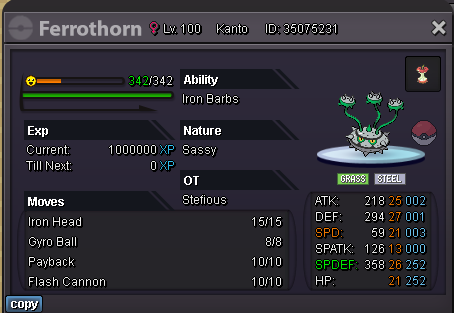
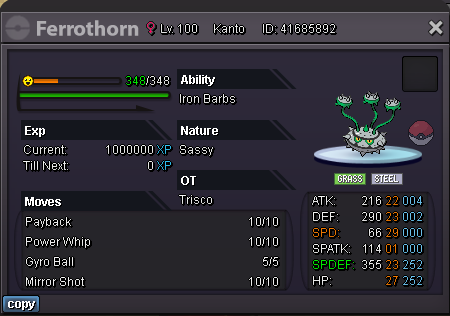
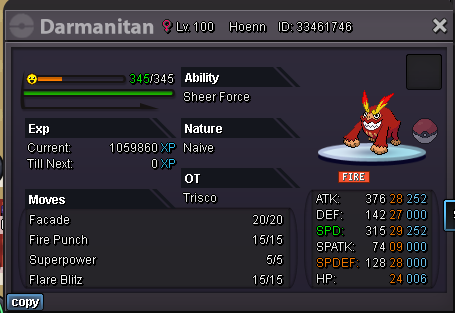
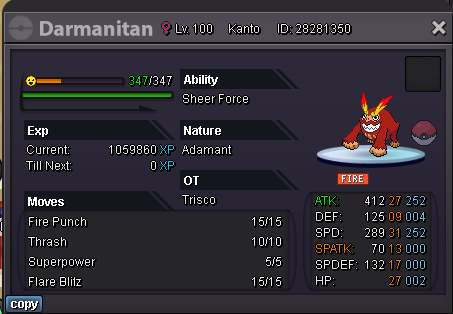
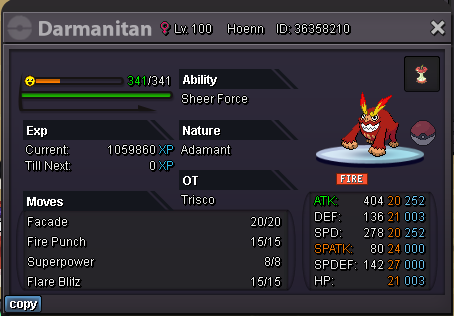
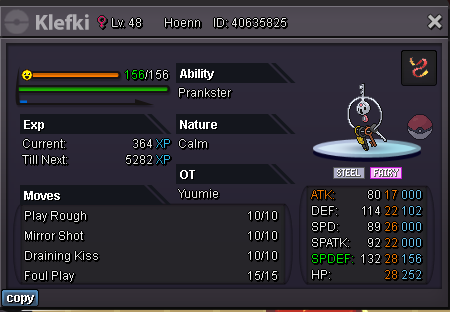
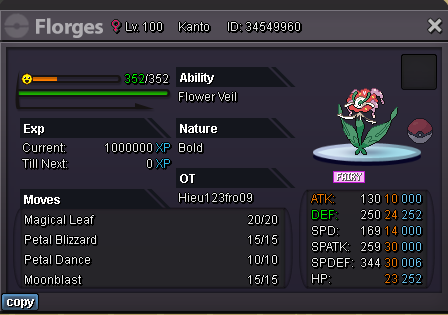
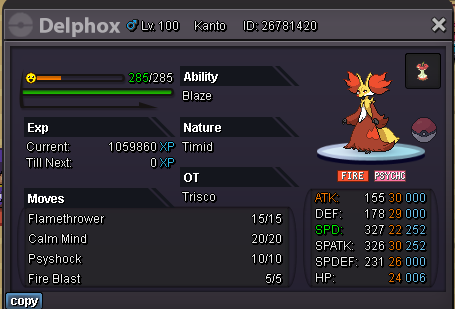
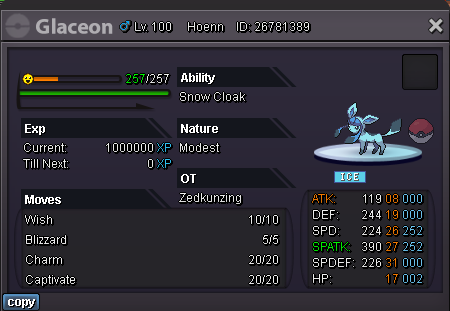
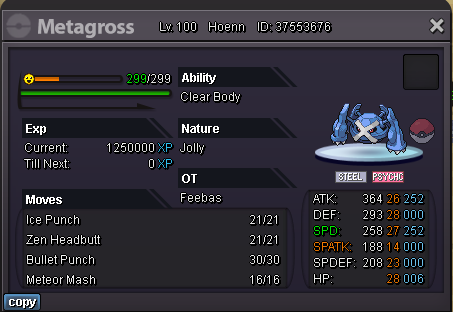
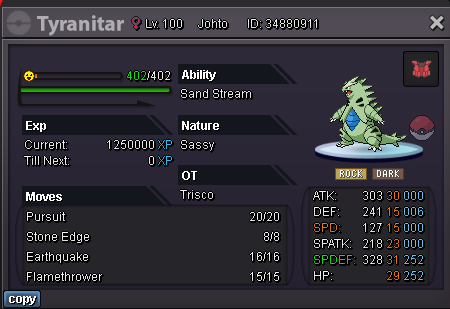
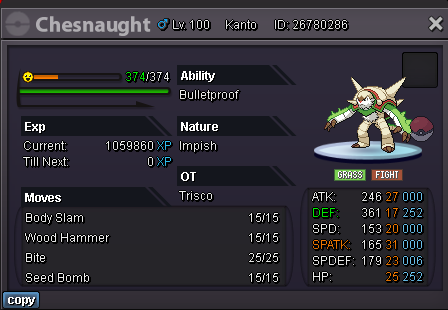
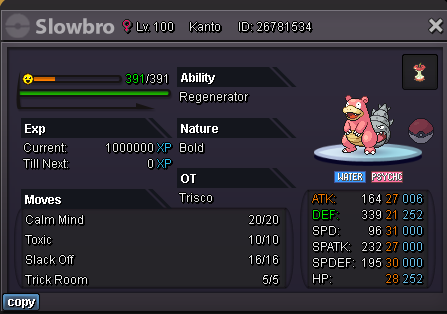
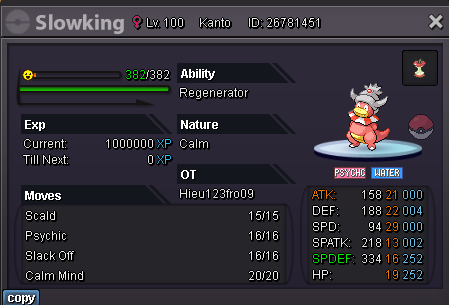
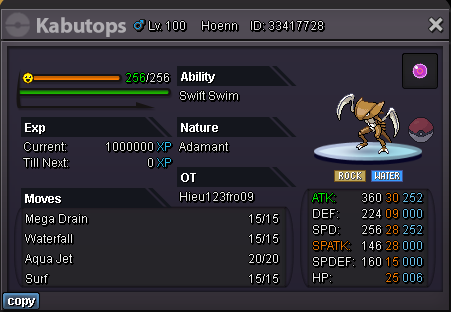
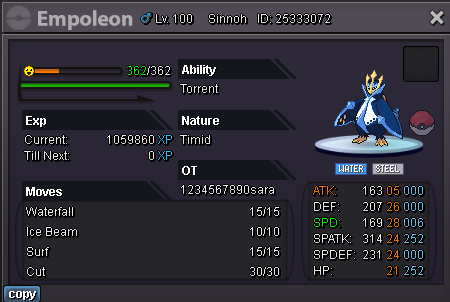
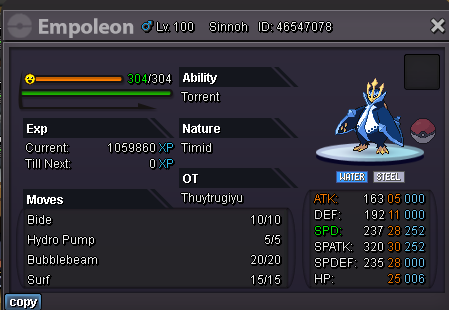
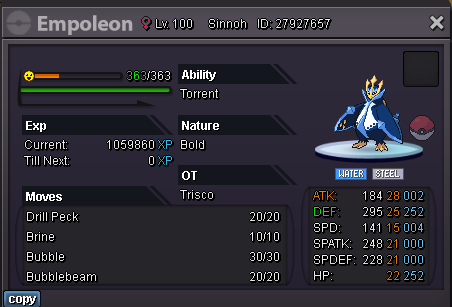
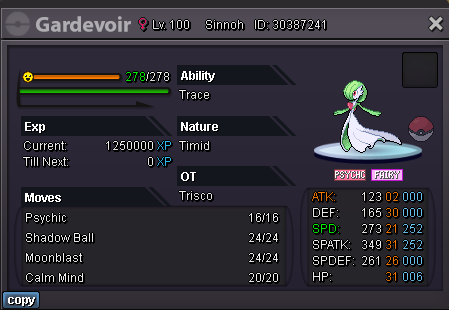
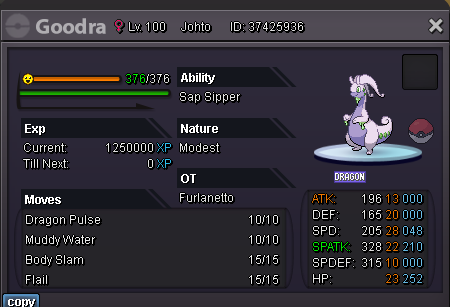
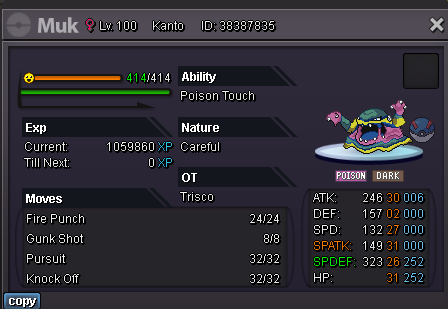
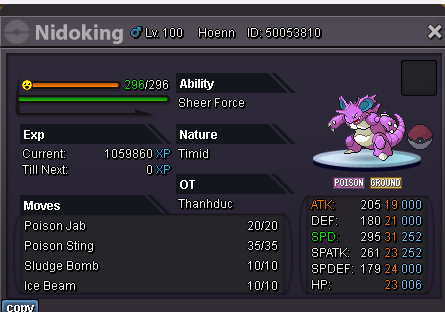
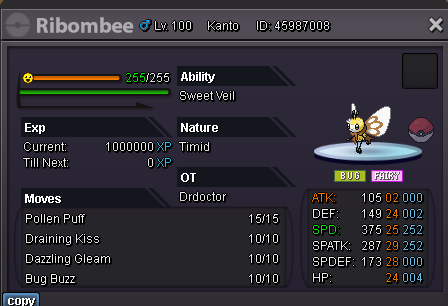
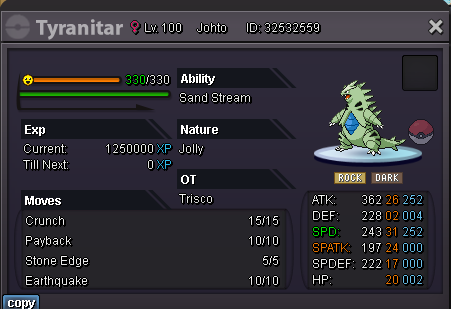
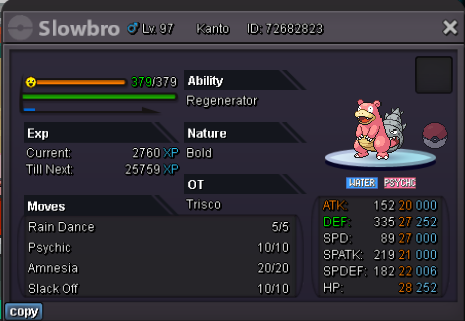
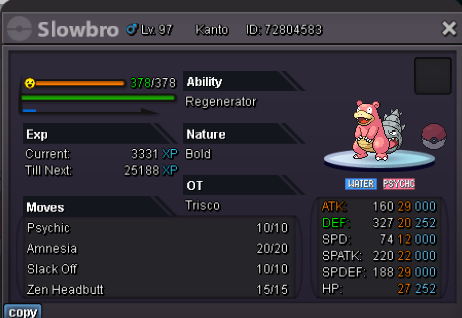
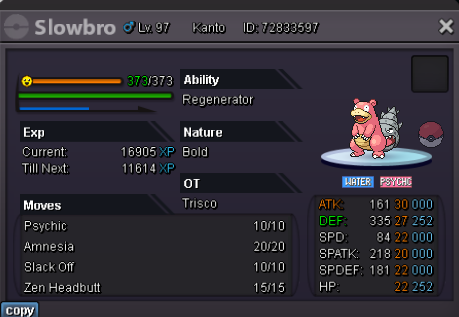
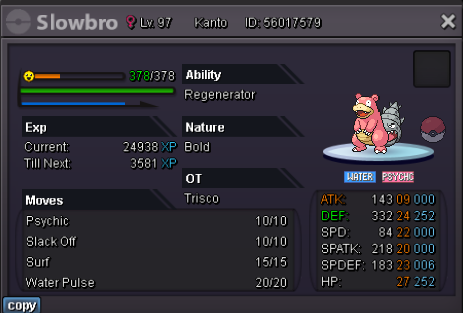
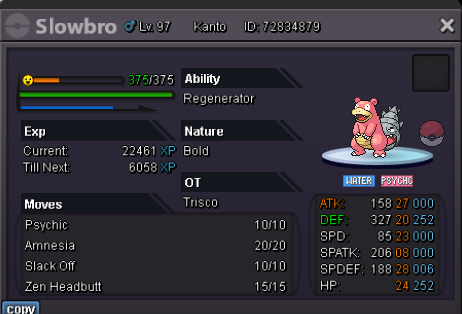
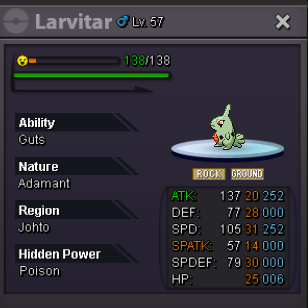
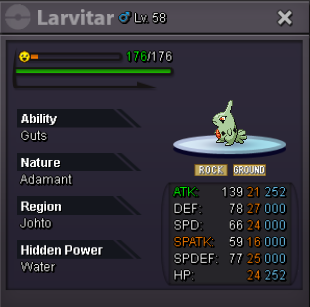
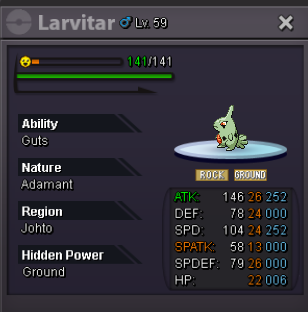
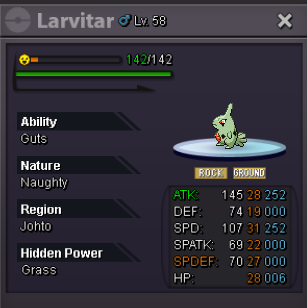
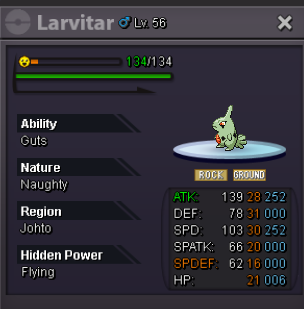
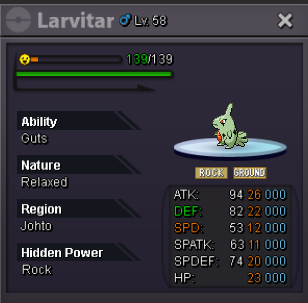
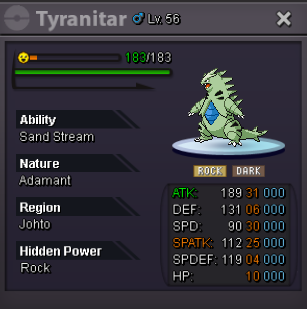
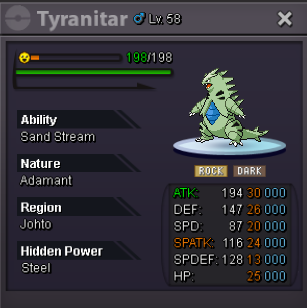
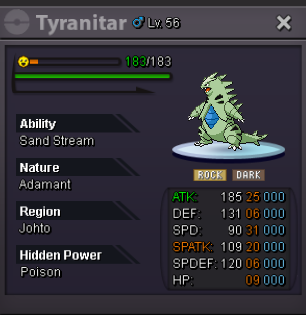
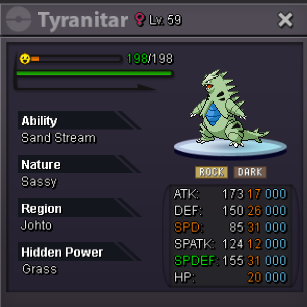
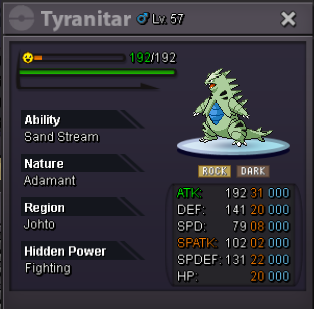
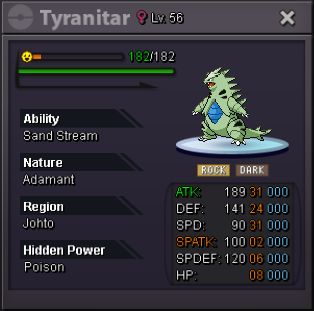
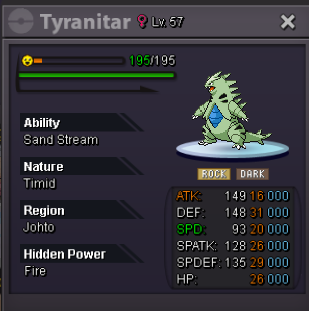
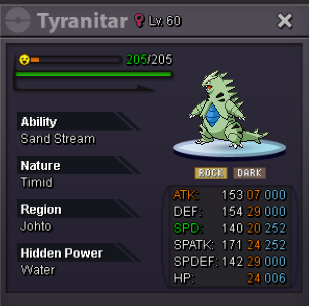
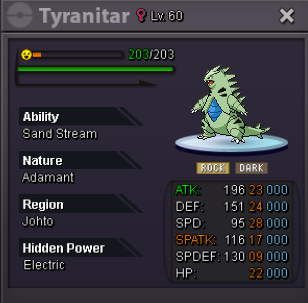
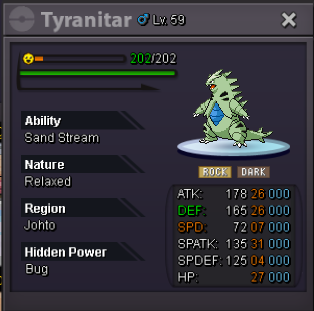
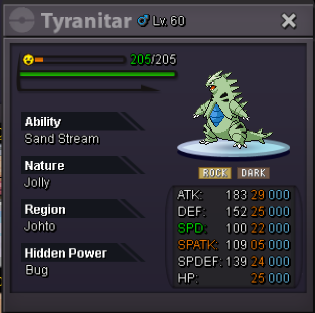
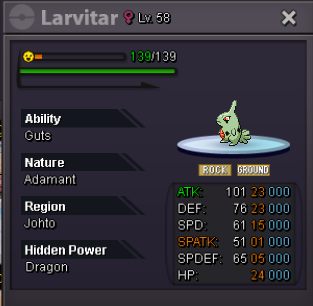
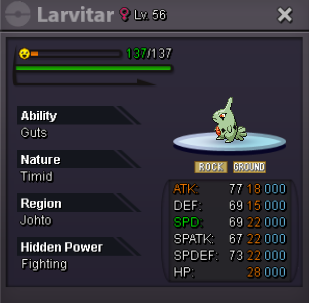
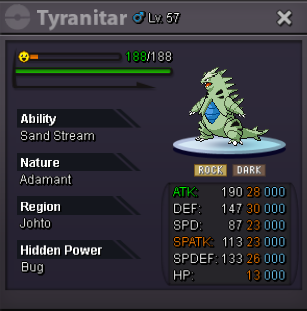
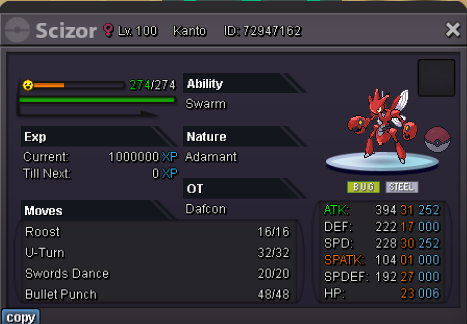


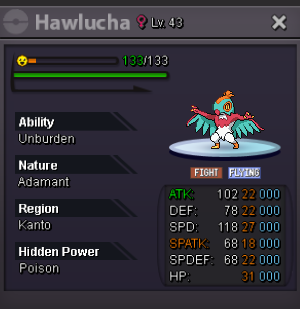
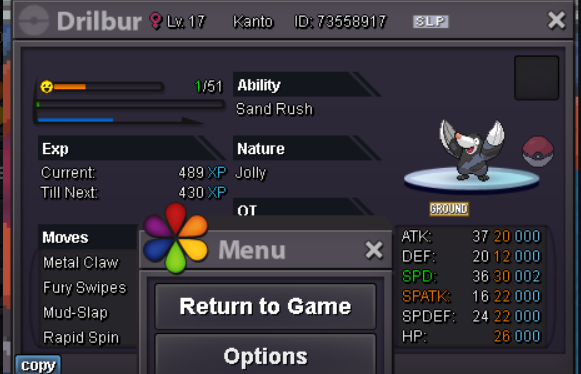
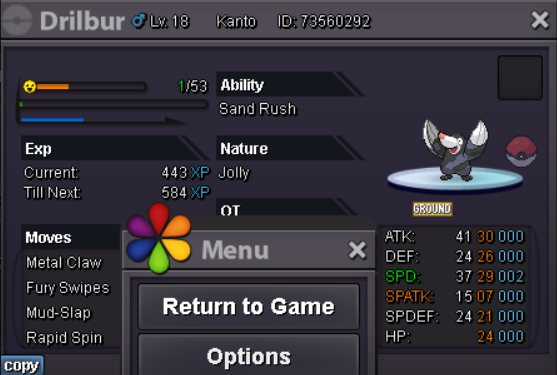
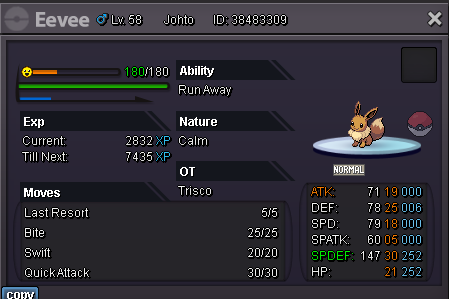
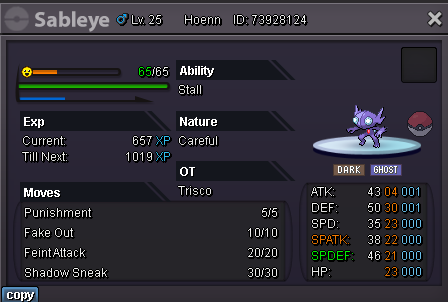
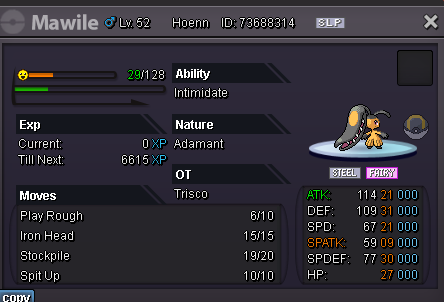
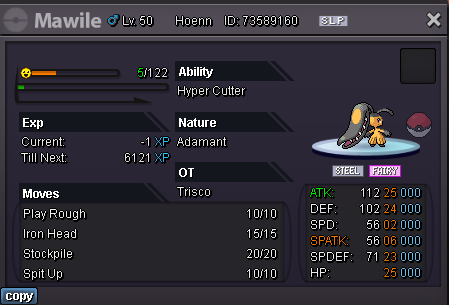
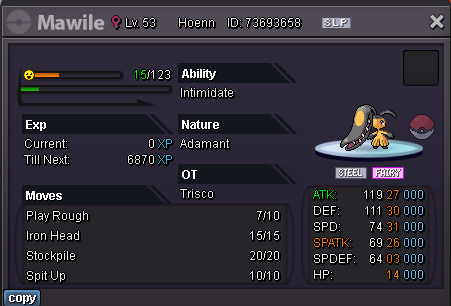
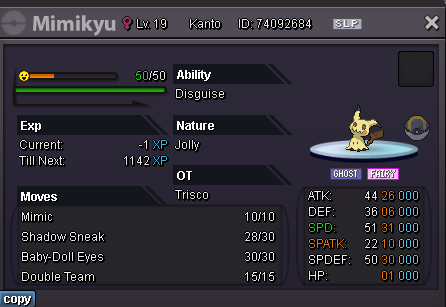
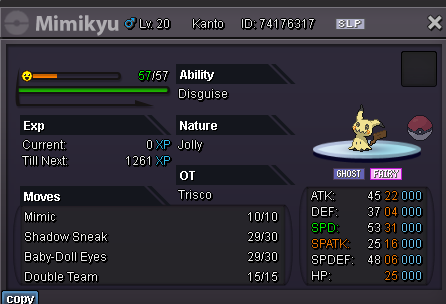
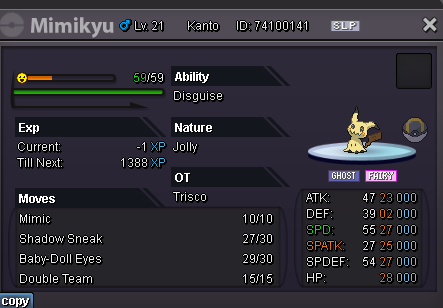
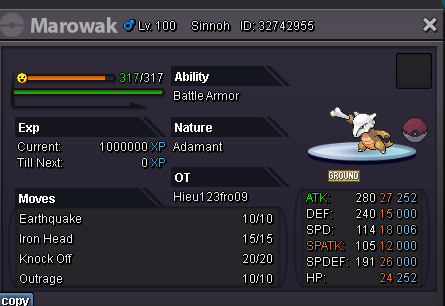
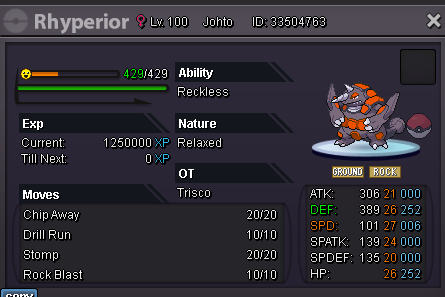

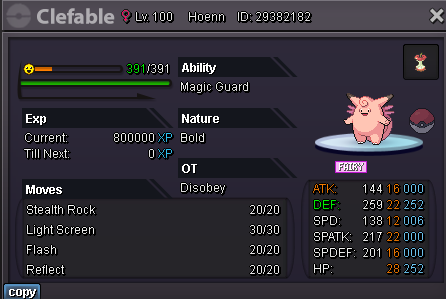


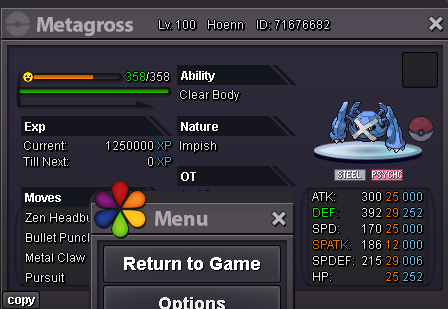
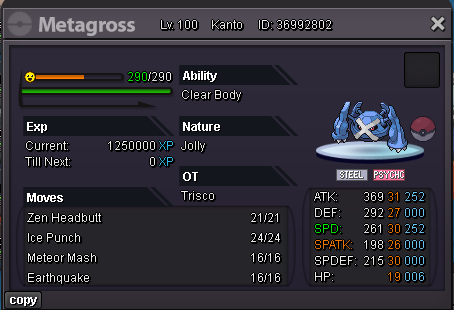
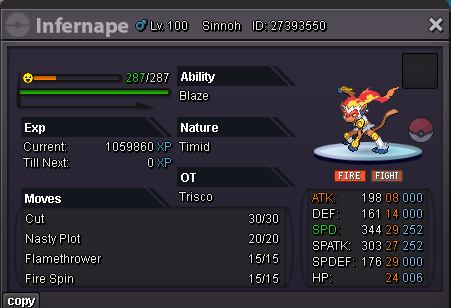


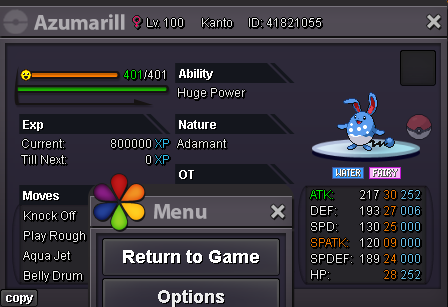

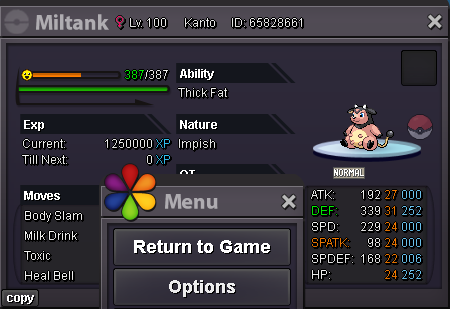
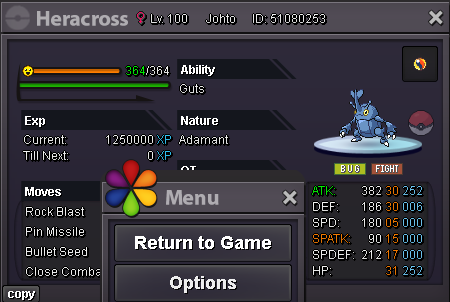
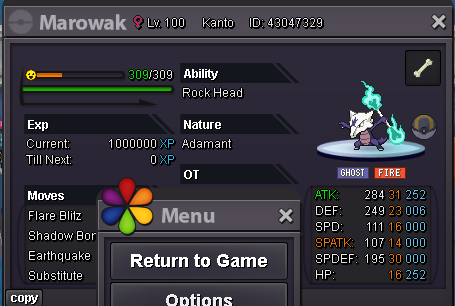


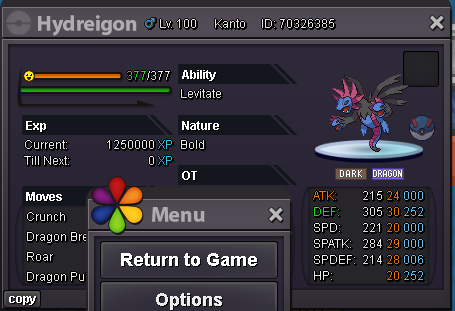
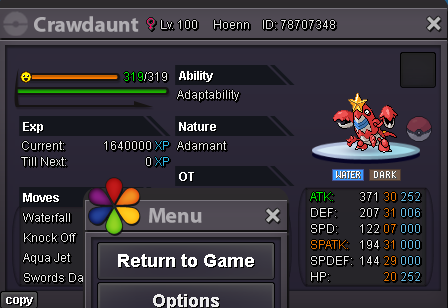

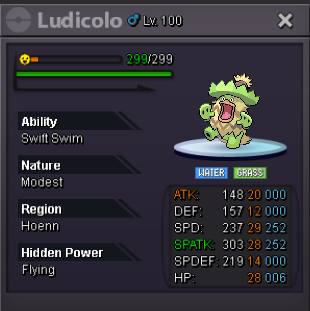


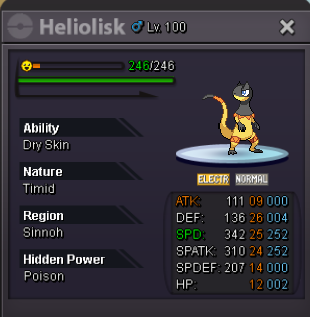

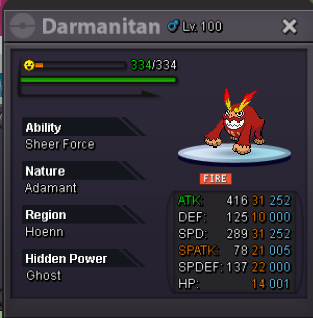
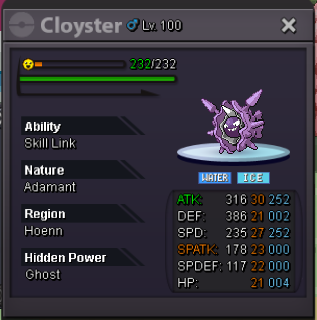
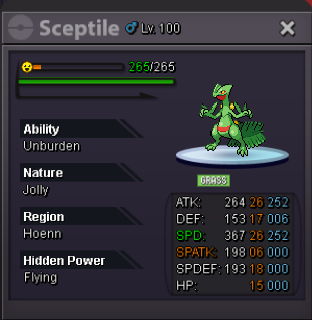


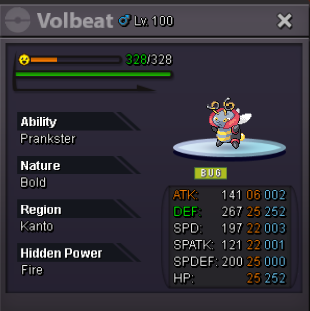

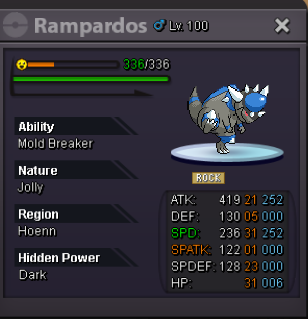


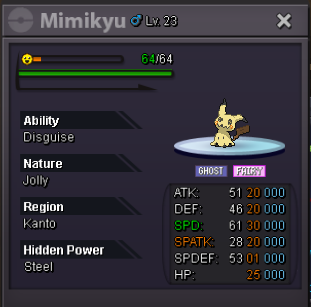

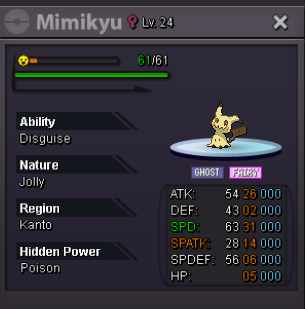
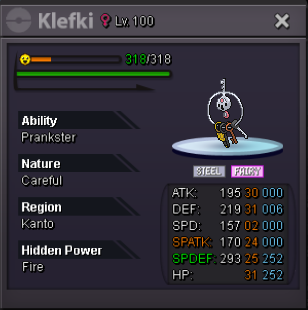
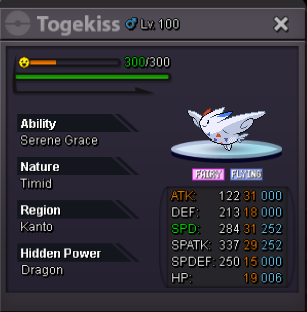


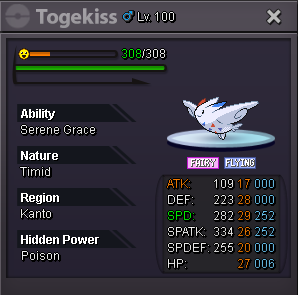
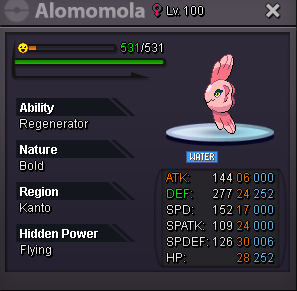
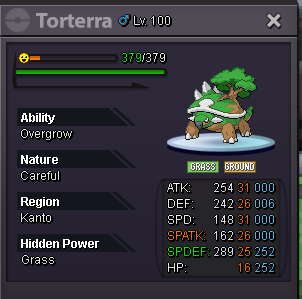
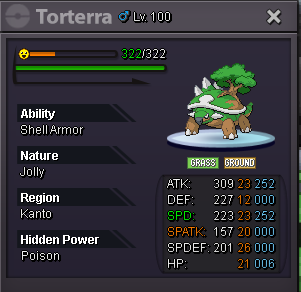
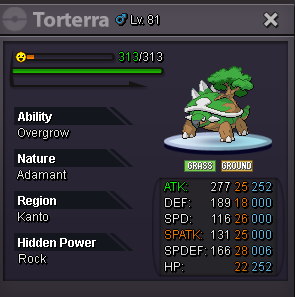
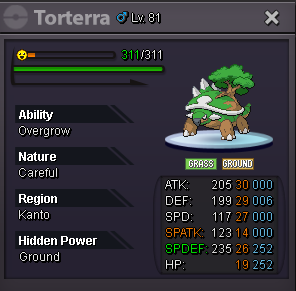
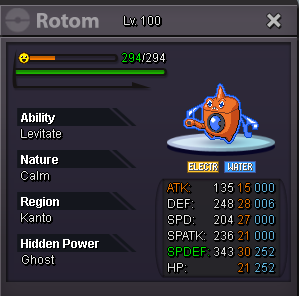
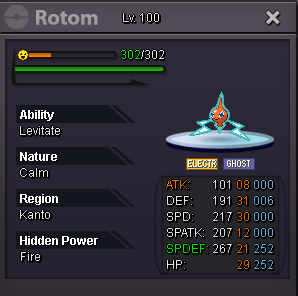
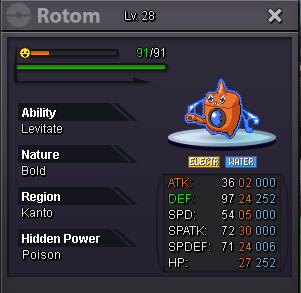
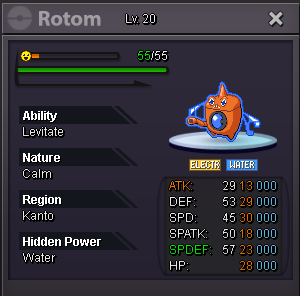
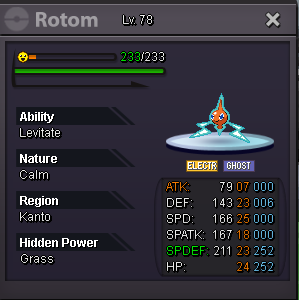
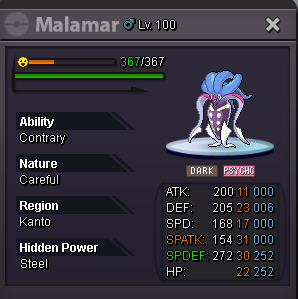
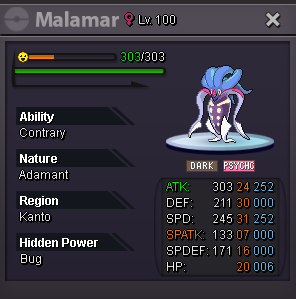
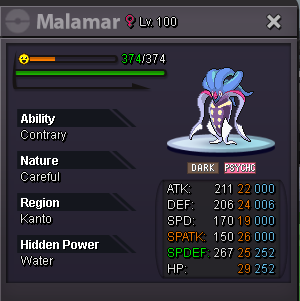
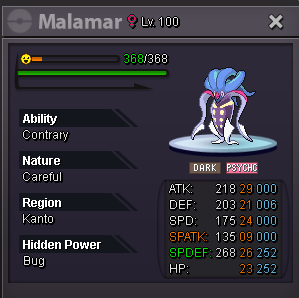
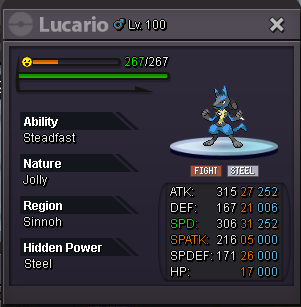
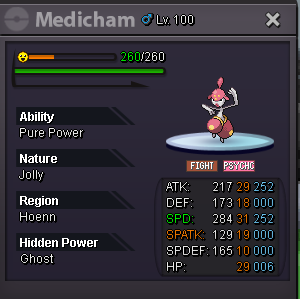
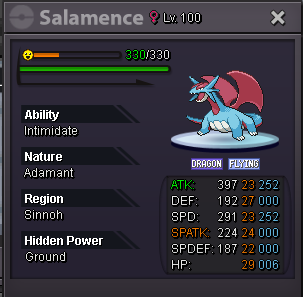
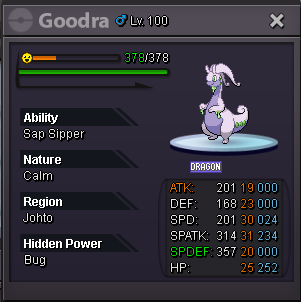
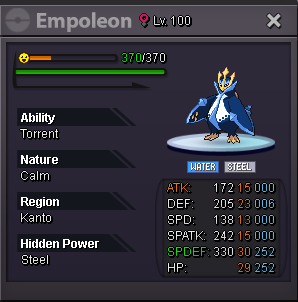
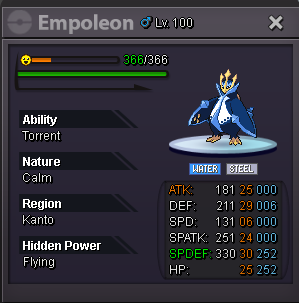
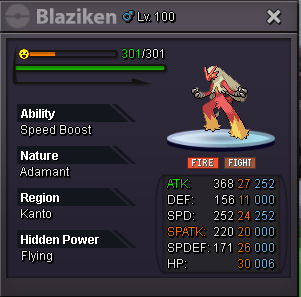
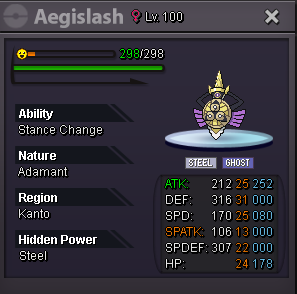
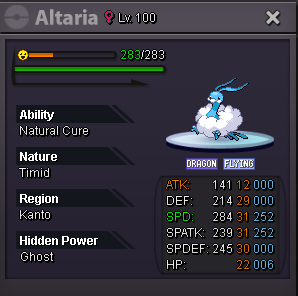
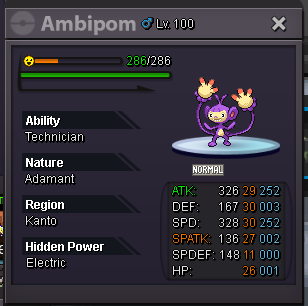
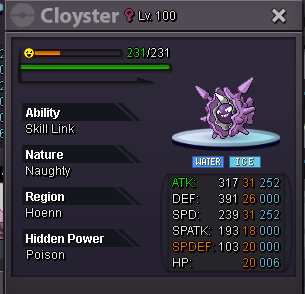
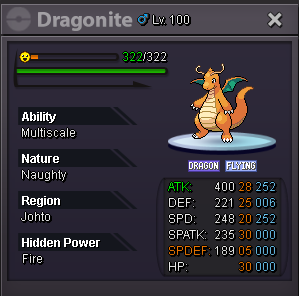
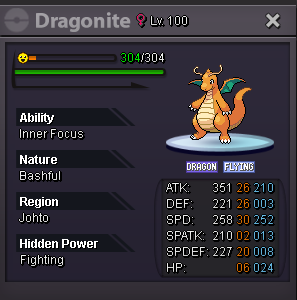
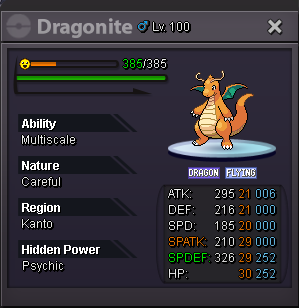
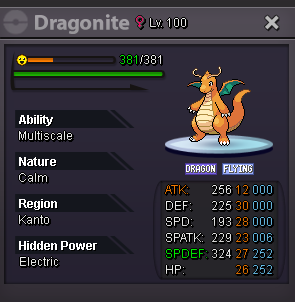
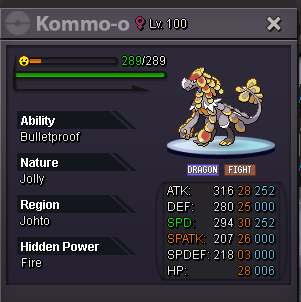
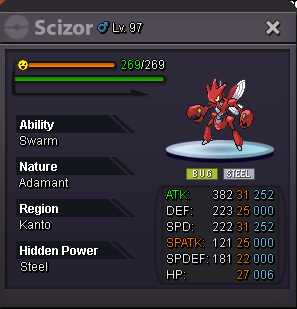
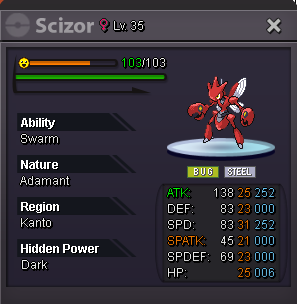
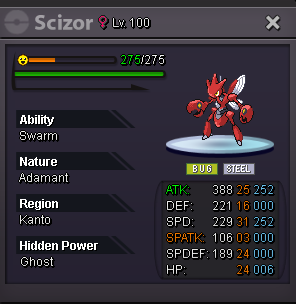
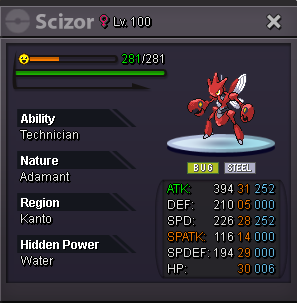
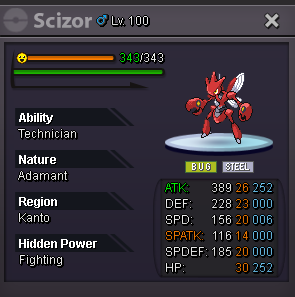
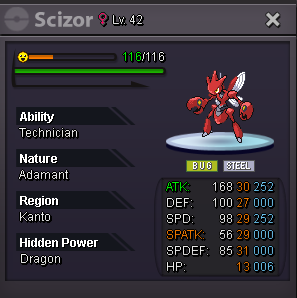
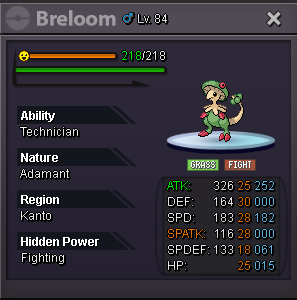
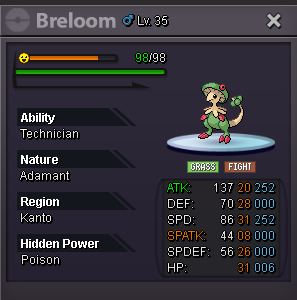
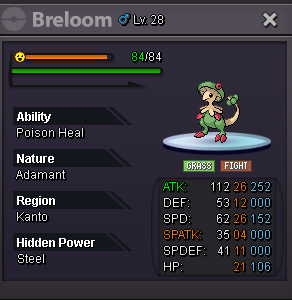
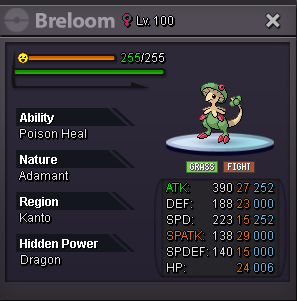
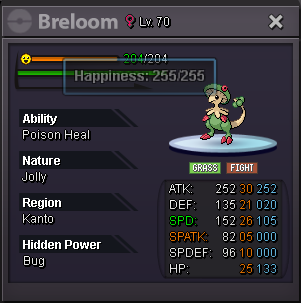
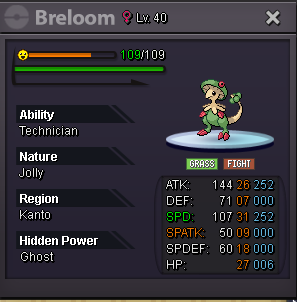
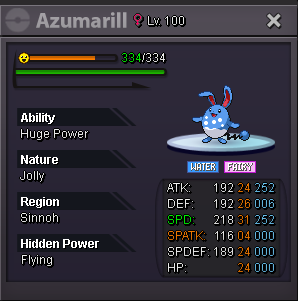
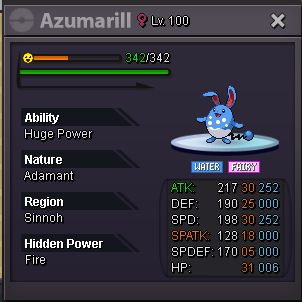
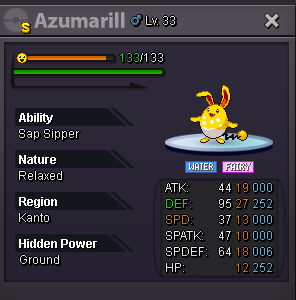
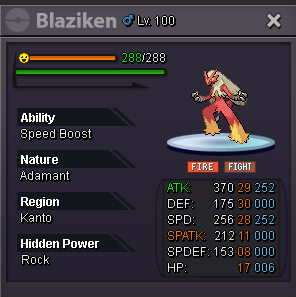
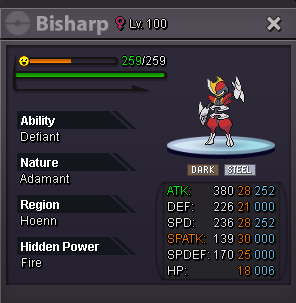
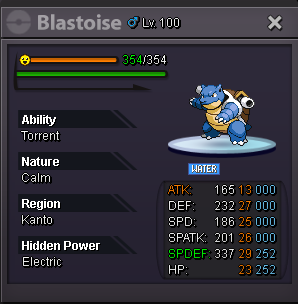
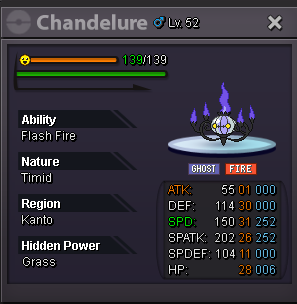
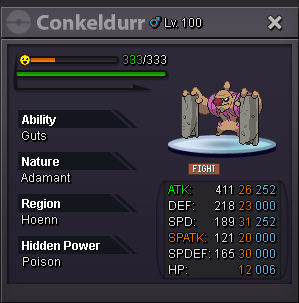
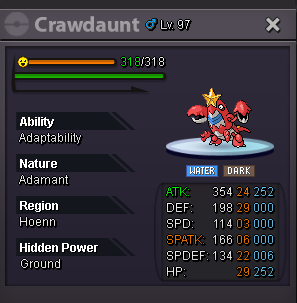
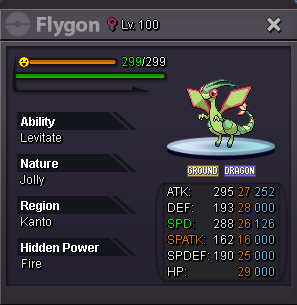
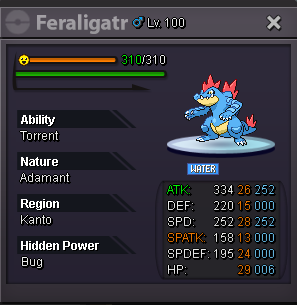
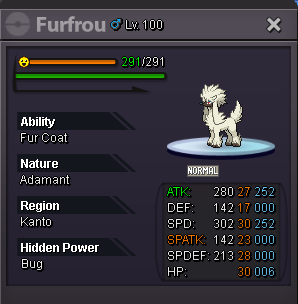
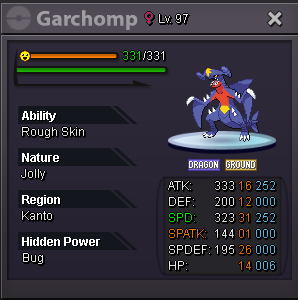
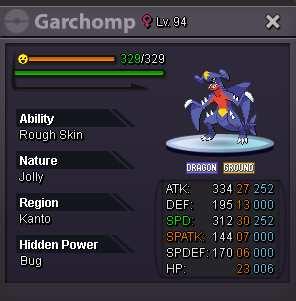
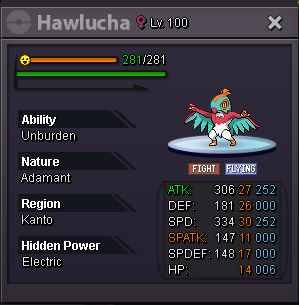
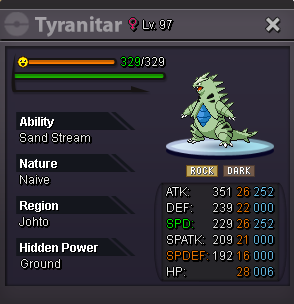
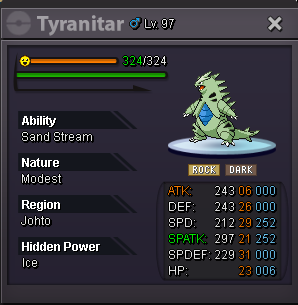
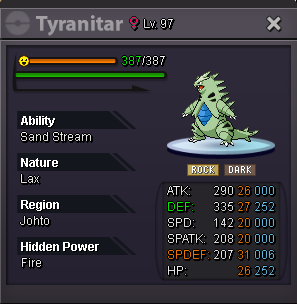
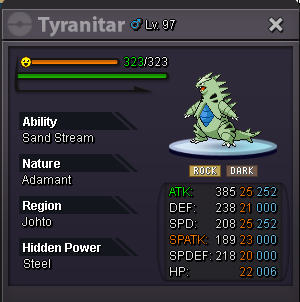
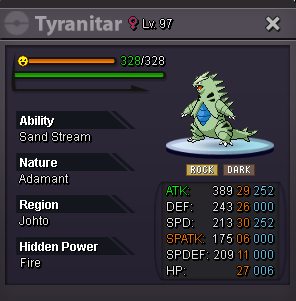
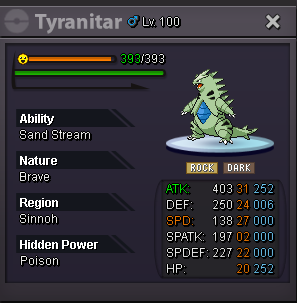
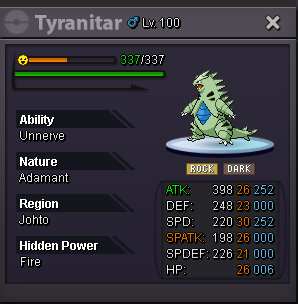
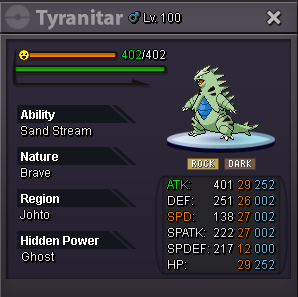
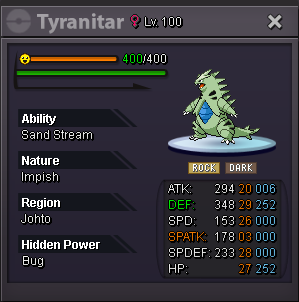
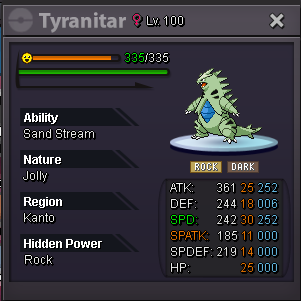
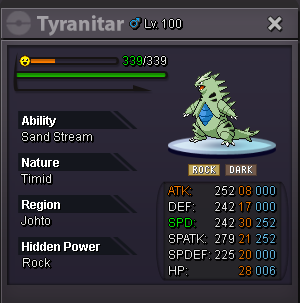
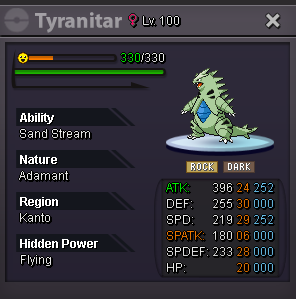
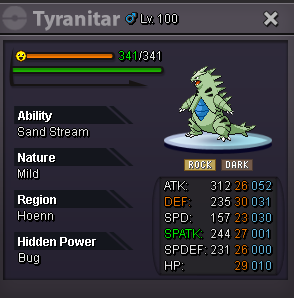
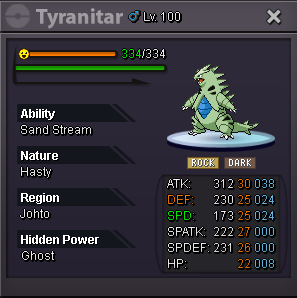
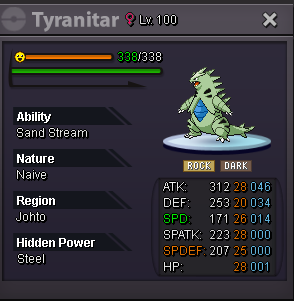
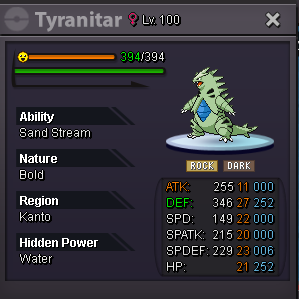
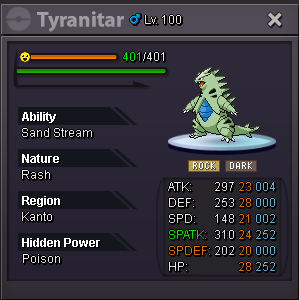
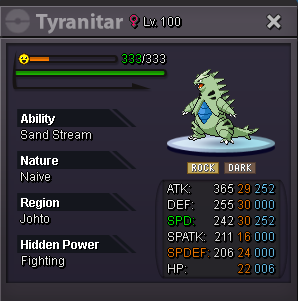
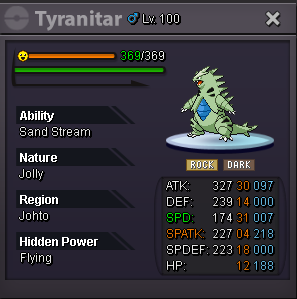
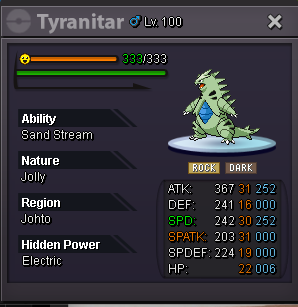
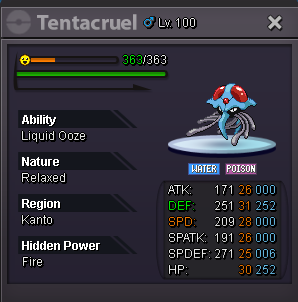
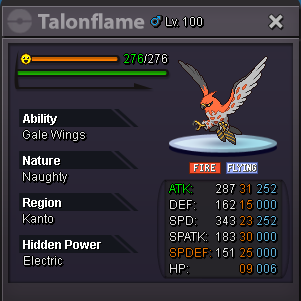
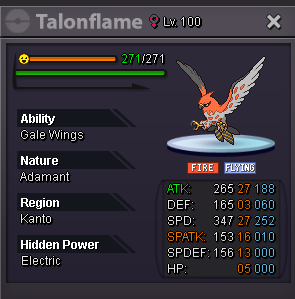
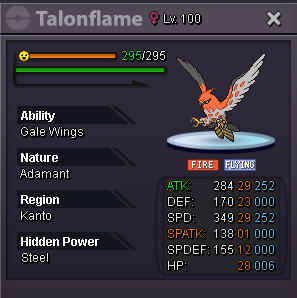
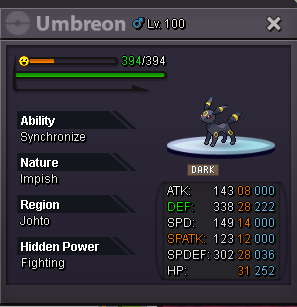
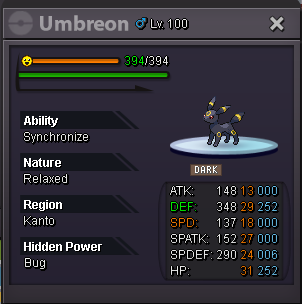
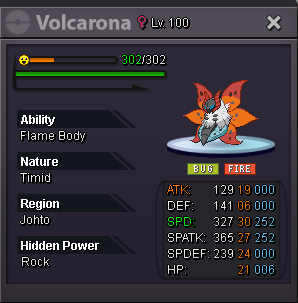
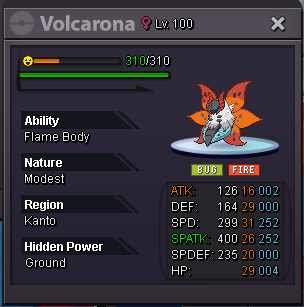
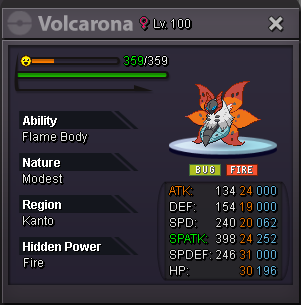
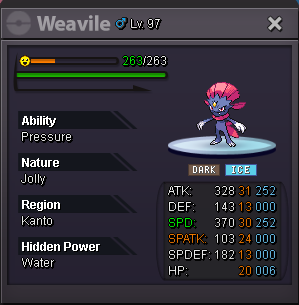
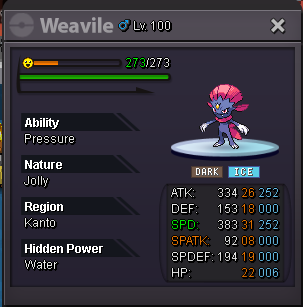
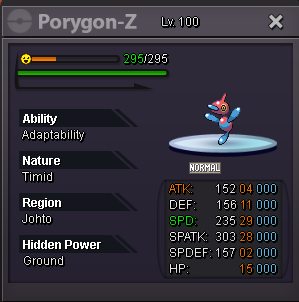
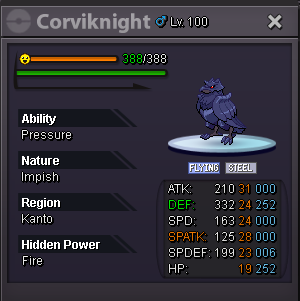
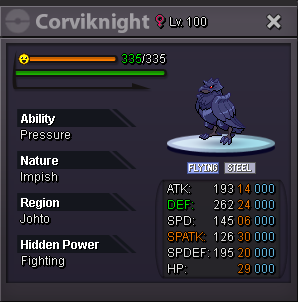



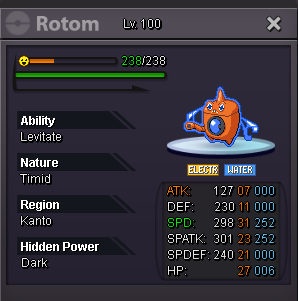
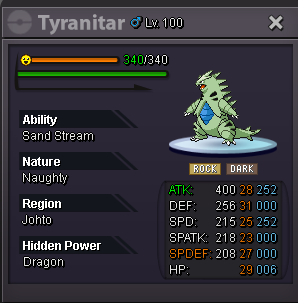
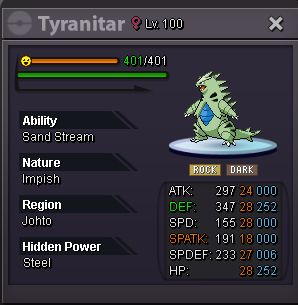
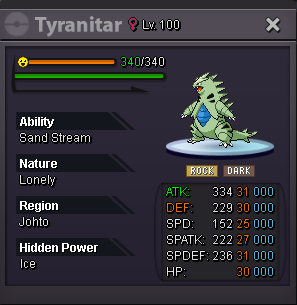
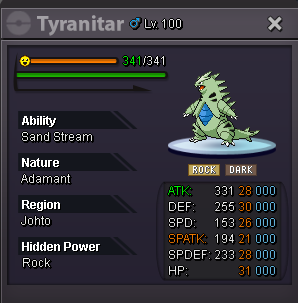
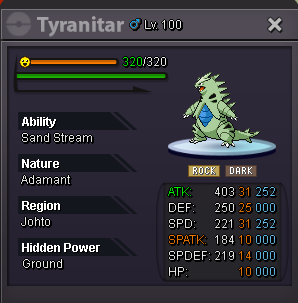
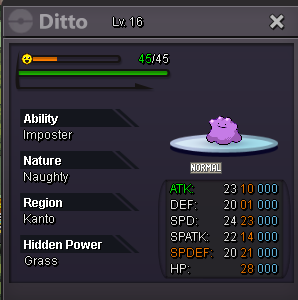
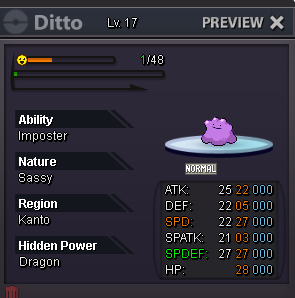
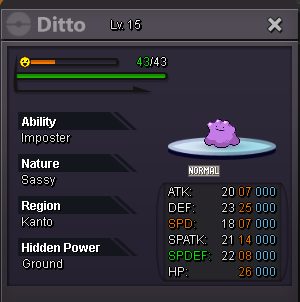
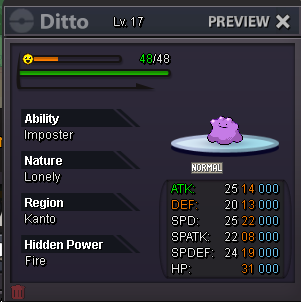
-
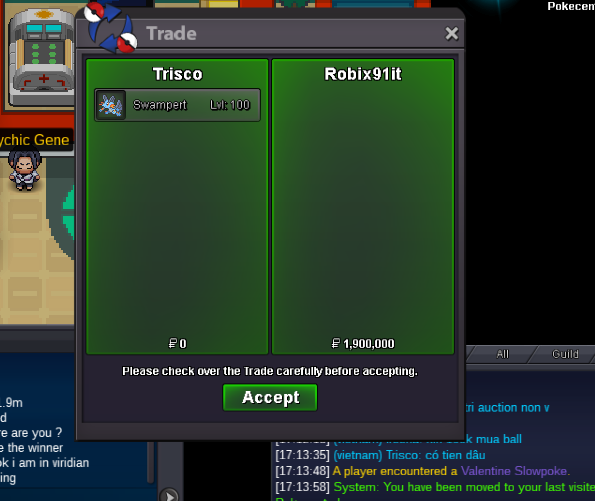
1.9m by robix91it
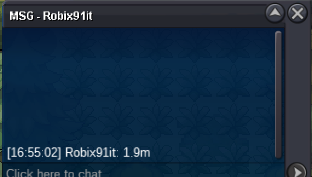 1.9m by robix91it
1m6 by Tanushisback
1.9m by robix91it
1m6 by Tanushisback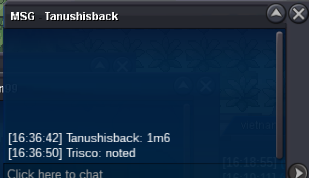 1m3 by benvirisback
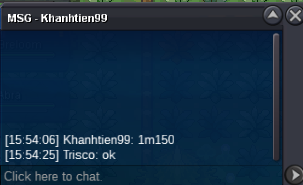
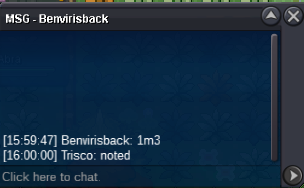 1m150k by khanhtien99
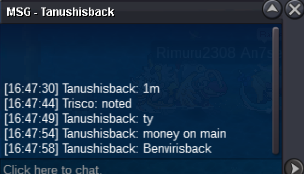
 bump1m by Tanushisback
 First Bid From Dmd by 650k. The auction will start now !!!
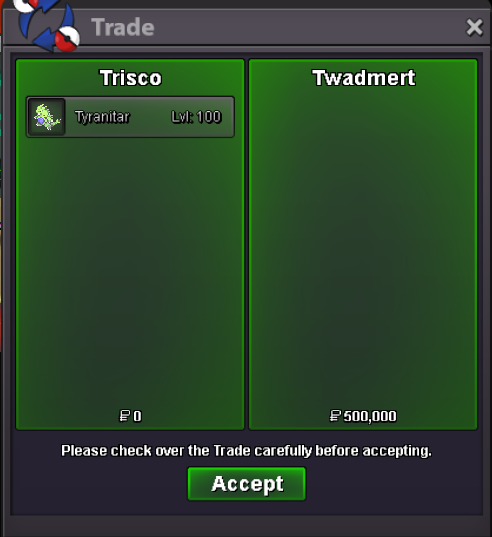
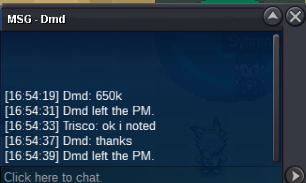 Duration: 72h after first bid Start offer: 500k - Min Bid: 150K Insta: N/A Accepted payments Coin Capsule = 400k Reroll Ticket = 550k Contact Ingame: Trisco Discord: Trisco1452
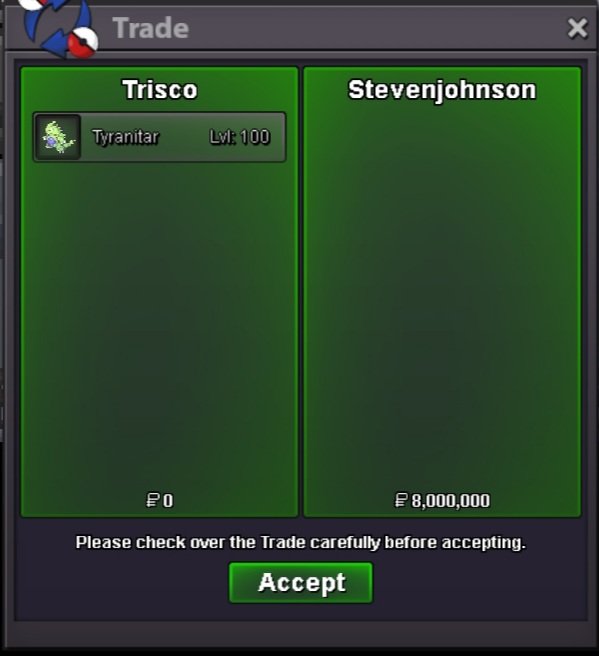
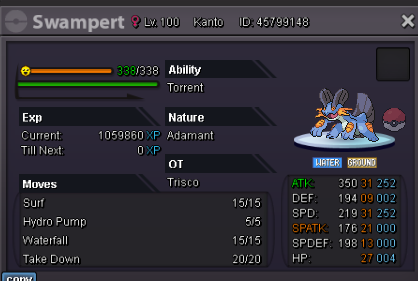 @StevenJohnsonyou won the auction, I'm online in gold now ^^^bump<> Duration: 72h after first bid Start offer: 8M Min Bid: 200K Insta: 20m Accepted payments Coin Capsule = 400k Reroll Ticket = 550k Contact Ingame: Trisco Discord: Trisco1452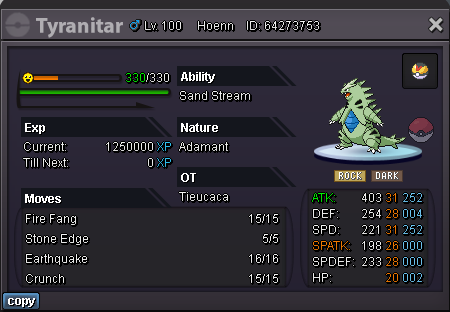
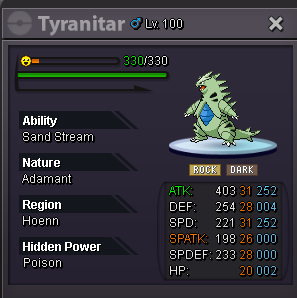 10k@Twadmert Congratulation to you, you won the auction. Im online now or you can contact me at Discord : Trisco#1452


Account
Navigation
Search
Configure browser push notifications
Chrome (Android)
- Tap the lock icon next to the address bar.
- Tap Permissions → Notifications.
- Adjust your preference.
Chrome (Desktop)
- Click the padlock icon in the address bar.
- Select Site settings.
- Find Notifications and adjust your preference.
Safari (iOS 16.4+)
- Ensure the site is installed via Add to Home Screen.
- Open Settings App → Notifications.
- Find your app name and adjust your preference.
Safari (macOS)
- Go to Safari → Preferences.
- Click the Websites tab.
- Select Notifications in the sidebar.
- Find this website and adjust your preference.
Edge (Android)
- Tap the lock icon next to the address bar.
- Tap Permissions.
- Find Notifications and adjust your preference.
Edge (Desktop)
- Click the padlock icon in the address bar.
- Click Permissions for this site.
- Find Notifications and adjust your preference.
Firefox (Android)
- Go to Settings → Site permissions.
- Tap Notifications.
- Find this site in the list and adjust your preference.
Firefox (Desktop)
- Open Firefox Settings.
- Search for Notifications.
- Find this site in the list and adjust your preference.