




New Trade Zone
Trade Zone is now live
Use the new Trade Zone for auctions and instant-price trades so Pokemon and item offers are easy to find.

Xenovalegeist
Registered User
-
Joined
-
Last visited
Everything posted by Xenovalegeist
-
EDIT: March 10th - Price Reduction
-
Auction Time: 48h after first bid Start Point: 17/11 1:51 AM GMT+1 End Point: 19/11 1:51 AM GMT+1 Winner: @Xahdeyn with a 1.4m bid I will write to you when you are online here or in the game and you are also welcome to let me know when you are online@Zoruami it's doneStarting offer : 700K Min bid : 50K No Insta Auction ends 48h after first bid Payments : Pokedollars cc = 400K Reroll Ticket = 500K Nature Reroll = 250K
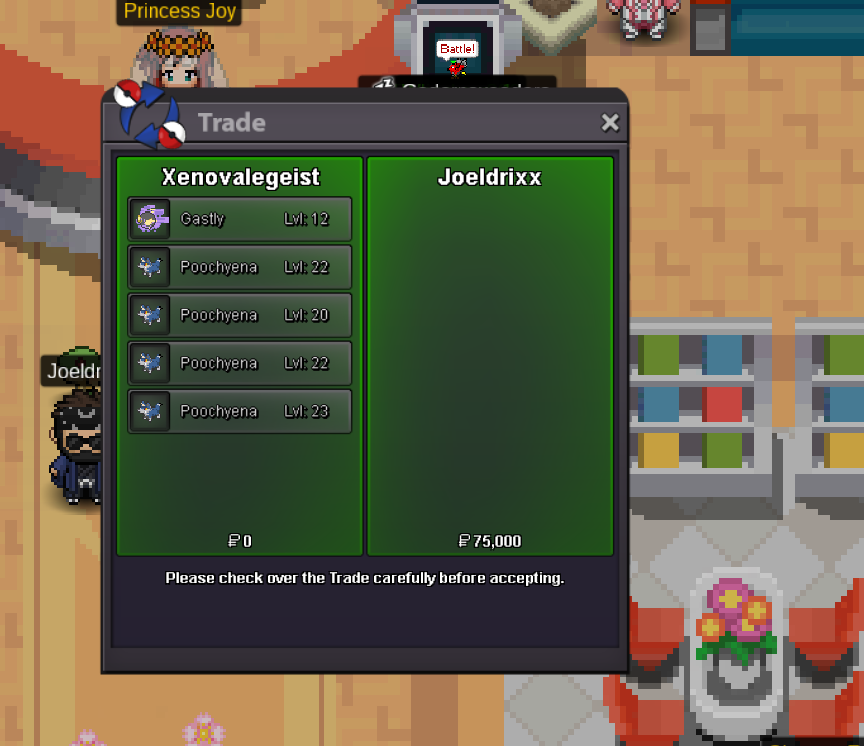
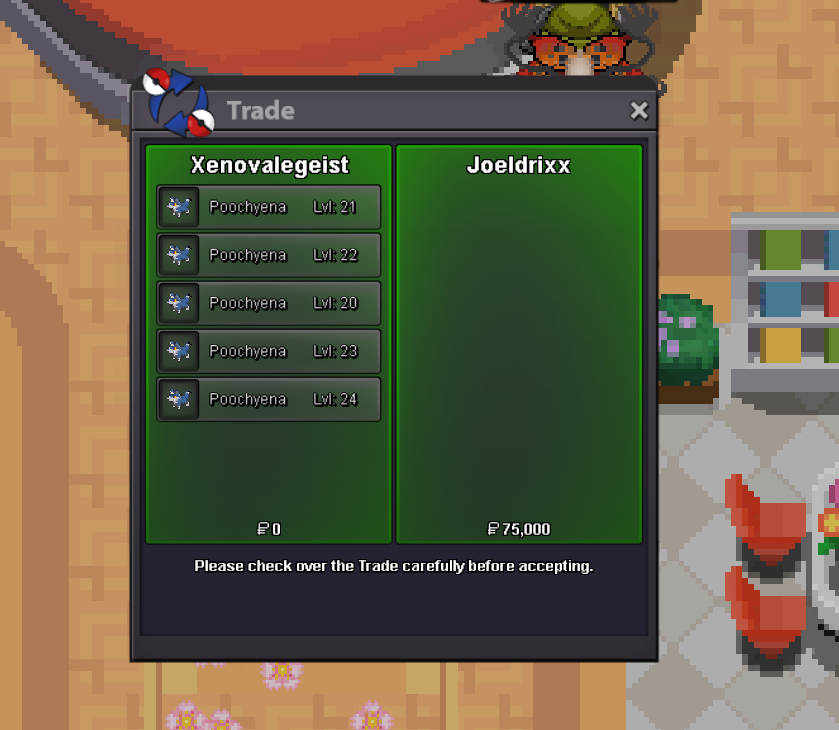
 oh S.O. is 350k i´ve seen it now xD i bid 400k20 x trash halloween event Pokemon got sold for 15k each = 300k

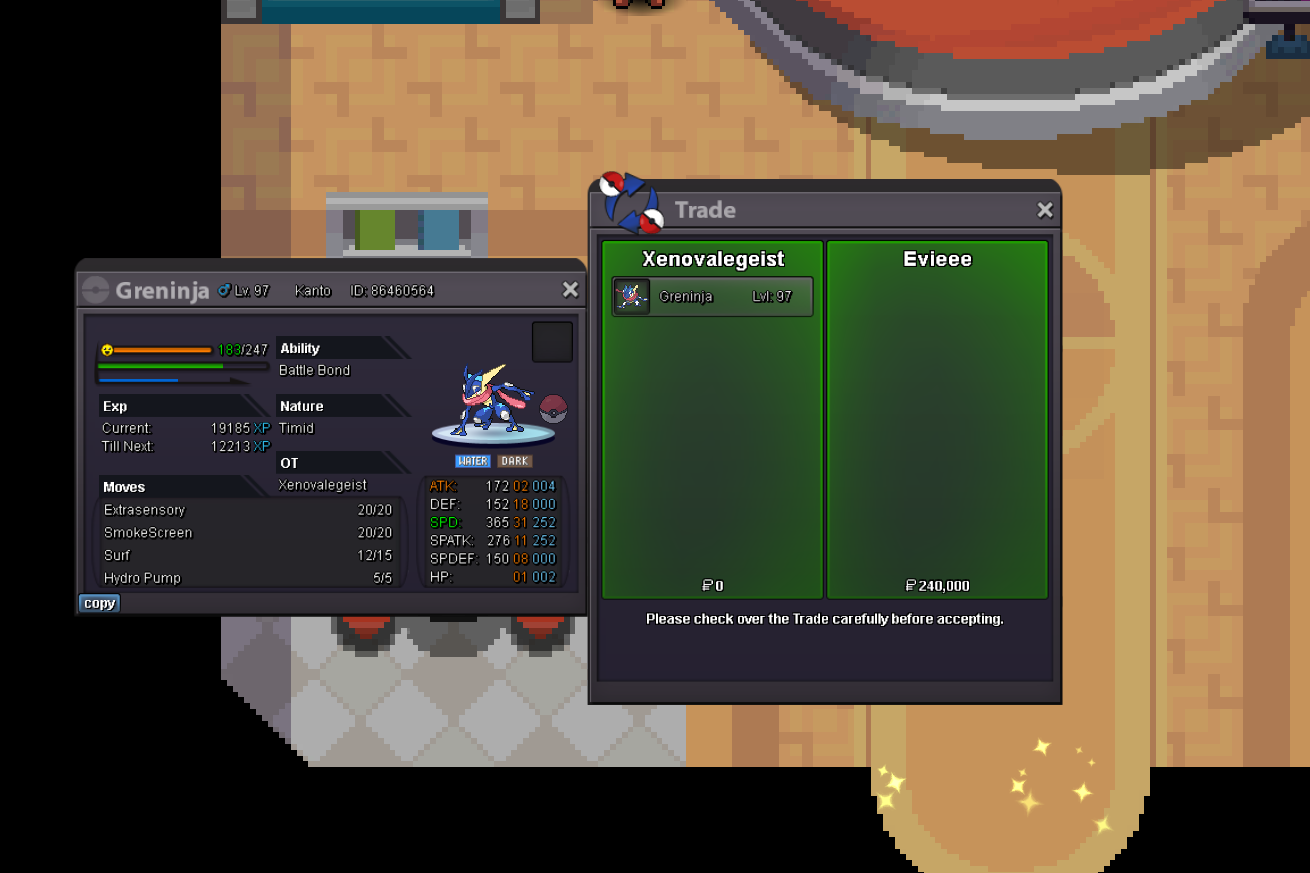
 Greninja got sold to Evieee for 240k
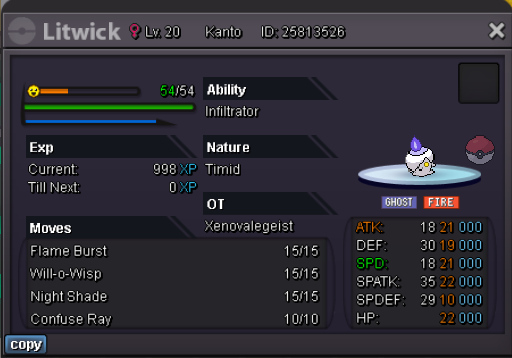
 XENO SHOP Welcome to Xenovalegeist´s SHOP SHOP RULES Any fake offer will be reported. Be careful ! You can't cancel your offer. No auctions here, only fixed insta prices. Items are not included in the purchases. ACCEPTED CURRENCIES Pokedollars Coin Capsule (400K) Reroll Ticket (500K) Nature Reroll (250K) CONTACT IG : Xenovalegeist Discord: Valegeist UNTRAINED TRAINED EDIT: March 10th - Price Reduction


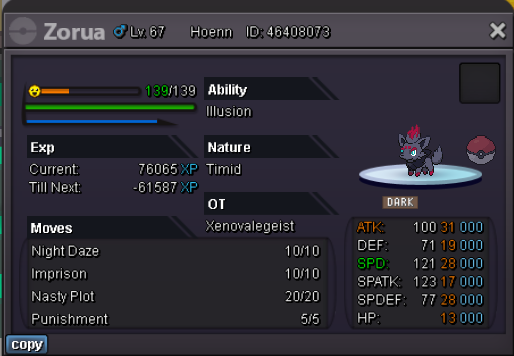
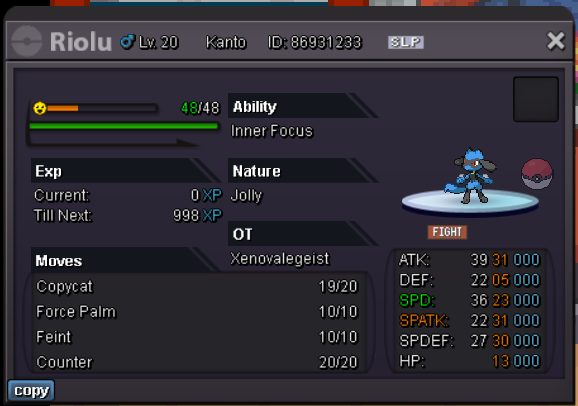


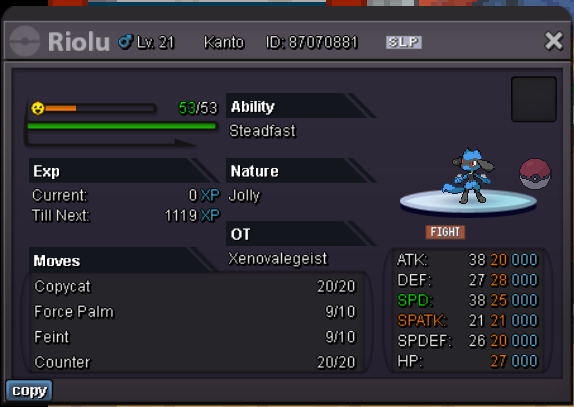

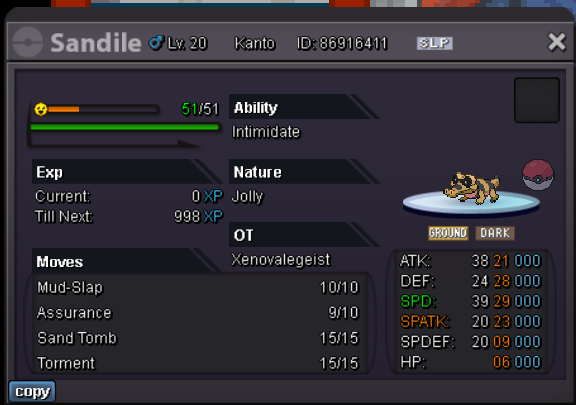
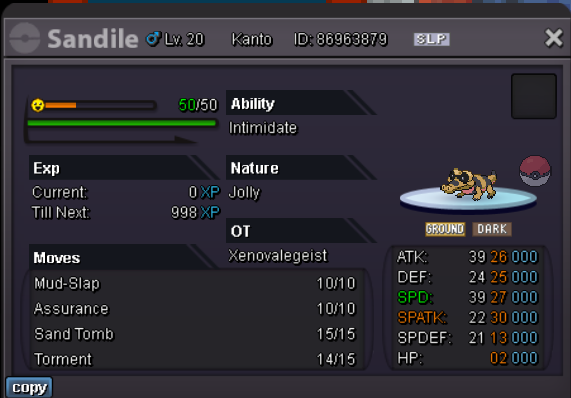


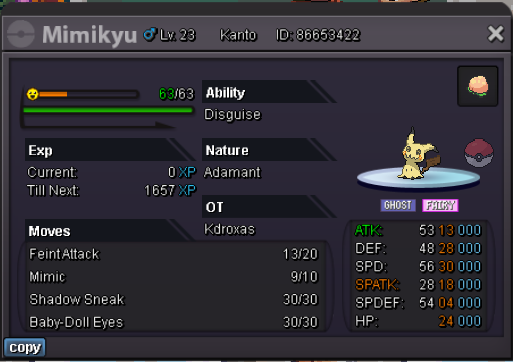
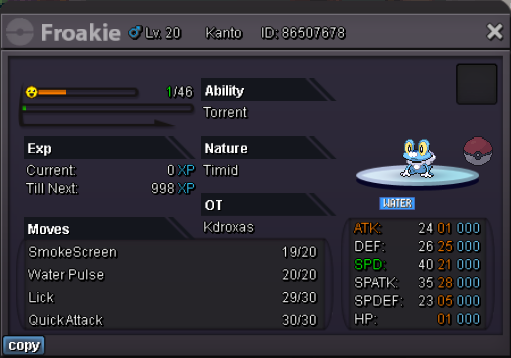
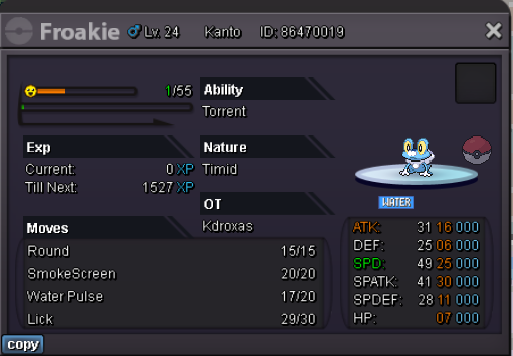
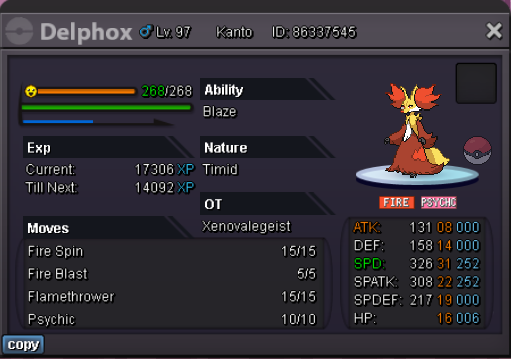
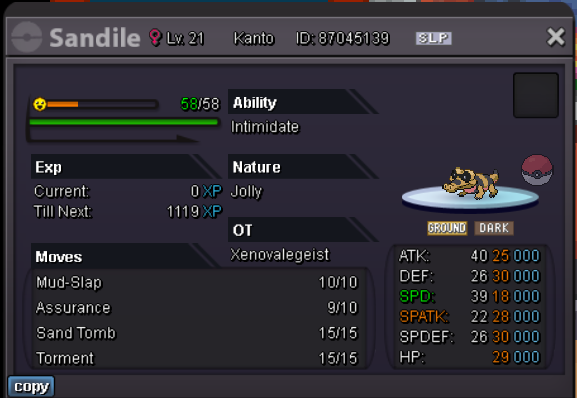


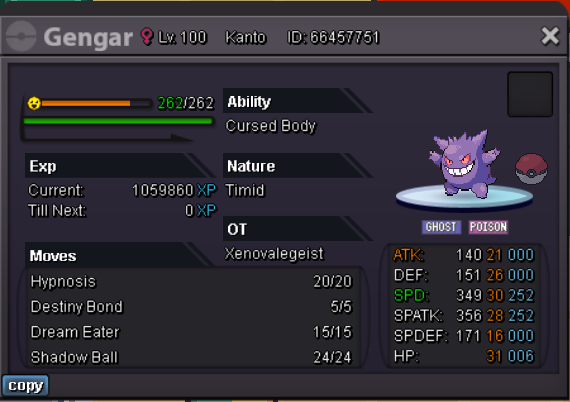 [Edit] Auction ends Wednesday 10:00 am GMT Blaggy1212 Won
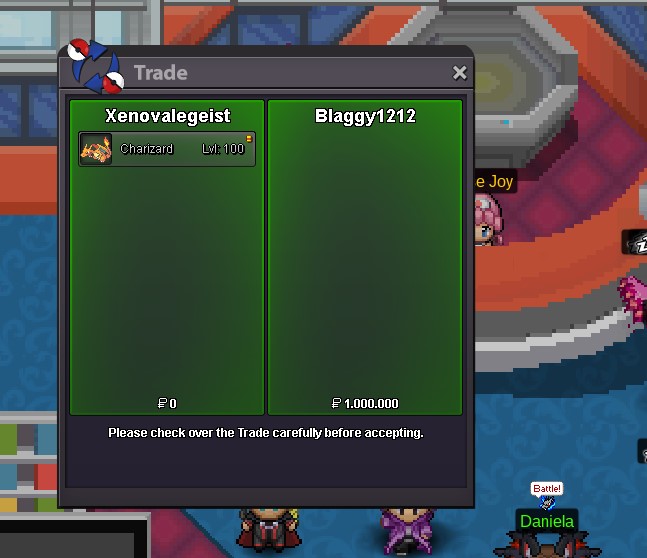 Auction ends in 48h.C.o : 1m Insta: 1.5m min rise: 200k Start time: 10:00 am gmt [sunday] end after 72h cc = 400k Discord: Valegeist#1110
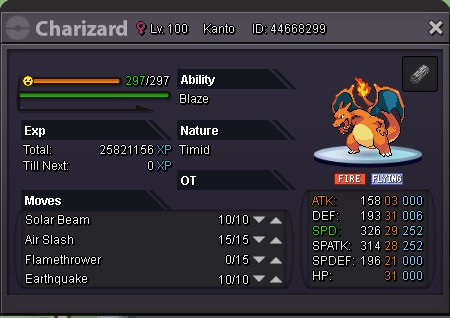 [Old action] no start bid



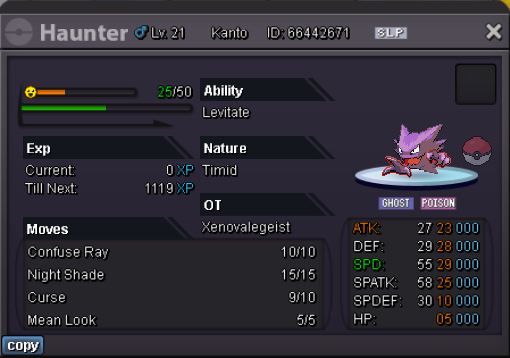


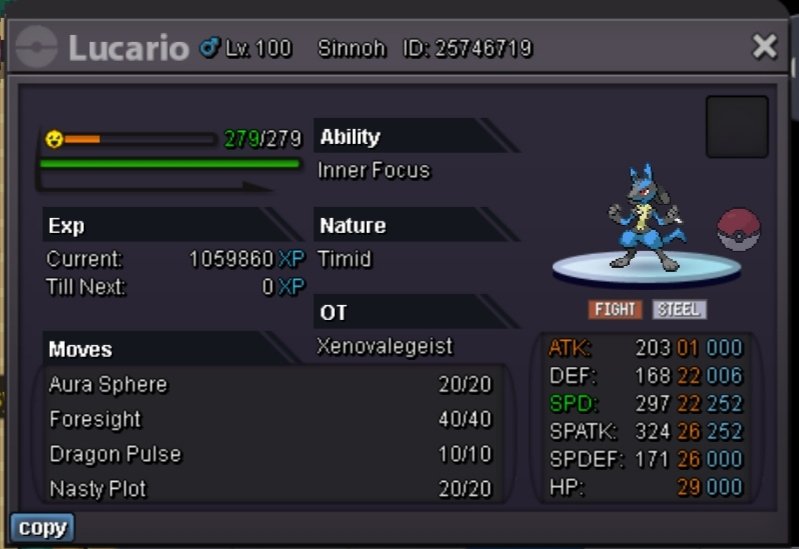

Account
Navigation
Search
Configure browser push notifications
Chrome (Android)
- Tap the lock icon next to the address bar.
- Tap Permissions → Notifications.
- Adjust your preference.
Chrome (Desktop)
- Click the padlock icon in the address bar.
- Select Site settings.
- Find Notifications and adjust your preference.
Safari (iOS 16.4+)
- Ensure the site is installed via Add to Home Screen.
- Open Settings App → Notifications.
- Find your app name and adjust your preference.
Safari (macOS)
- Go to Safari → Preferences.
- Click the Websites tab.
- Select Notifications in the sidebar.
- Find this website and adjust your preference.
Edge (Android)
- Tap the lock icon next to the address bar.
- Tap Permissions.
- Find Notifications and adjust your preference.
Edge (Desktop)
- Click the padlock icon in the address bar.
- Click Permissions for this site.
- Find Notifications and adjust your preference.
Firefox (Android)
- Go to Settings → Site permissions.
- Tap Notifications.
- Find this site in the list and adjust your preference.
Firefox (Desktop)
- Open Firefox Settings.
- Search for Notifications.
- Find this site in the list and adjust your preference.