New Trade Zone
Trade Zone is now live
Use the new Trade Zone for auctions and instant-price trades so Pokemon and item offers are easy to find.

Xxmonstervodka
Registered User
-
Joined
-
Last visited
Everything posted by Xxmonstervodka
-
ok thx you both for help :D
-
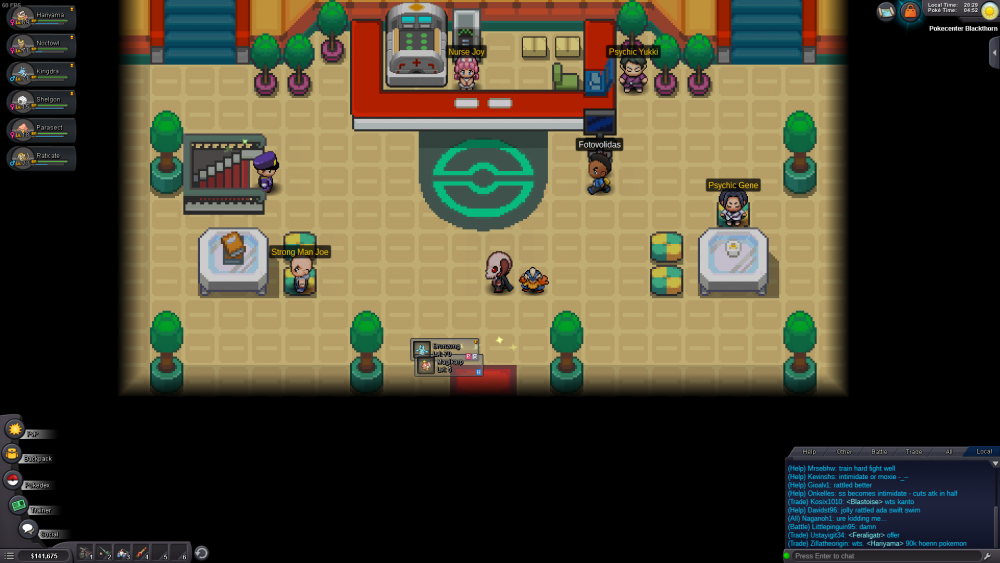
So I wanted to change the order of my pokemons in my PC, when that thing arrived and blocked 2 of my pokemons on the game screen. I can't remove then :'(
-
Big thank-you to you it works !!! <3
-
Thx for your kick answer, Yes, you are totally right, I've pokemons from Kanto in my team and I've just begin the story in Johto, so that's the source of the problem ? If my memory is correct, I remember, I have only one pokemon in my team when I stopped playing, and that was my starter one (and may be a eevee, I don't know).
-
So, I tested many things, but i really can't change the order of my pokemons (in my inventory and out of battles) ... I will add some details, which could be helpful to find a solution : - my account was created on the former server Blue, I created it in 2016 and I stopped playing since this date. - I passed the league, and I stopped on (early) Johto region - and oddly, i can switch the order of my pokemons on gold server (i created rapidely an account)