




New Trade Zone
Trade Zone is now live
Use the new Trade Zone for auctions and instant-price trades so Pokemon and item offers are easy to find.
Neternet
Registered User
-
Joined
-
Last visited
Everything posted by Neternet
-
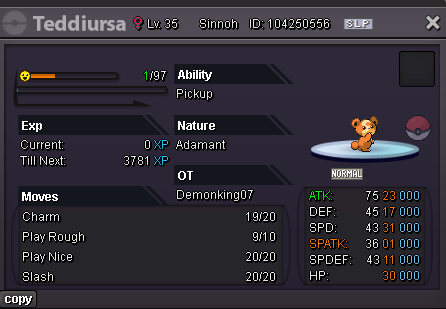
Start Point/Price: 100K End Point: 10HR AFTER FIRSTS BID Insta: NO INSTA Min. Raise: 50K Accepted Payment(s): POKEDOLLARS
-
-
-
-
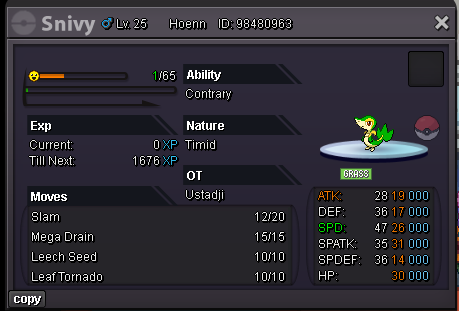
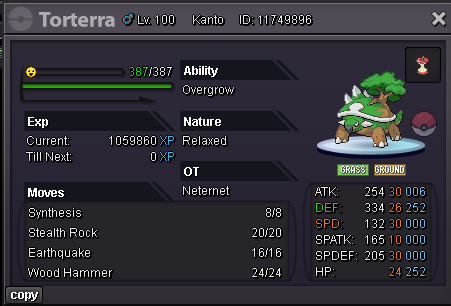
Start Point: 400k Auction ends after 12hr (starts after first bid) No insta Min raise: 100k Accepted payment: pokedollars and ivs scroll (750k- valued each) Hp ---> bug
-
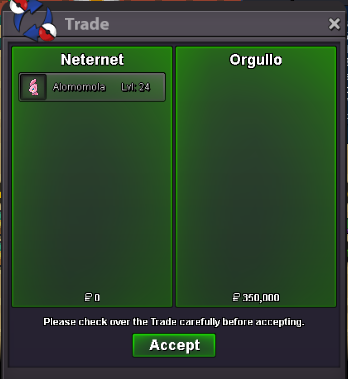
@orgullo winner sold for 350knew offer @ Orgullo 350k
 new offer for 300k beef1998
 new offfer from @Orgullo 250k
 new offer from @Z4ngad0 200k
 150k start from @Mithream
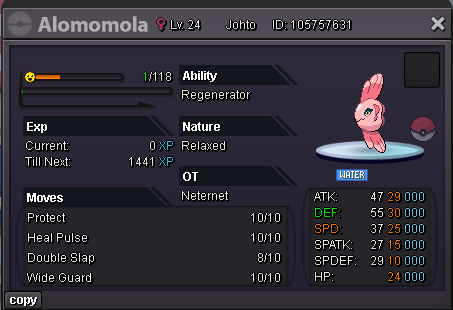
 Auction starts at 150k min bid 50k auction last for 5hr
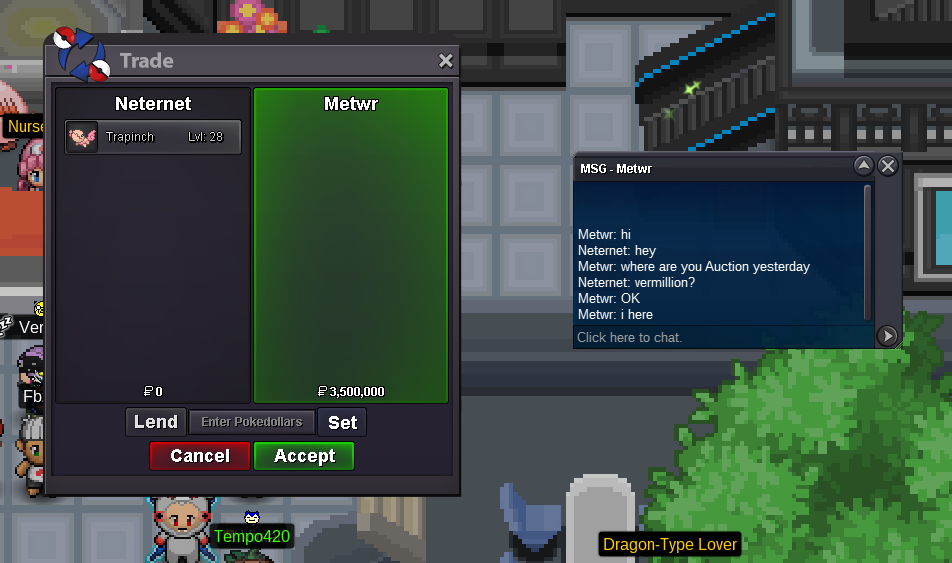
 @Grayzhang SOLD no more bids please @Grayzhang CONGRATSlast callsnew offer 3,42.5m from fatty69
 2.250 from Rastakiller
 new offer for 2.1m fatty69Start 400k min raise 50k auctions start after first bid for 48hrs
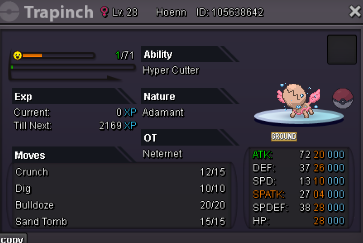 Start Price 300k min raise 50k 24hour auction starts after first bid
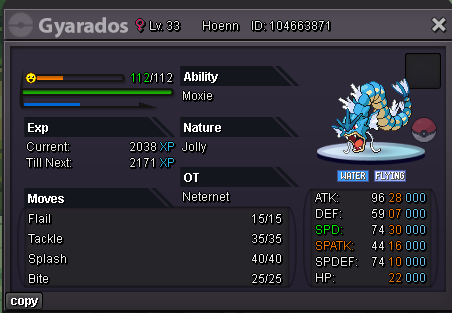 Start:300k Min bid: 50k end point: 48 hours after first bid accepted payments pokedollars
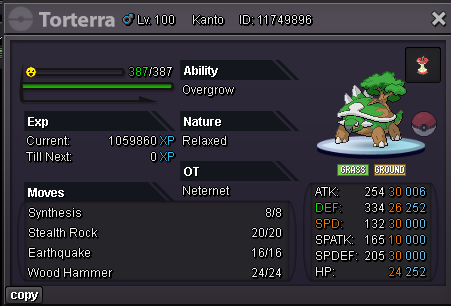 Start:400k Min bid: 50k end point: 48 hours after first bid accepted payments pokedollars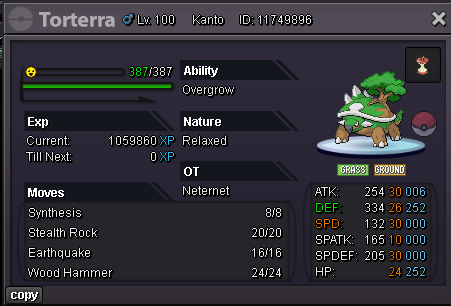

Account
Navigation
Search
Configure browser push notifications
Chrome (Android)
- Tap the lock icon next to the address bar.
- Tap Permissions → Notifications.
- Adjust your preference.
Chrome (Desktop)
- Click the padlock icon in the address bar.
- Select Site settings.
- Find Notifications and adjust your preference.
Safari (iOS 16.4+)
- Ensure the site is installed via Add to Home Screen.
- Open Settings App → Notifications.
- Find your app name and adjust your preference.
Safari (macOS)
- Go to Safari → Preferences.
- Click the Websites tab.
- Select Notifications in the sidebar.
- Find this website and adjust your preference.
Edge (Android)
- Tap the lock icon next to the address bar.
- Tap Permissions.
- Find Notifications and adjust your preference.
Edge (Desktop)
- Click the padlock icon in the address bar.
- Click Permissions for this site.
- Find Notifications and adjust your preference.
Firefox (Android)
- Go to Settings → Site permissions.
- Tap Notifications.
- Find this site in the list and adjust your preference.
Firefox (Desktop)
- Open Firefox Settings.
- Search for Notifications.
- Find this site in the list and adjust your preference.