




New Trade Zone
Trade Zone is now live
Use the new Trade Zone for auctions and instant-price trades so Pokemon and item offers are easy to find.

Sensoy01
Registered User
-
Joined
-
Last visited
Everything posted by Sensoy01
-
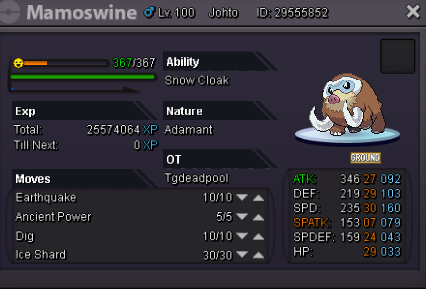
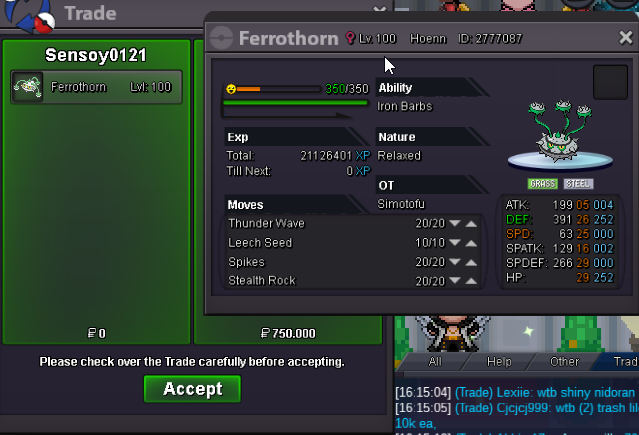
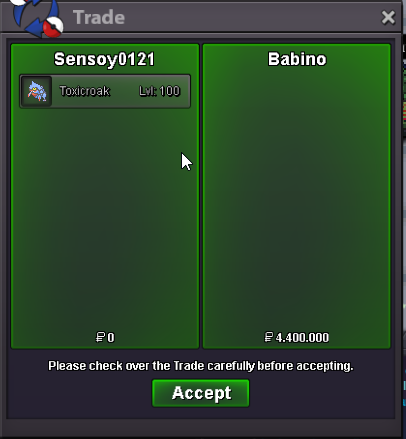
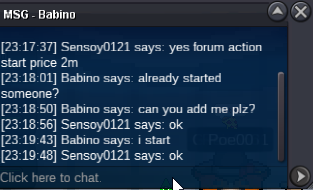
@ledow301 olivine waitingok /ingame id sensoy0121 pm @ledow301...won @Babino1 hours4 hours8 hours11 hours24 HOURSsorry min bid 200kb.o 3m babino insta 6m min bid 200k 48 hours Good luck
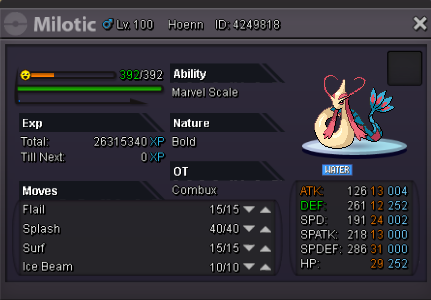
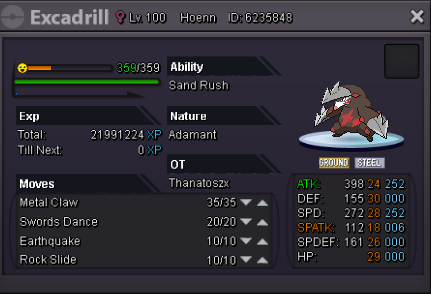
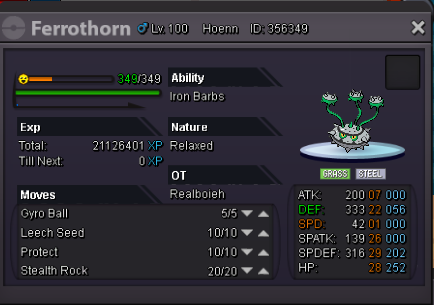
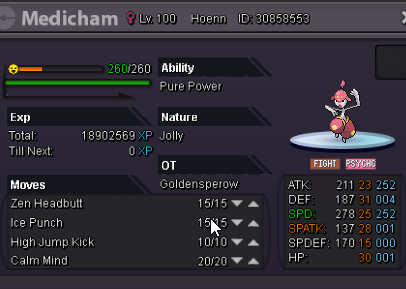
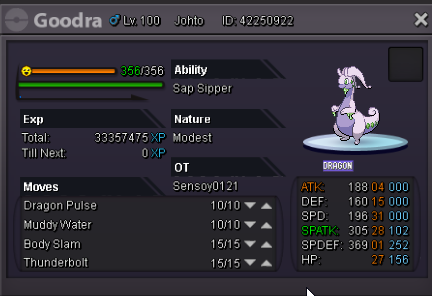
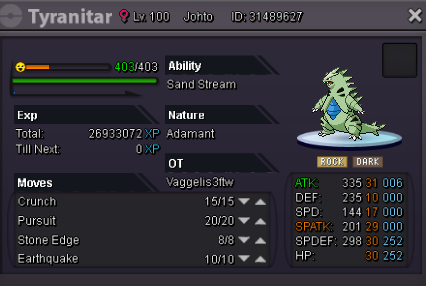
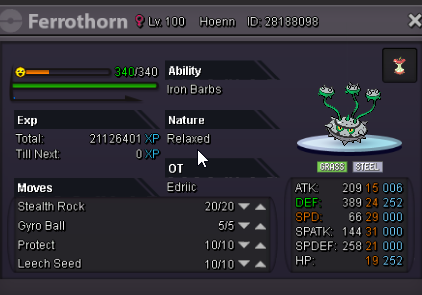
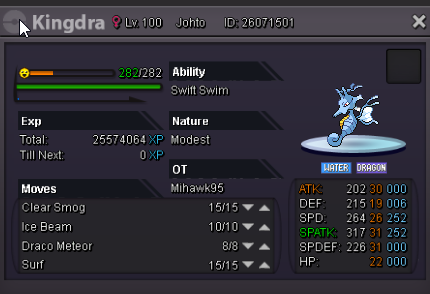
 buyHello guys, welcome to my shop İ accept cc 400k / iv rerol 600k -nature rerol 300k bms 160k ms 180k fake offer : report Thank you, Have a nice day Good Luck [spoiler=Pvp Pokemons] 500k 500k500k 1.3m300k 1m500k 400k500k 300k300k 300k500k200k250k 300k (hp ground)250k 300k 300k300k 150k 1.5m1.2m 1m500k 400k 300k750k 400k900k 300k1m 400k300k 1m500k


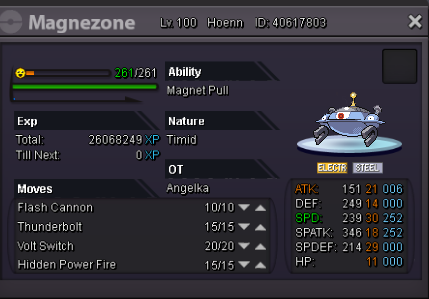
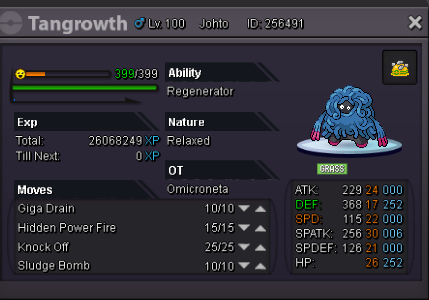

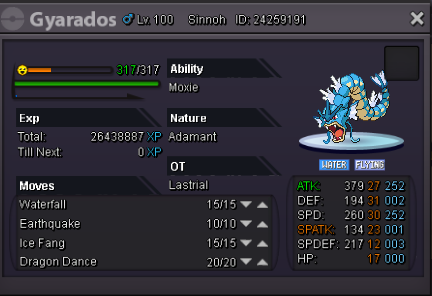

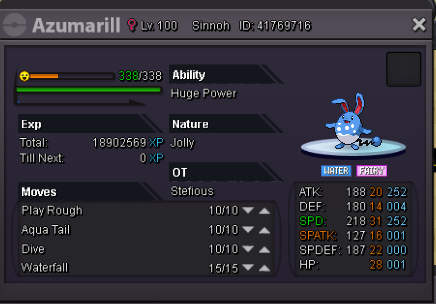


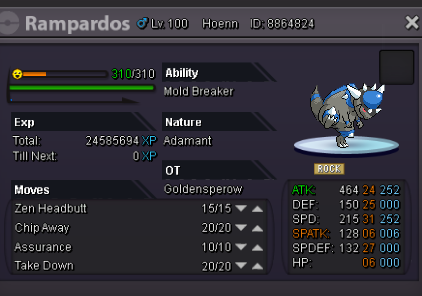


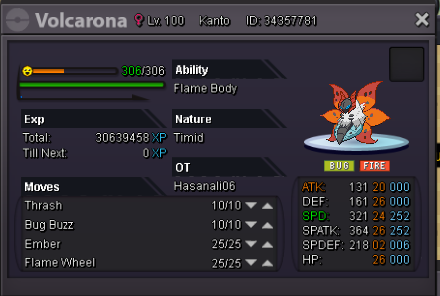
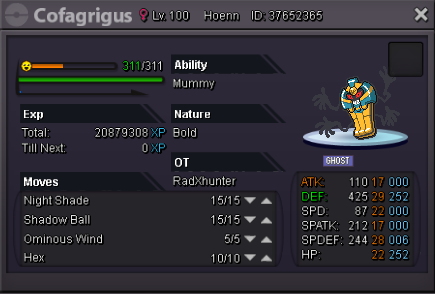
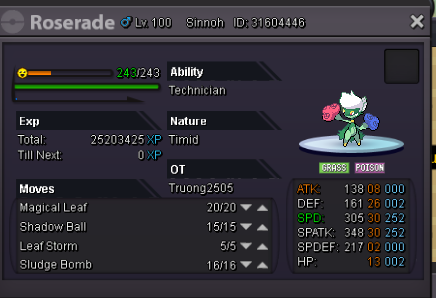














Account
Navigation
Search
Configure browser push notifications
Chrome (Android)
- Tap the lock icon next to the address bar.
- Tap Permissions → Notifications.
- Adjust your preference.
Chrome (Desktop)
- Click the padlock icon in the address bar.
- Select Site settings.
- Find Notifications and adjust your preference.
Safari (iOS 16.4+)
- Ensure the site is installed via Add to Home Screen.
- Open Settings App → Notifications.
- Find your app name and adjust your preference.
Safari (macOS)
- Go to Safari → Preferences.
- Click the Websites tab.
- Select Notifications in the sidebar.
- Find this website and adjust your preference.
Edge (Android)
- Tap the lock icon next to the address bar.
- Tap Permissions.
- Find Notifications and adjust your preference.
Edge (Desktop)
- Click the padlock icon in the address bar.
- Click Permissions for this site.
- Find Notifications and adjust your preference.
Firefox (Android)
- Go to Settings → Site permissions.
- Tap Notifications.
- Find this site in the list and adjust your preference.
Firefox (Desktop)
- Open Firefox Settings.
- Search for Notifications.
- Find this site in the list and adjust your preference.