




New Trade Zone
Trade Zone is now live
Use the new Trade Zone for auctions and instant-price trades so Pokemon and item offers are easy to find.

Gamestar
Registered User
-
Joined
-
Last visited
Everything posted by Gamestar
-
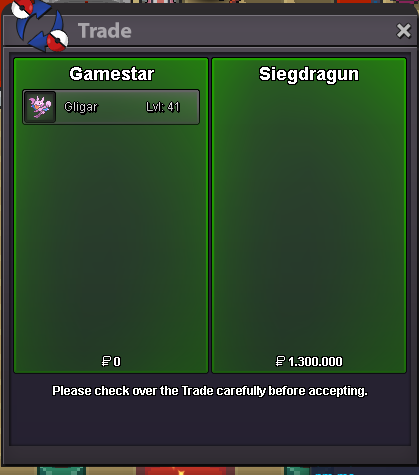
gligar sold
-
bump ~ 14h left on 26+ h.a gligar
-
bump - prices lowered on most of the pokes.
-
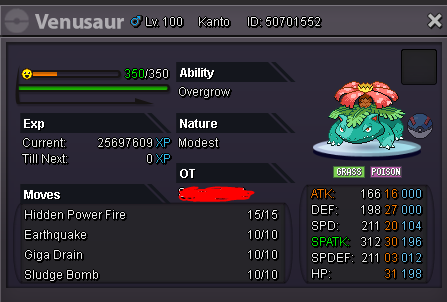
bump, added hp fire venu for auction
-
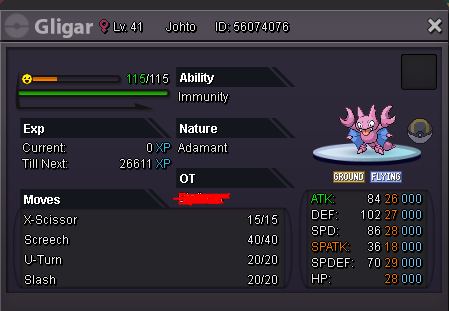
auction on this 26+ h.a gligar. accept cc = 400k reroll ticket = 700k starting bid = 1m minimum raise = 100k insta = 3.5m Best offer = 1.3m by SiegDragun auction lasts 48h after the first bid. starting bid = 1.5m minimum raise = 100k Best offer = auction lasts 48h after the first bid.
-
added a few boss ready sharpedos to the bossfight pokemon and a gliscor in the 1m+ section.
-
bump - added some new pokes, reduced some prices and restock on boss pokemon.
-
bump - added some new pokes, more to come.
-
reopened after 3 years of inactivity 👍
-
sold for 2.1m to AzazelD after time ended. can be closed.
-
1,65m from Azazeld

-
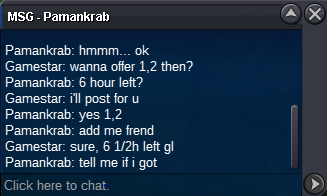
1.2m from pamankrab
-
bump ~ around 20h left
-
48h auction after the first bid, start bid 1m minimum raise 100k insta 3m accept cc 450k, reroll 750k C.o 2.1m from azazeld

-
-
new offer 1,75m ingame from Alderago7
-
Bump ~5h left on Rotom c.o 1.7m
-
-
buy gengar if available
-
-
-
time is up now, pm me here on ingame when u want to meet
-
1,6m gible
-
All traded can be closed
-
bump
