




New Trade Zone
Trade Zone is now live
Use the new Trade Zone for auctions and instant-price trades so Pokemon and item offers are easy to find.

Morningstars
Registered User
-
Joined
-
Last visited
Everything posted by Morningstars
-
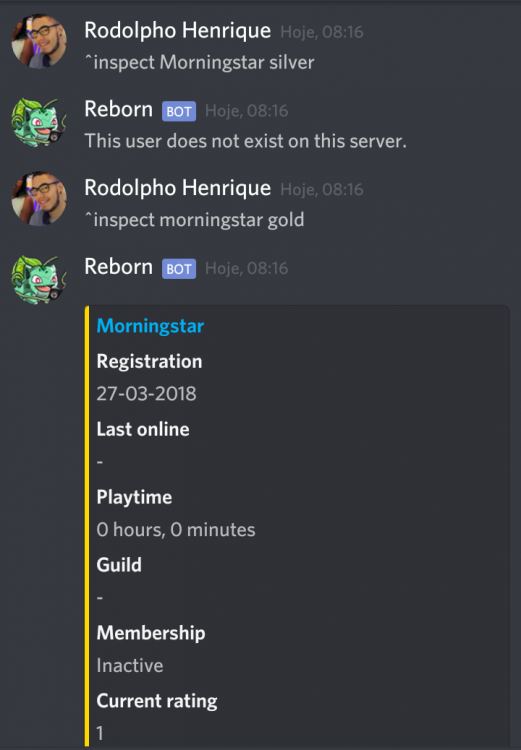
NAME CHANGE Username: Omedio New Username: Morningstar or Morningstarr Server to charge the money from: Gold The username Morningstar was created by another player but he never play, so I would appreciate if I could use this username.
-
Ok, I'm online
-
...........................
-
So... I'll get my item back?
-
Hello I had a problem with crash recently, I sent the white cat ears from one of my accounts to another in the mail and I picked it up and got it but it had the crash / rollback and now the item just disappeared, it is not in either account and neither in the mail. I'm from gold server.I start, 300kDragon5minsta for me2mI do not agree, I'm sorry but I do not want to be harmed by other people's mistakes.@darkstylzor you do not have the right to cancel this auctionregardless of the time zone I am the winner, just look at the time I made the first offer and the time when you made yours ... it was already past 48hThis count is wrong, it does not start when he starts counting late but yes the moment I make the first offer as well as the conditions of the auction says auction during 48H when startedJust check time of auction, I started 6:54 PM and supposed to be ended today at 6:54 PM... You wrote it yourself - "Auction during 48H when started"

 Hey, I am the winner. I start Thursday at 6:54 PM and now is 08:02 PMI start+1When auction end?500k1,1mYep400k200k


