New Trade Zone
Trade Zone is now live
Use the new Trade Zone for auctions and instant-price trades so Pokemon and item offers are easy to find.

Livesystem
Registered User
-
Joined
-
Last visited
-
100K
-
Okay one moment
-
Great i'm now online
-
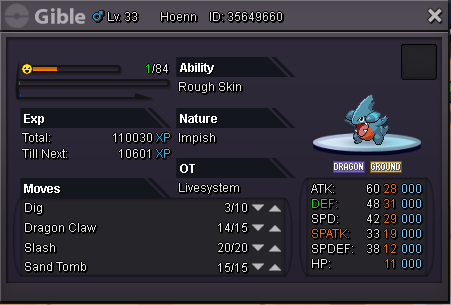
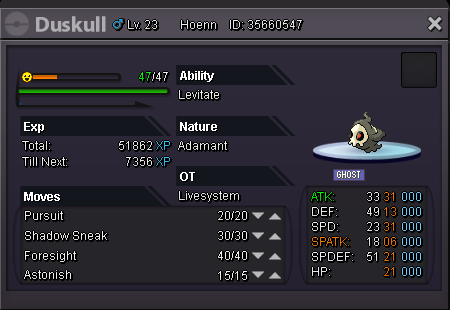
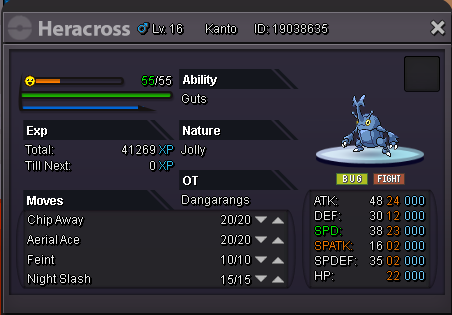
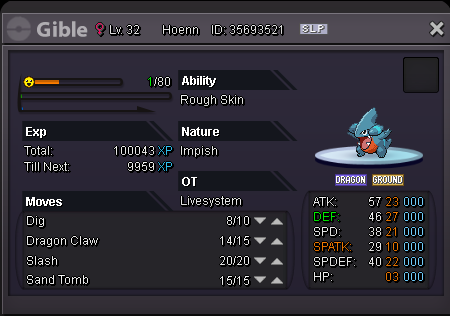
Welcome and thank you for visiting my shop! Look around! Important: The prices you see is the price I immediatly sell it, you can always make an offer! Contact: [spoiler=""] [spoiler=""] Ingame: LiveSystem Message me here Payment: The Pokemon: [spoiler=Heracross jolly/guts 24att/23spd/22hp = 120k] [spoiler=Gible impish/rough skin = 200k ] [spoiler=Axew ada/mold breaker = 150k]SOLD [spoiler=Pinsir Ada/mold breaker = 200k] [spoiler=Pidove Ada/super luck = 100k]
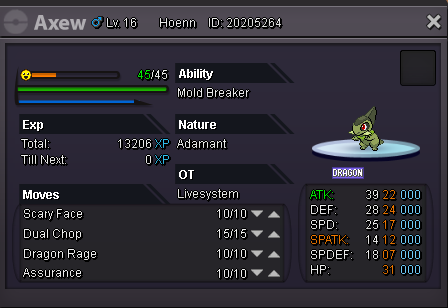
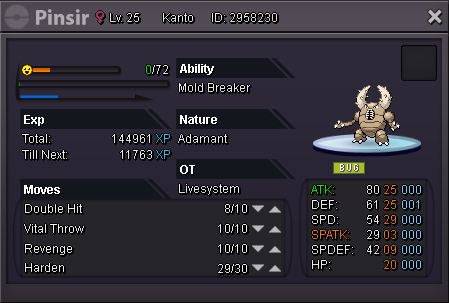
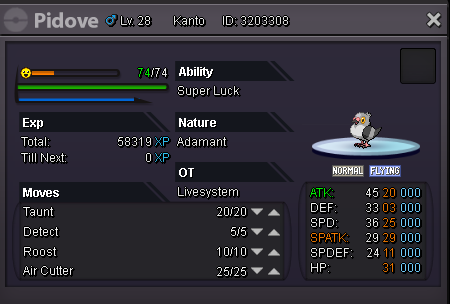
-
SOLD!
-
Auction - Guts/Adamant Heracross - Starting price 50k Buy now price 300k Auction timer: 2h after first bid Good luck!
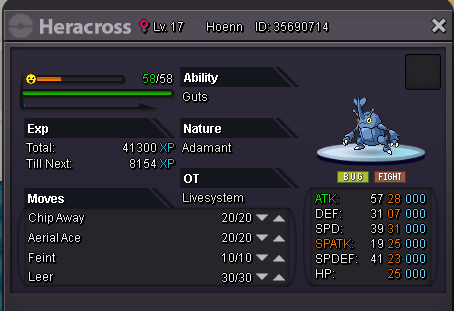
-
Auction closed 600k insta offer was reached
-
Auction starts at first offer Auction ends after 2 days Starting price: 250k Insta buy: 600k Good Luck!