




New Trade Zone
Trade Zone is now live
Use the new Trade Zone for auctions and instant-price trades so Pokemon and item offers are easy to find.

I3dontknow32
Registered User
-
Joined
-
Last visited
Everything posted by I3dontknow32
-
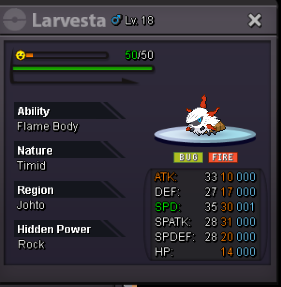
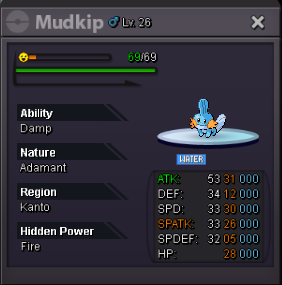
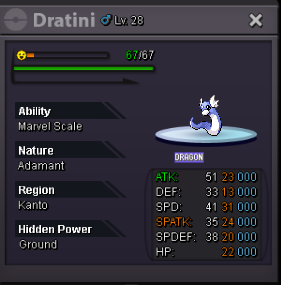
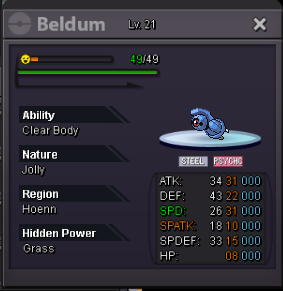
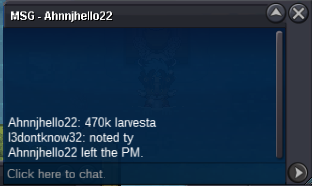
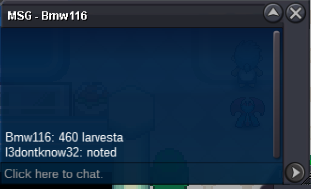
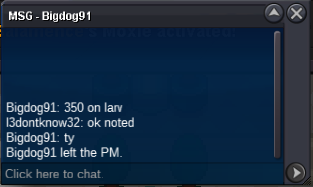
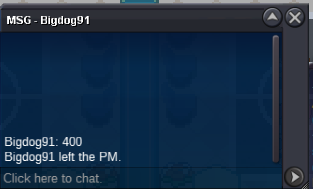
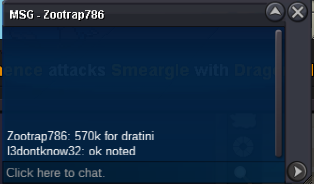
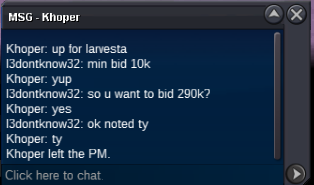
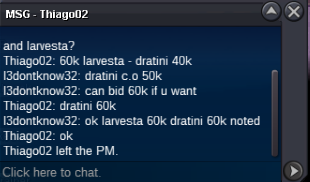
BUMP Current offer : Larvesta 480k (1hour 38min left) Mudkip 400k (1hour 19min left) Dratini 620k (1hour 19min left) Beldum 1.6m (1hour left) If a bid is received in the final 15 minutes of the auction, the end point will be delayed by 15 minutes from that bid, and will be delayed by 15 minutes for each new bid thereafter, until the current offer has been held for a full 15 minutes.
-
What's your IGN? i3dontknow32 ● How old are you? 30 ● Where are you from? Malaysia ● What's your total playtime? 7356Hour main + 2k alt ● What do you enjoy doing in the game? Hunting and Leveling in TT ^^ ● Would you like to offer some kind of service to the guild? I do Level service And the most important question of them all: Which Bidoof Form do you like the most? -Suidoof, Endoof or Raidoof? Raidoof obviously ❤️
-
is thsi for larvesta?bled up?Auctioning Poke for my friend S.O 10k each min bid 10k no insta Accept CC=380k and Cash 48 hour auction after first bid
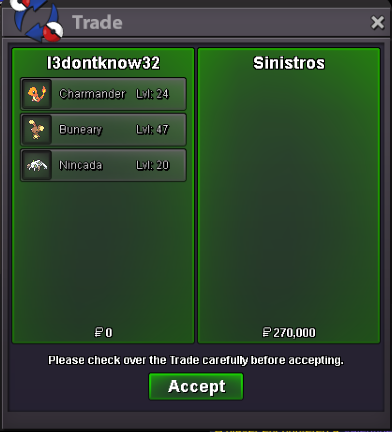
 Auction end and the winner is : Abra for 50k @Zncholo Charmander for 60k @Sinistros Buneary for 60k @Sinistros Nincada for 150k @Sinistros pm me for the trade4001 u really waited for someone to write 3999 for u get the 4k gzNice shop ^^



Account
Navigation
Search
Configure browser push notifications
Chrome (Android)
- Tap the lock icon next to the address bar.
- Tap Permissions → Notifications.
- Adjust your preference.
Chrome (Desktop)
- Click the padlock icon in the address bar.
- Select Site settings.
- Find Notifications and adjust your preference.
Safari (iOS 16.4+)
- Ensure the site is installed via Add to Home Screen.
- Open Settings App → Notifications.
- Find your app name and adjust your preference.
Safari (macOS)
- Go to Safari → Preferences.
- Click the Websites tab.
- Select Notifications in the sidebar.
- Find this website and adjust your preference.
Edge (Android)
- Tap the lock icon next to the address bar.
- Tap Permissions.
- Find Notifications and adjust your preference.
Edge (Desktop)
- Click the padlock icon in the address bar.
- Click Permissions for this site.
- Find Notifications and adjust your preference.
Firefox (Android)
- Go to Settings → Site permissions.
- Tap Notifications.
- Find this site in the list and adjust your preference.
Firefox (Desktop)
- Open Firefox Settings.
- Search for Notifications.
- Find this site in the list and adjust your preference.