




New Trade Zone
Trade Zone is now live
Use the new Trade Zone for auctions and instant-price trades so Pokemon and item offers are easy to find.

Leonardosenpai
Registered User
-
Joined
-
Last visited
Everything posted by Leonardosenpai
-
@Balladeer@Hizukii could you please force the Trade With @Pumpkin11for the azu and if yes could you please close this thread After that. Ty verry much.
-
-
Hey you won the tinka im online now yall just pm me ingame
-
Yes i come online later
-
You won i come later online
-
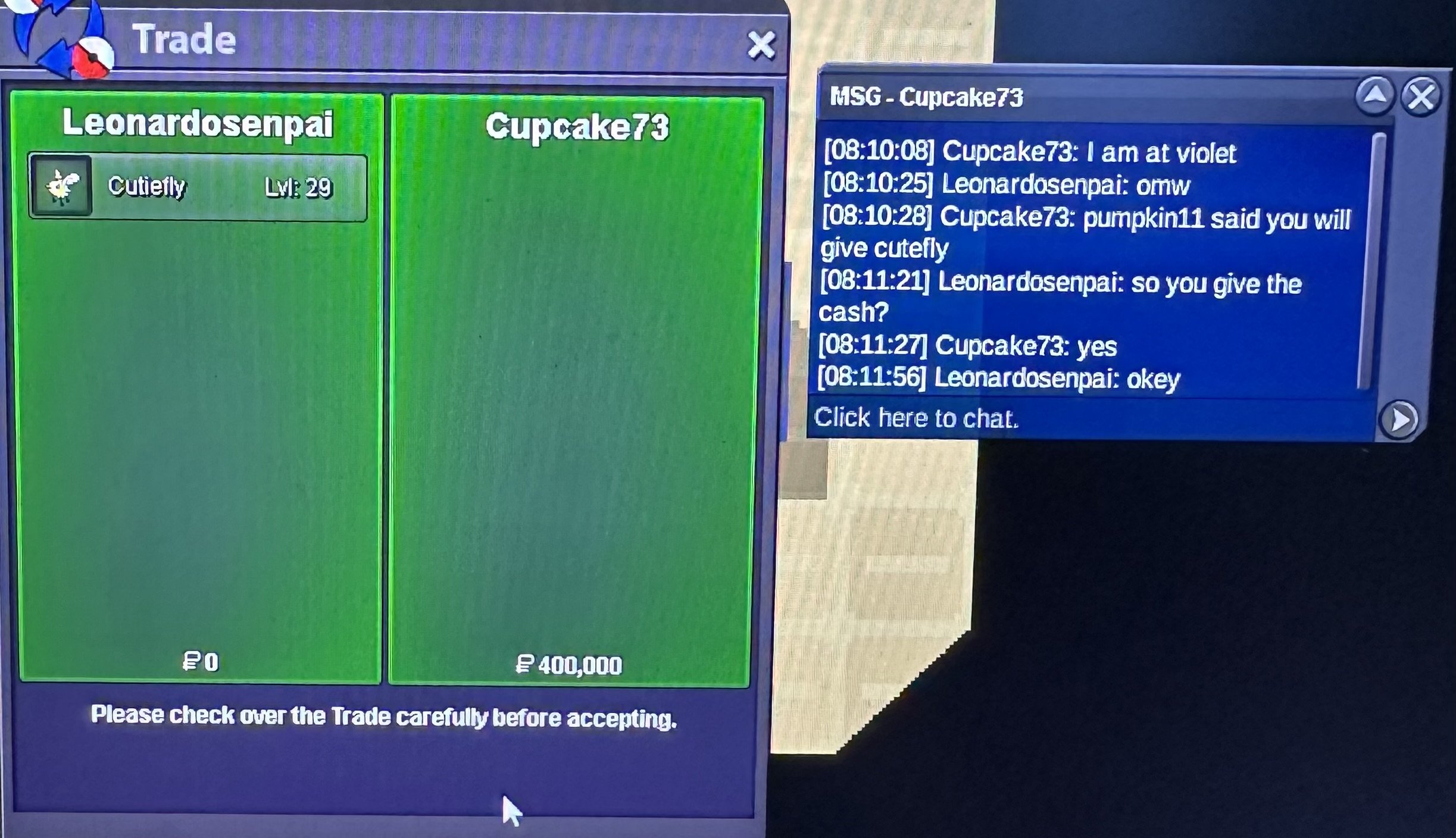
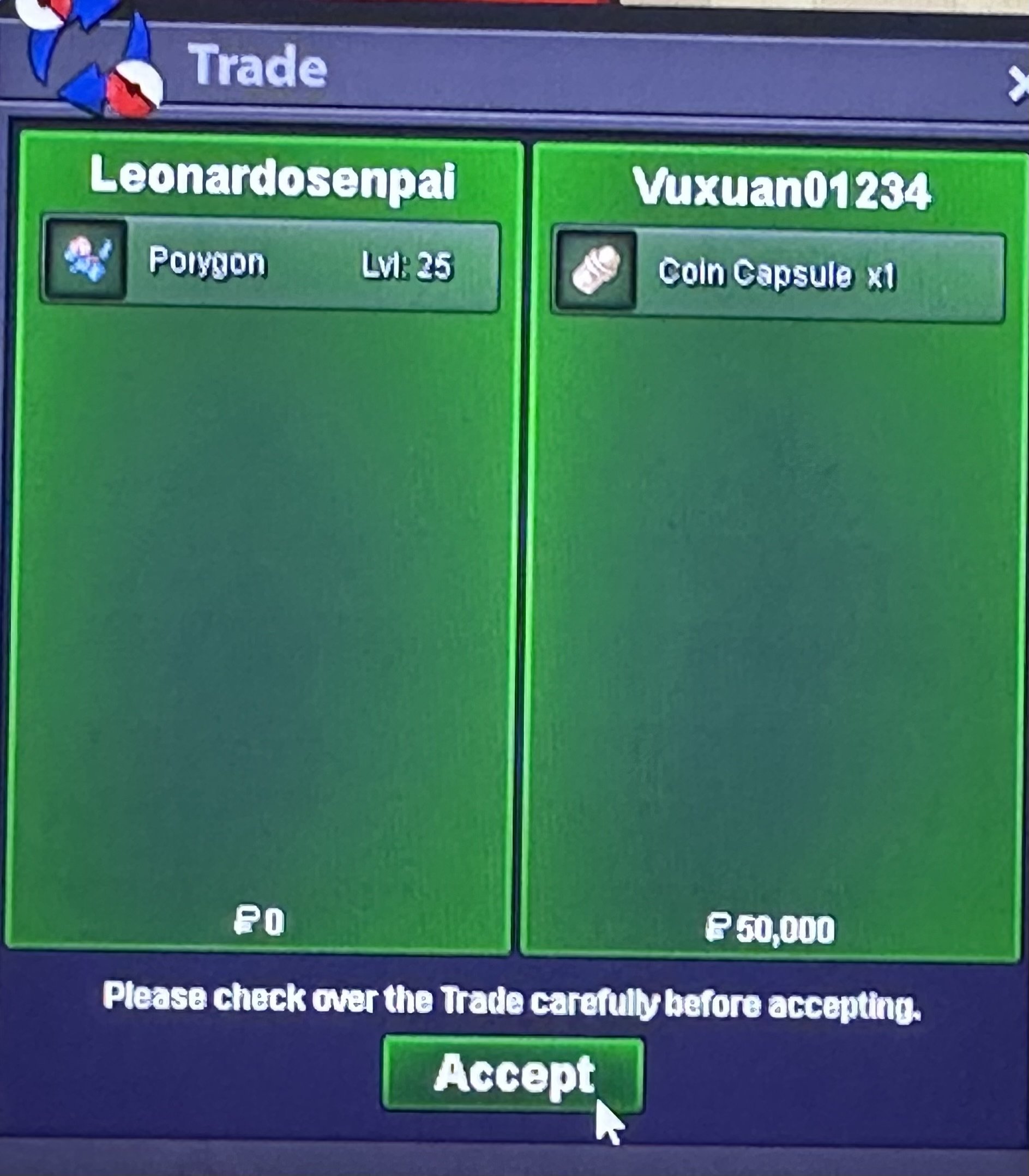
Bump 3hrs +- Left.You won pory pm in Game im online nowYou won pory pm in Game im online nowyou won the cutiefly gz 2-3hrs Left for pory glYou won the lapras i come online in 10minLapras/cutiefly 3hrs +- Left and Pory 6hrs+- Left gl.Hello and welcome to this auction. this is Not a bundle. s.o each poke is 100k min raise 100k No insta 24hrs Left After First bid. accept Cash/cc(550k) and rriv (750k). gl&hf hp ground.
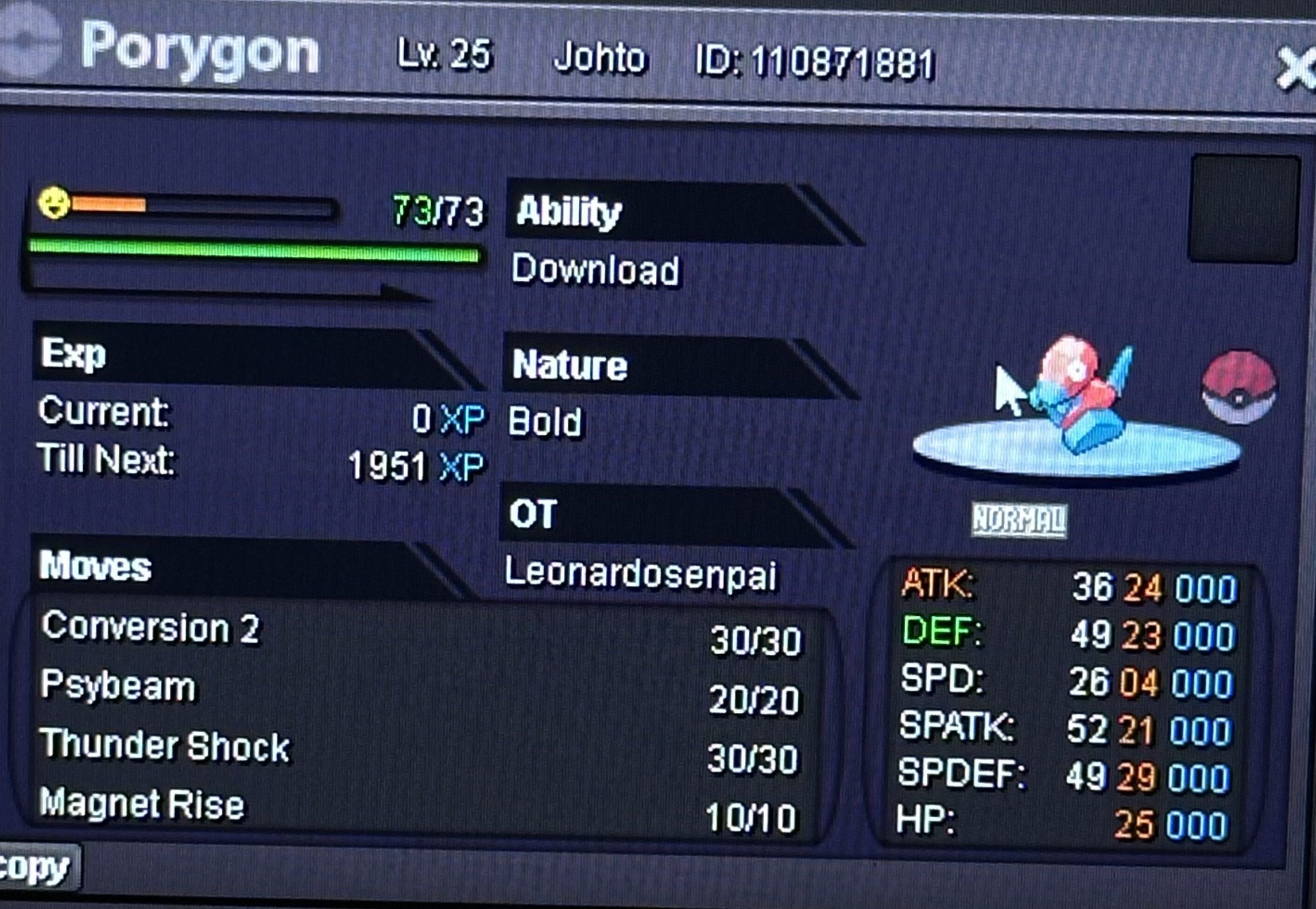
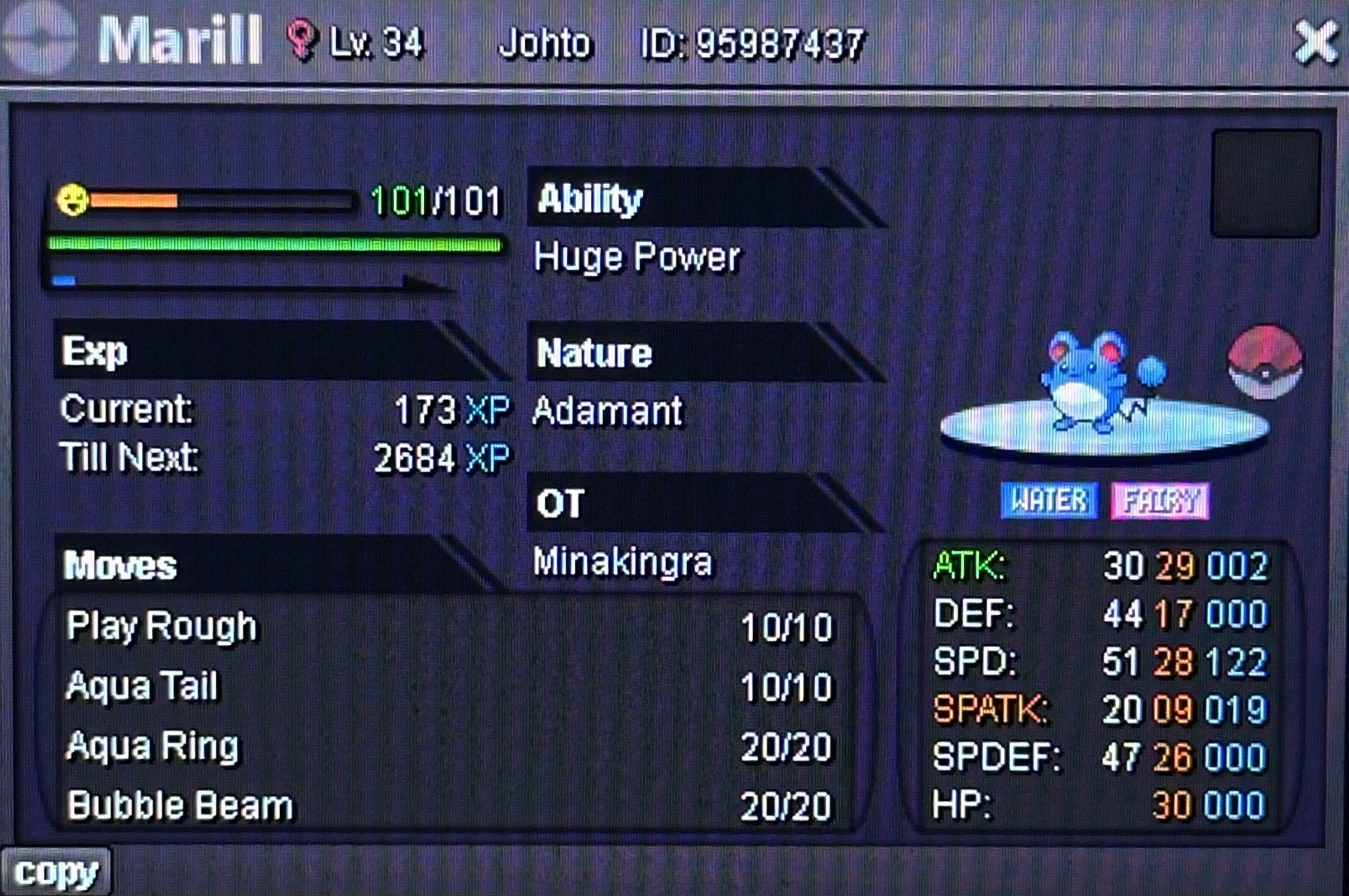
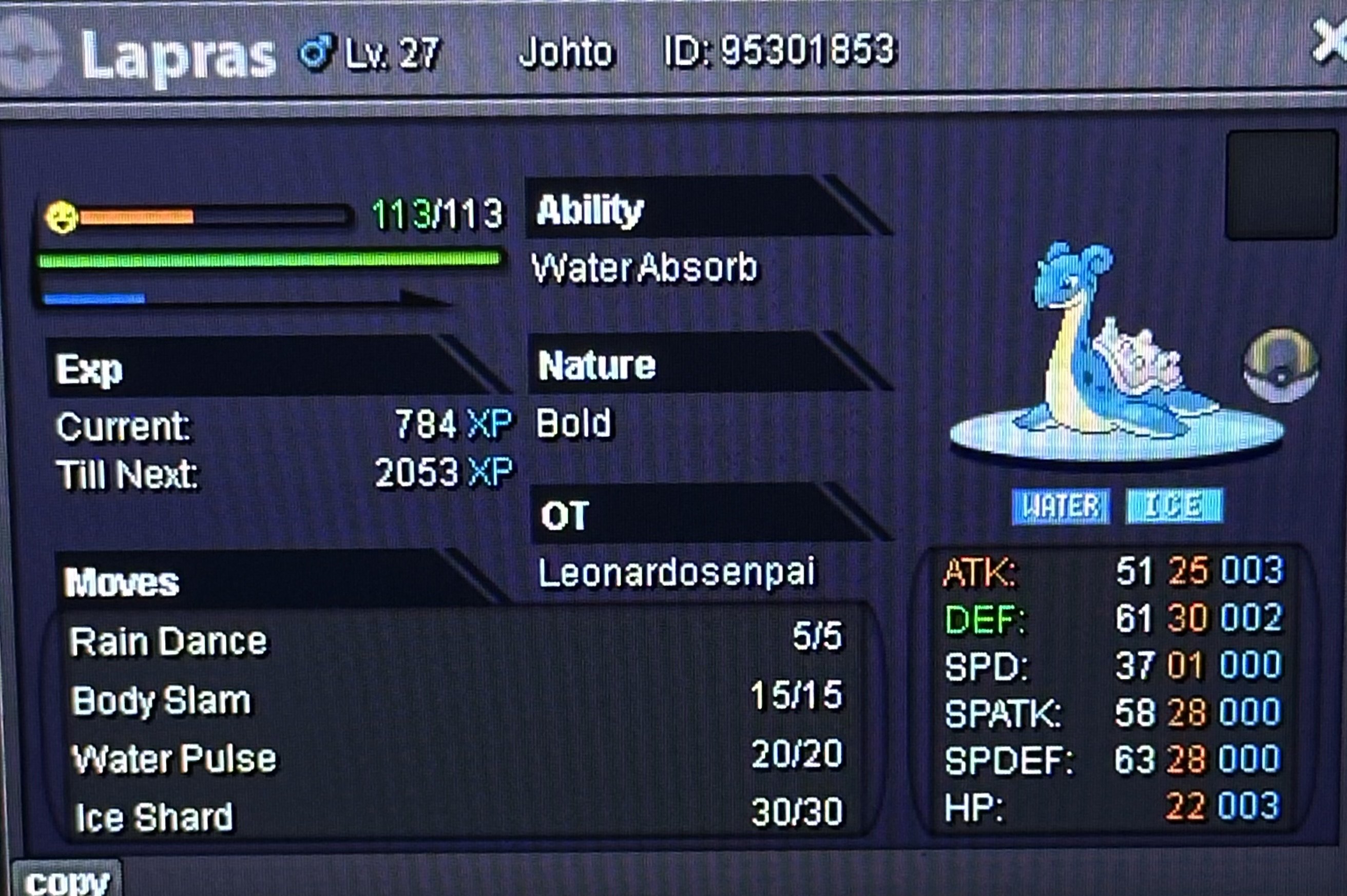
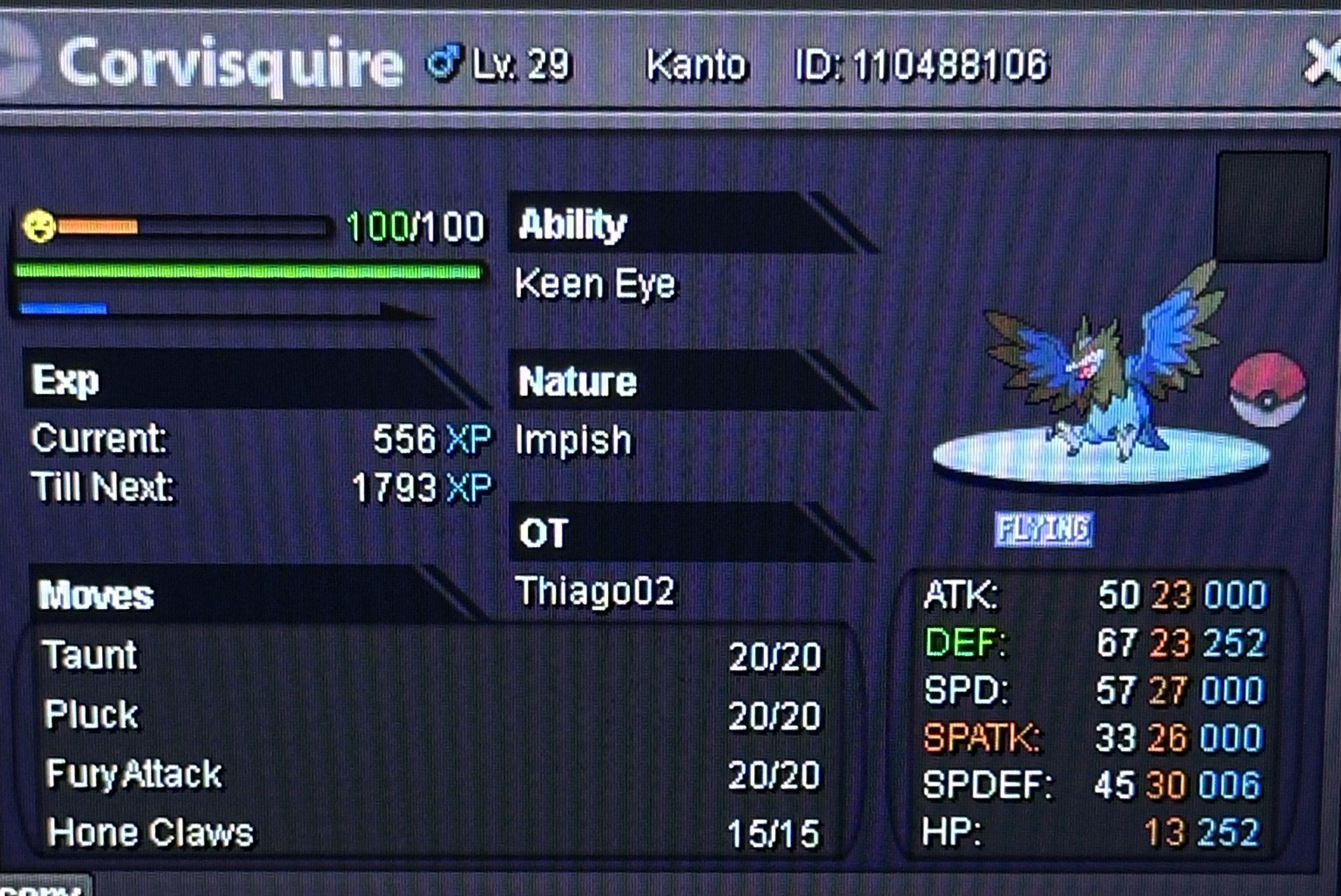
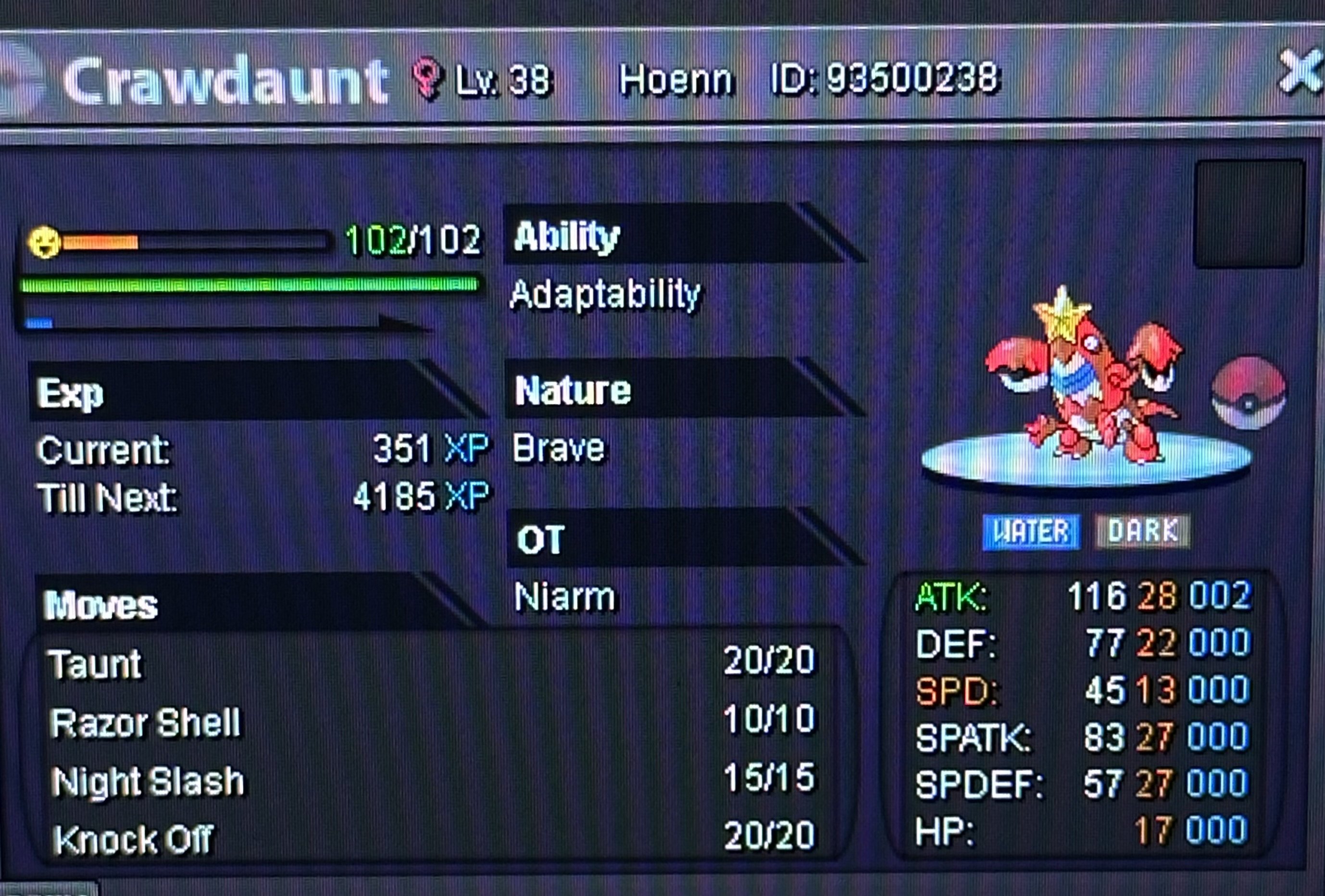
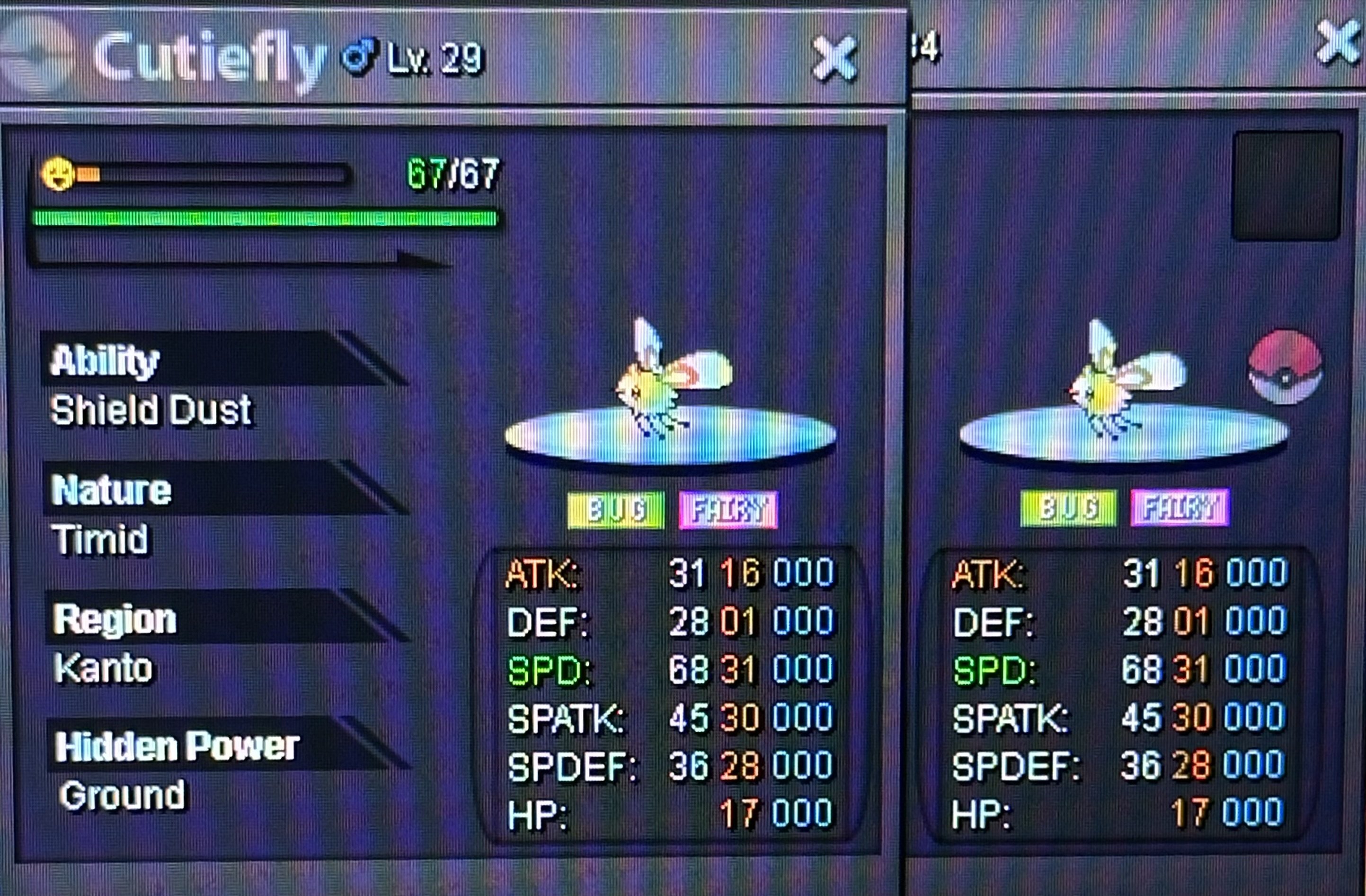
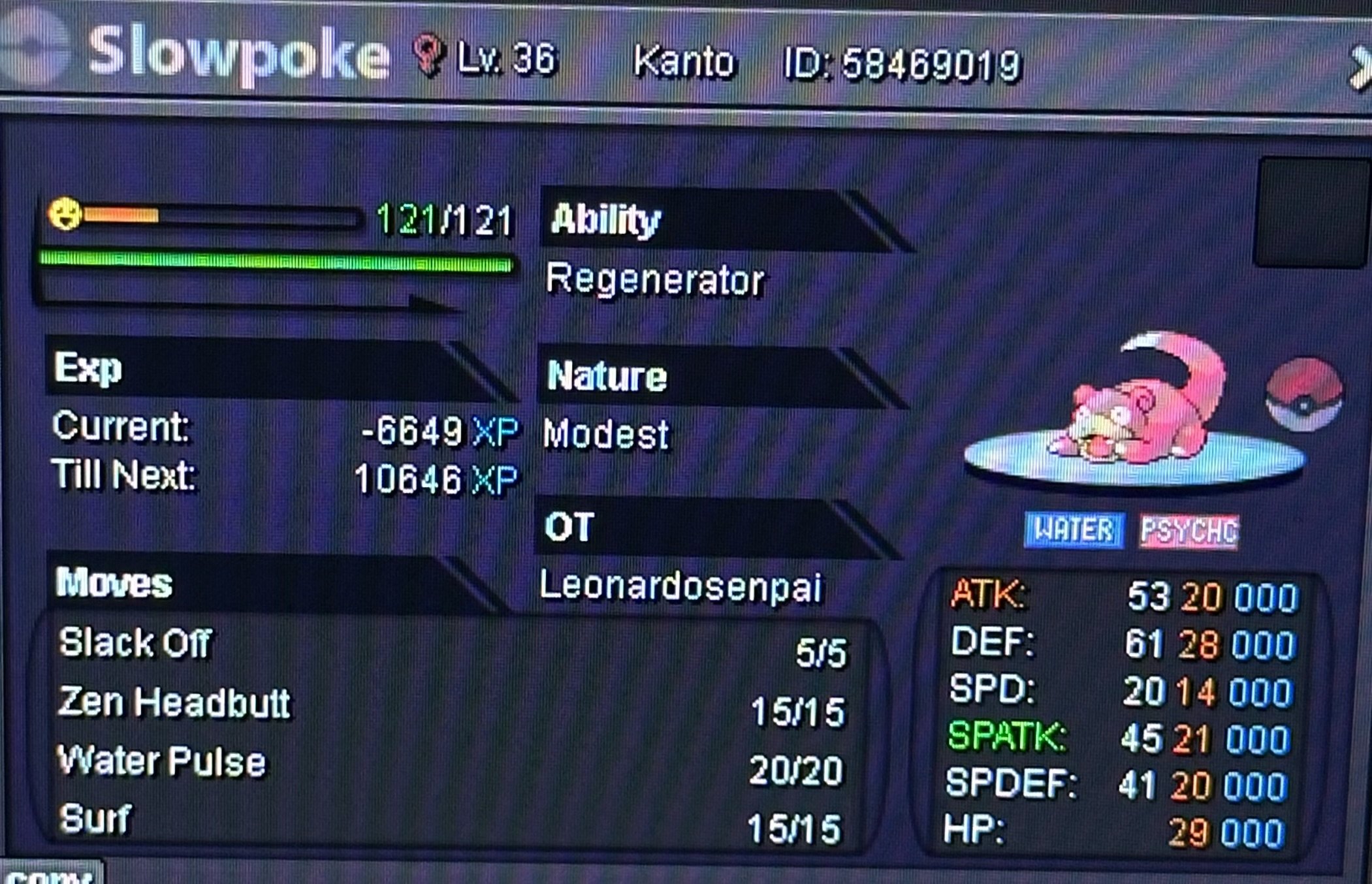
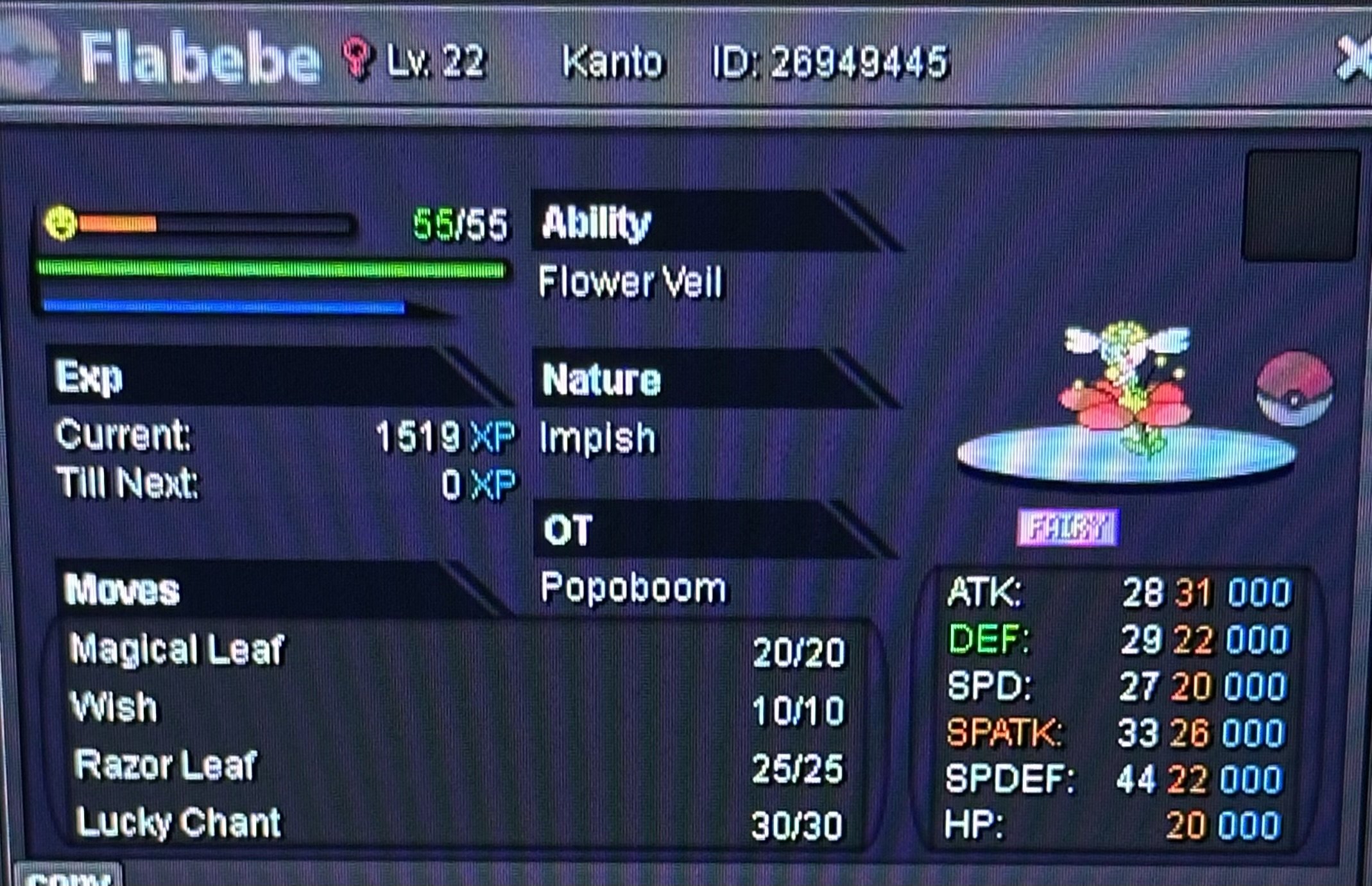
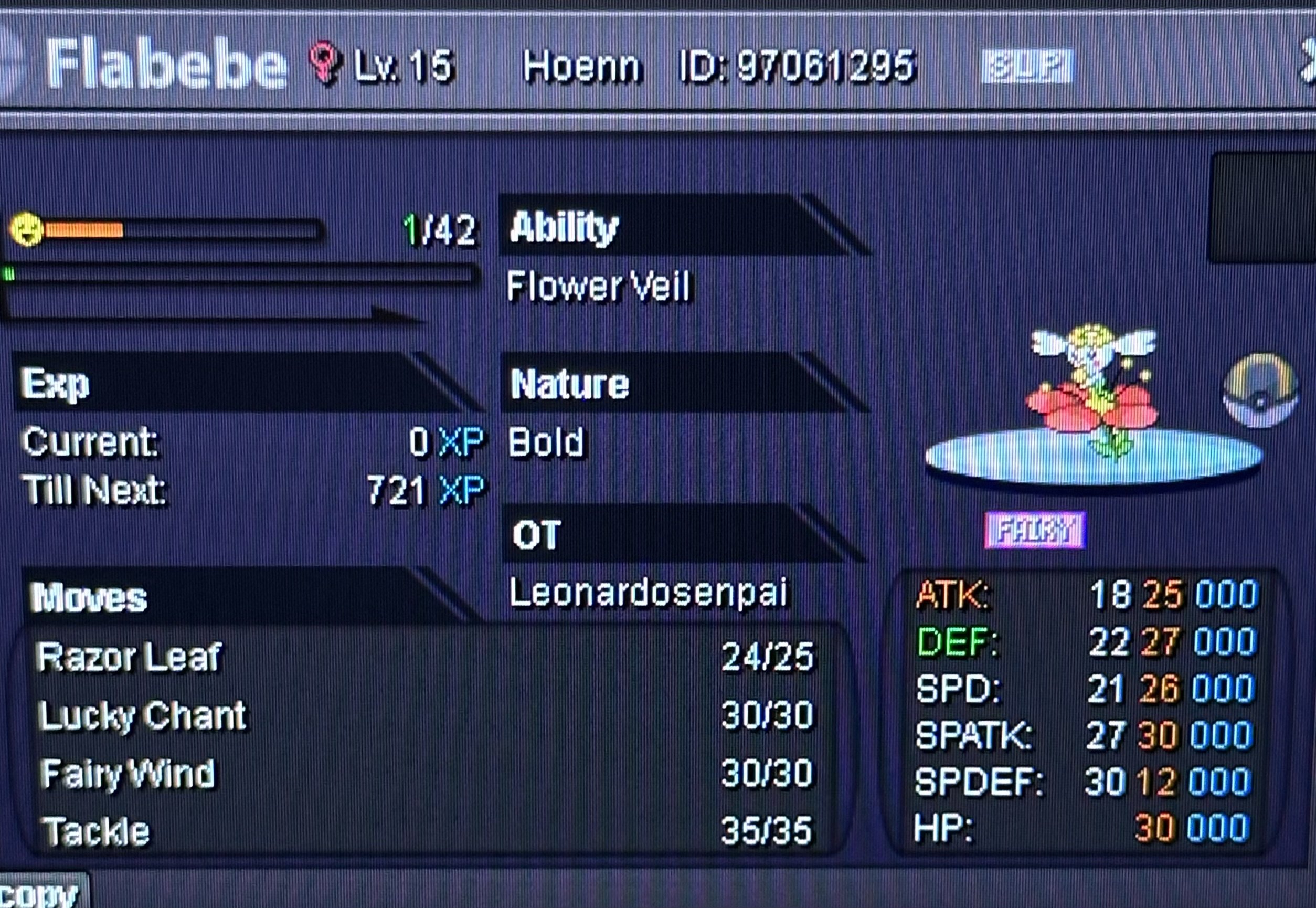
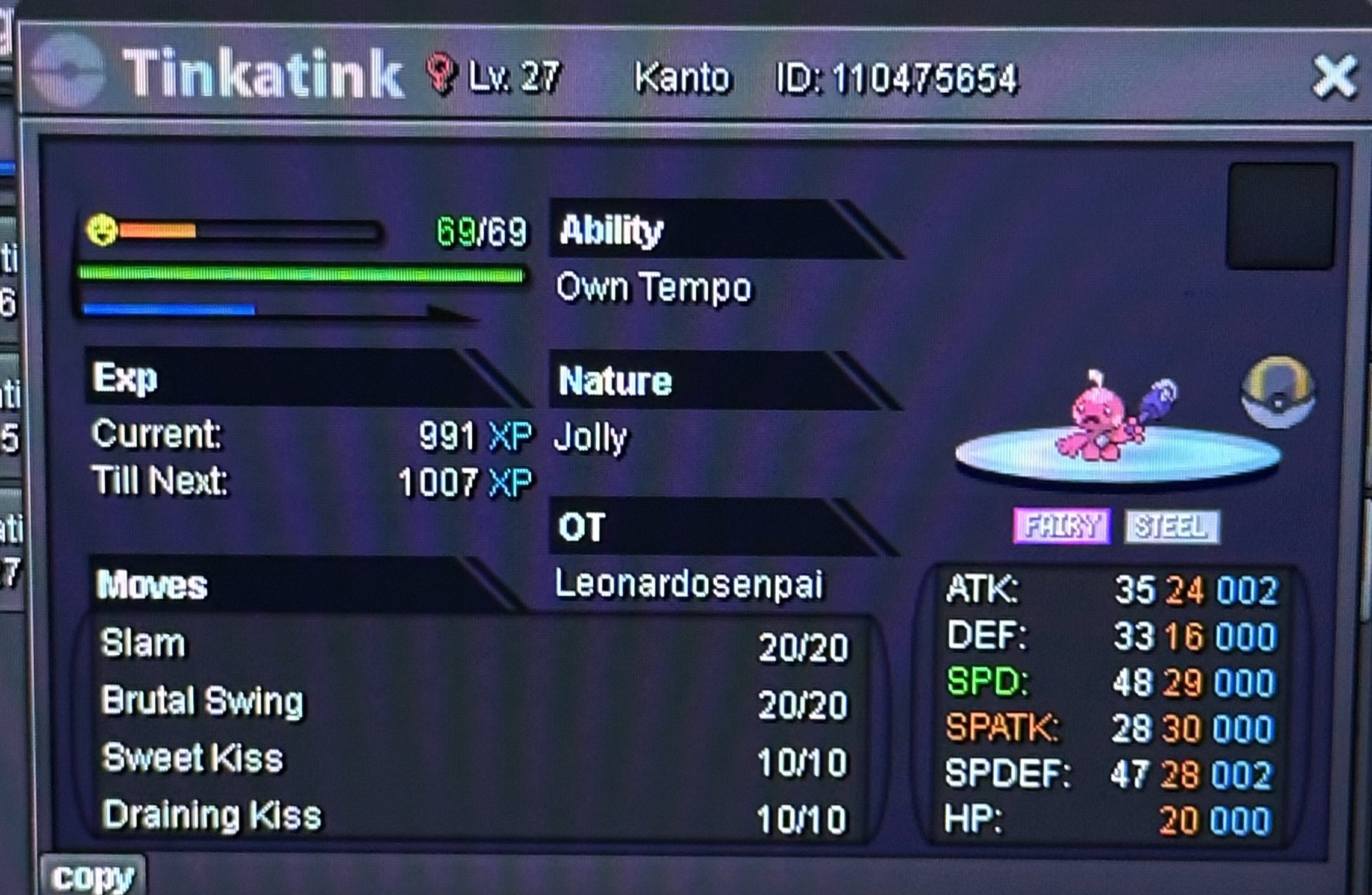 2mThis is a bundle auction s.o 10k min raise 10k no insta accept Cash only. 24hrs After First bid. gl&happy bidding. 🔥My fav 01-06🔥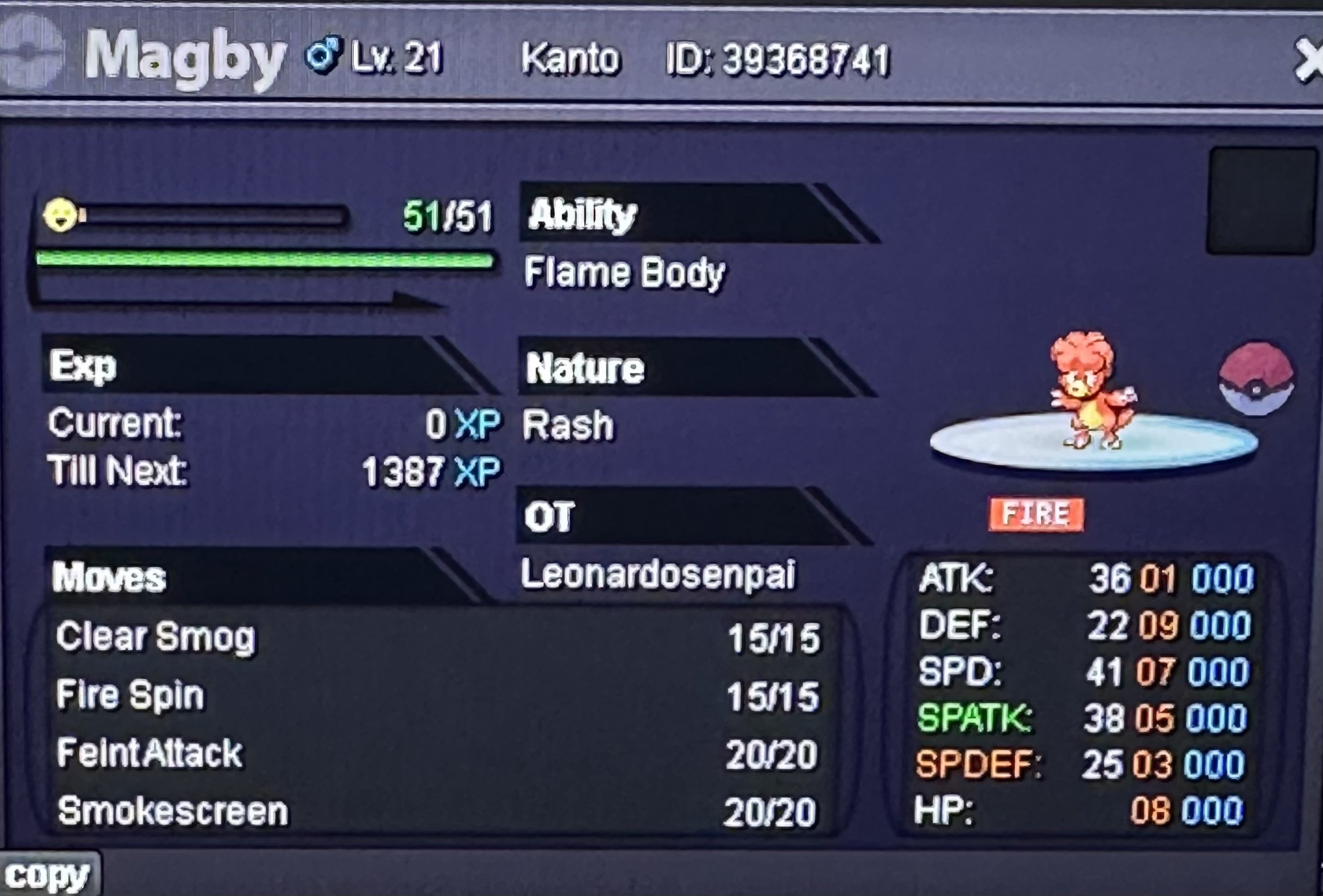
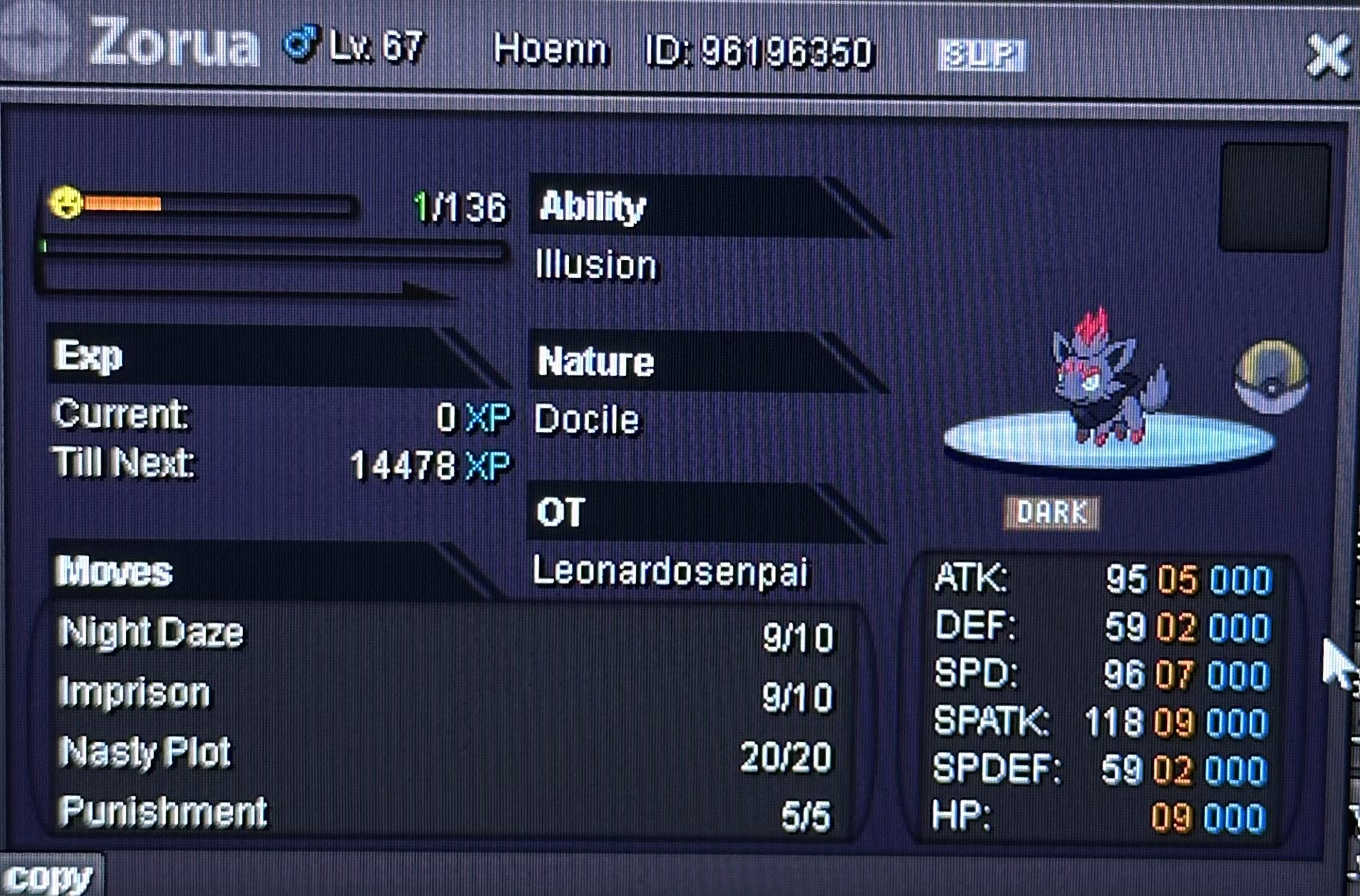
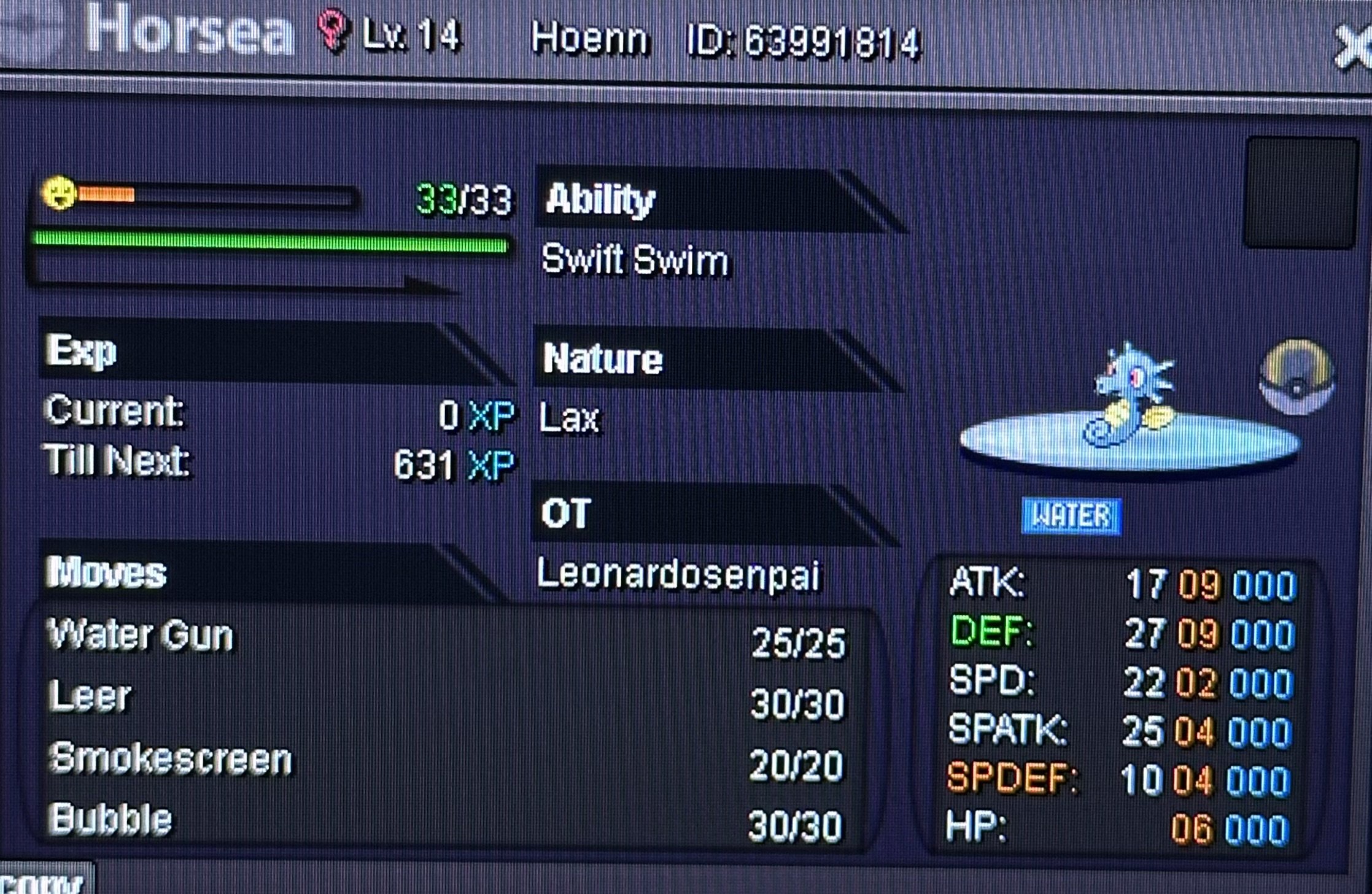
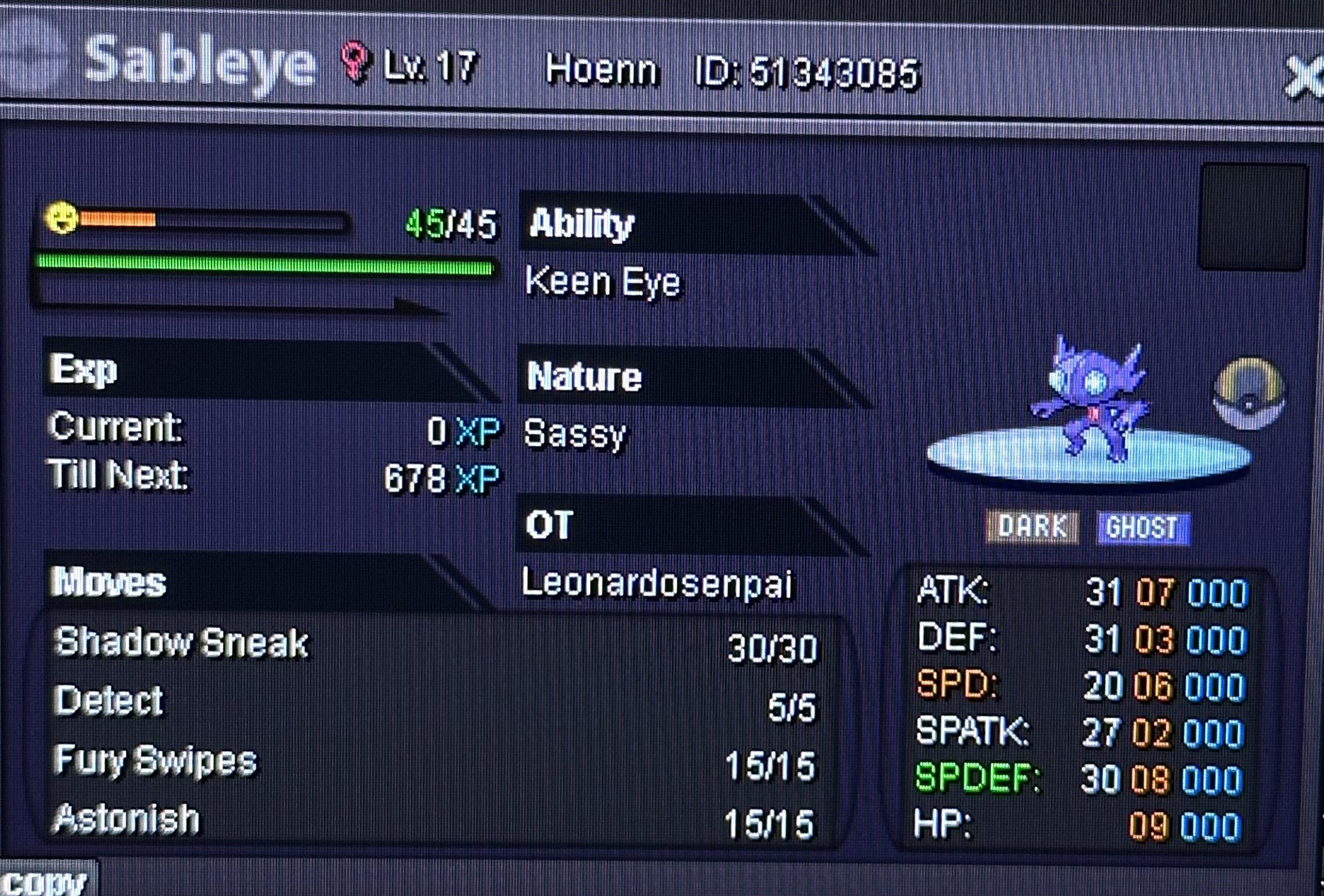
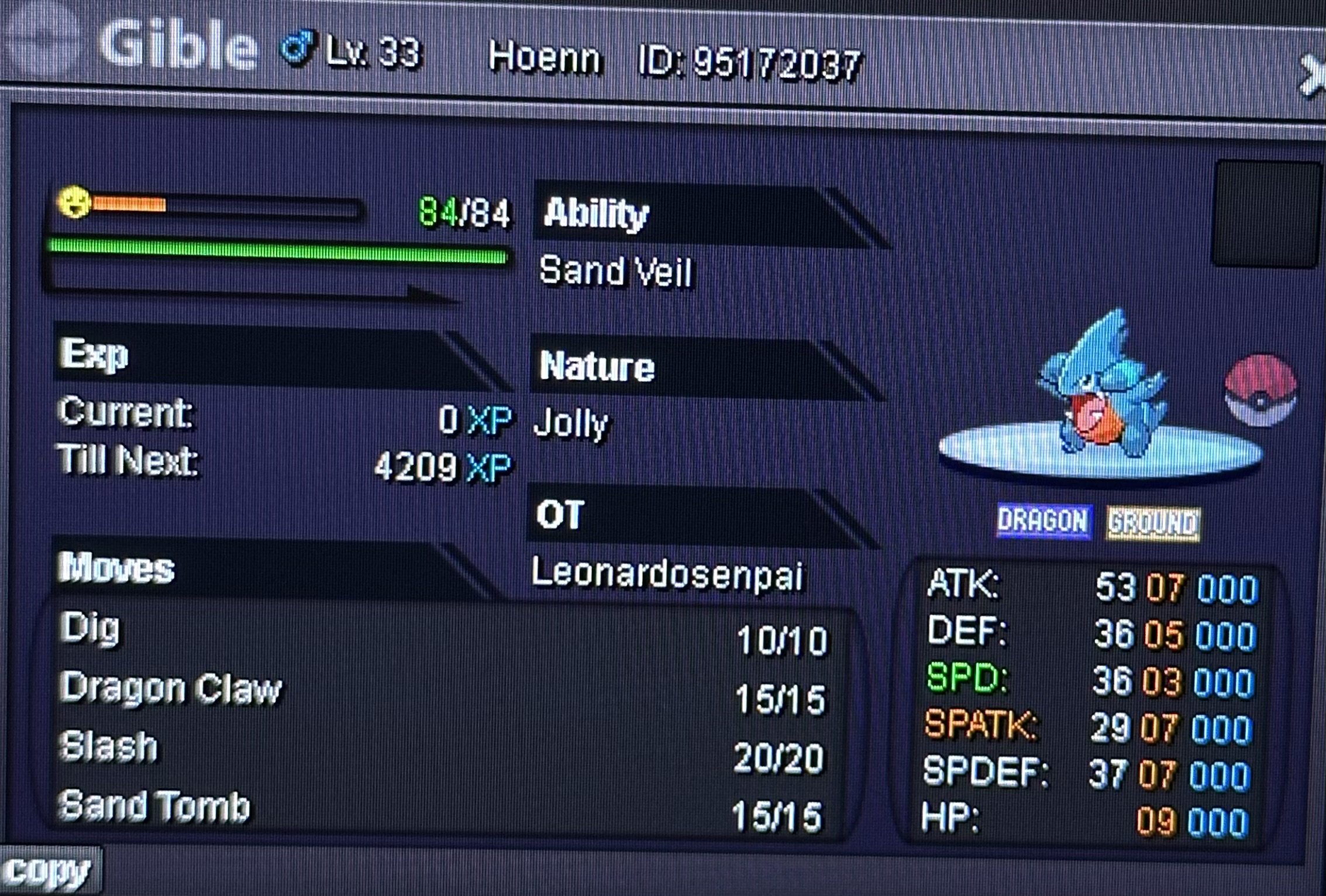
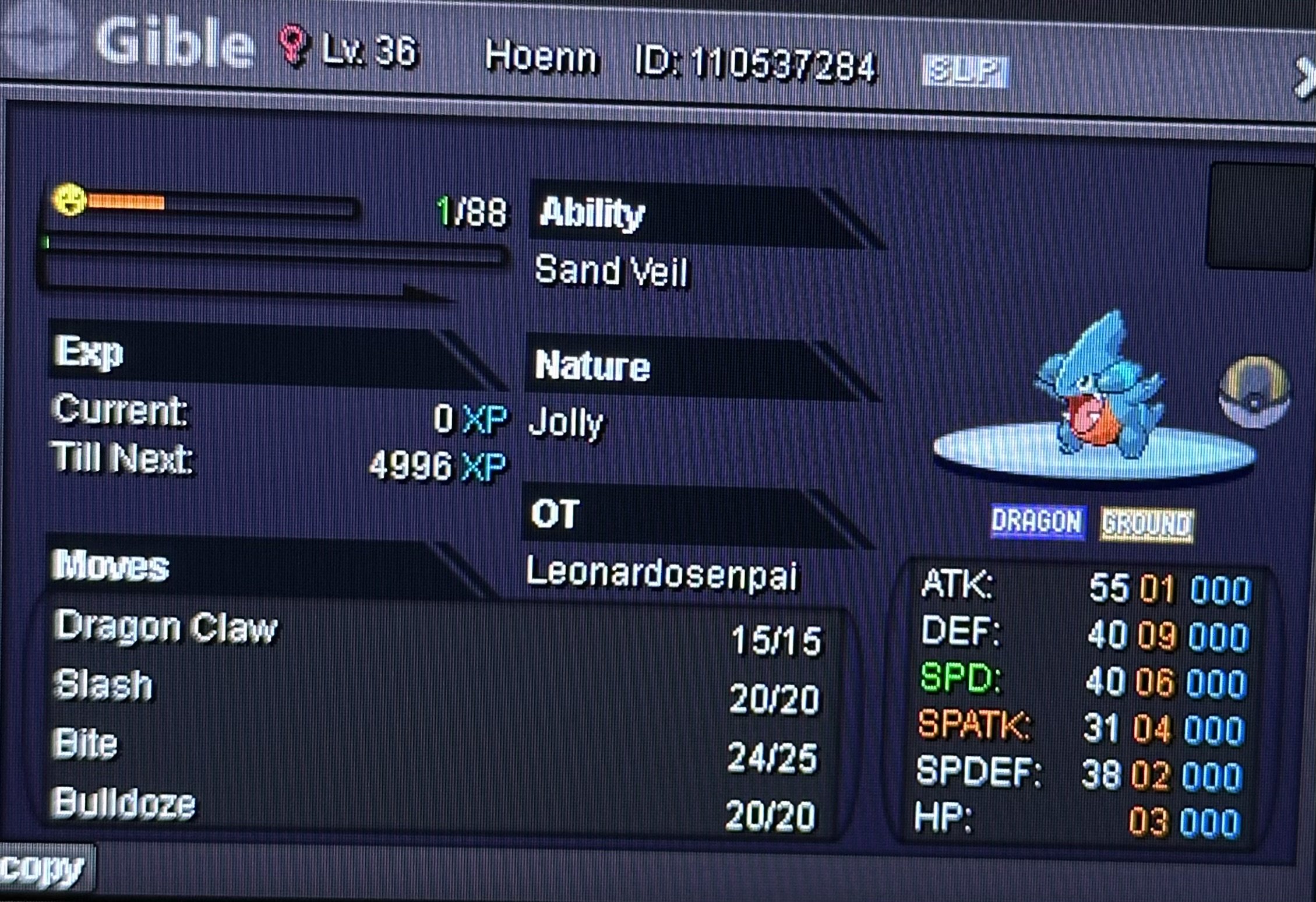
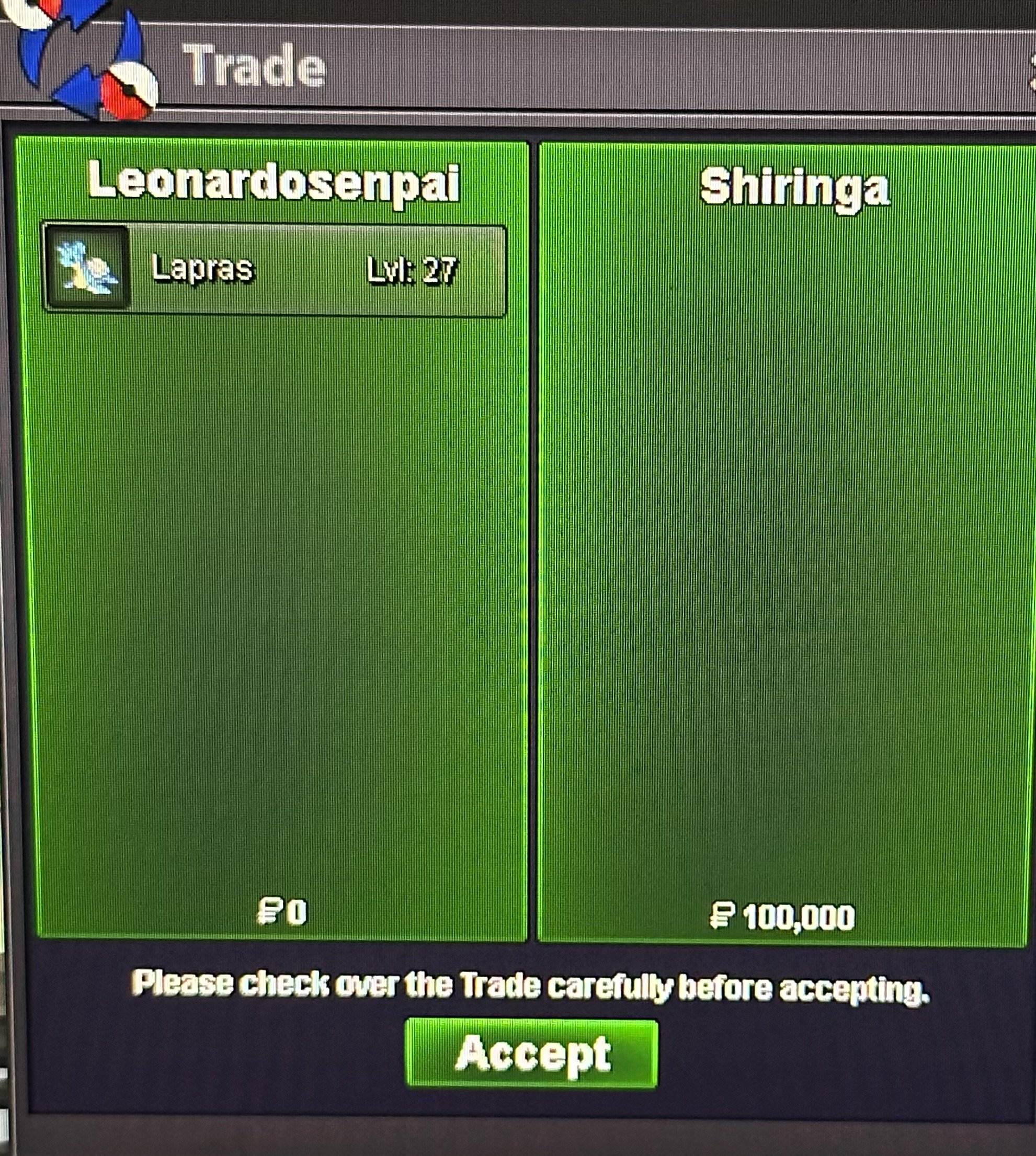
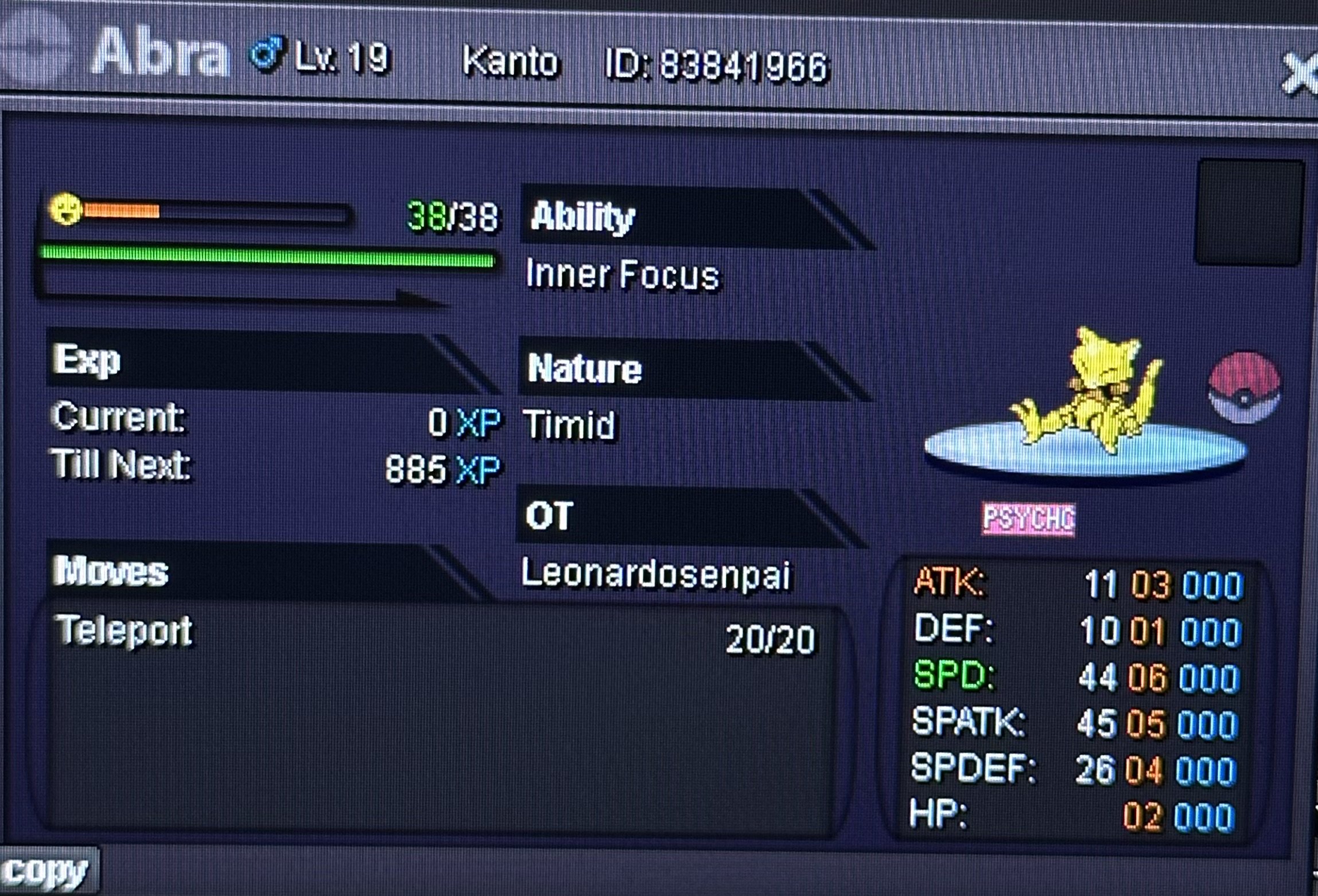 @Glitterwing Can you help With this Trade i tried few days to Trade With him. TyHey you won gz im online now pm ingame1hr 12min Left gl1.5mBumpHello and welcome to this auction. s.o 1.5m min raise 250k No insta. accept Cash/cc(550k)/rriv(750€) 48hrs After First bid. Gl&happy bidding.
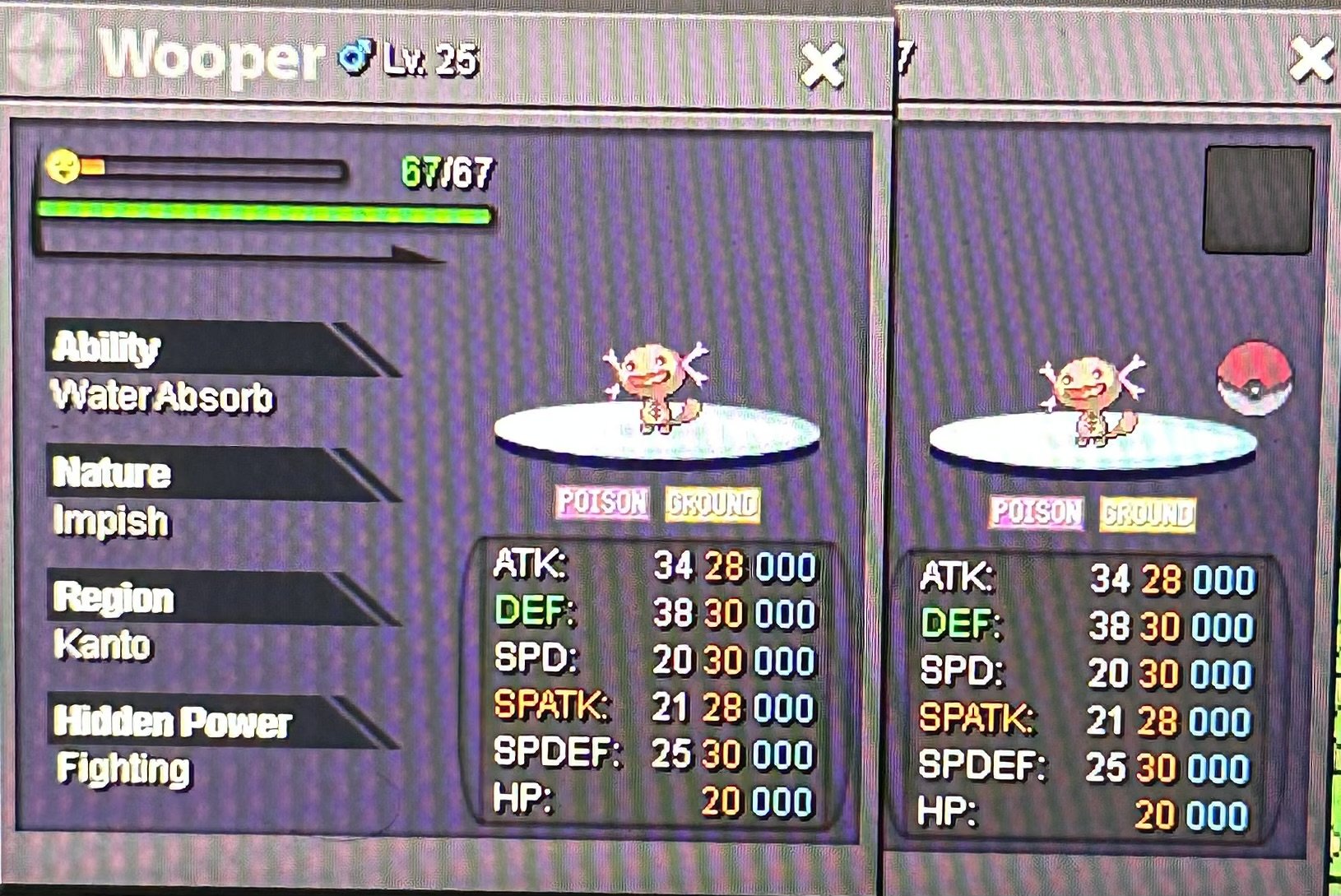 You won gz pm ingame8min left. If new bid 15min remain gl


Account
Navigation
Search
Configure browser push notifications
Chrome (Android)
- Tap the lock icon next to the address bar.
- Tap Permissions → Notifications.
- Adjust your preference.
Chrome (Desktop)
- Click the padlock icon in the address bar.
- Select Site settings.
- Find Notifications and adjust your preference.
Safari (iOS 16.4+)
- Ensure the site is installed via Add to Home Screen.
- Open Settings App → Notifications.
- Find your app name and adjust your preference.
Safari (macOS)
- Go to Safari → Preferences.
- Click the Websites tab.
- Select Notifications in the sidebar.
- Find this website and adjust your preference.
Edge (Android)
- Tap the lock icon next to the address bar.
- Tap Permissions.
- Find Notifications and adjust your preference.
Edge (Desktop)
- Click the padlock icon in the address bar.
- Click Permissions for this site.
- Find Notifications and adjust your preference.
Firefox (Android)
- Go to Settings → Site permissions.
- Tap Notifications.
- Find this site in the list and adjust your preference.
Firefox (Desktop)
- Open Firefox Settings.
- Search for Notifications.
- Find this site in the list and adjust your preference.