




New Trade Zone
Trade Zone is now live
Use the new Trade Zone for auctions and instant-price trades so Pokemon and item offers are easy to find.

Knauticalx2
Registered User
-
Joined
-
Last visited
-
Hi! I'm back to playing PRO. I am an active member and currently working towards creating a pve boss team. I love the main story and will finish the last bulk of regions here shortly. Mainly I enjoy filling out pokedex / hunting, lvling, quests, etc. Soon I'd like to dip my feet in the pvp world -- I am doing my research! Would love to join a laid back guild in the meantime. Please if anyone has availability in their guild I'd love to join. Thank you so much for reading! :] Age: 29 ( 30 on June 28th!! ) Discord ID: knauticalx2#3118 IGN: Knauticalx2 Favorite Pokemon/Legendary: Umbreon :: Lugia
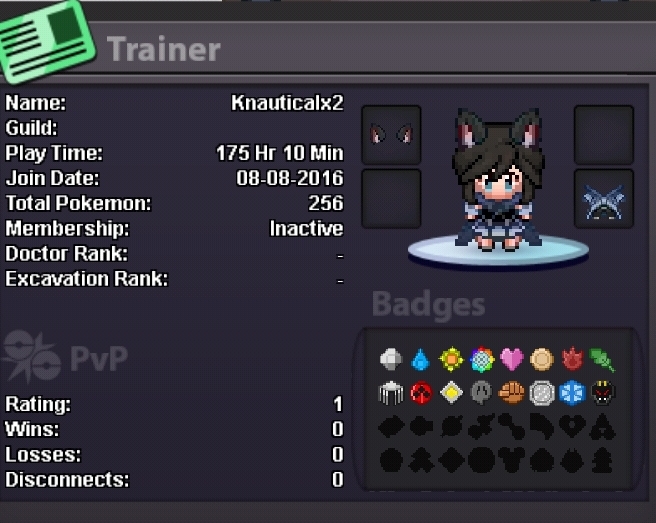
-
Hi Shane! 1. ~80 hrs of gameplay (I had NO idea PRO existed and just joined beginning of August! So sad I haven't been on here sooner!! gahh). 2. I live in the USA in Pennsylvania. 3. Umbreon. "When darkness falls, the rings on the body begin to glow, striking fear in the hearts of anyone nearby" - Gen II Silver version. NUFF SAID! :Cool: Okay okay SO if I win the giveaway (which I'm sure is a very small chance :P) I will give the headset to my boyfriend - my true best friend. I am the luckiest chick in the world to have him as my partner in crime. We just celebrated our anniversary this weekend (Been together 5 yrs and known each over for 11 yrs!) He would love it! Loves his computer tech gear. He'd have to share though!! Thanks for reading and for the giveaway! Love PRO!! Keep it up Shane :Smile: Kate