




New Trade Zone
Trade Zone is now live
Use the new Trade Zone for auctions and instant-price trades so Pokemon and item offers are easy to find.
Digaolcs
Registered User
-
Joined
-
Last visited
Everything posted by Digaolcs
-
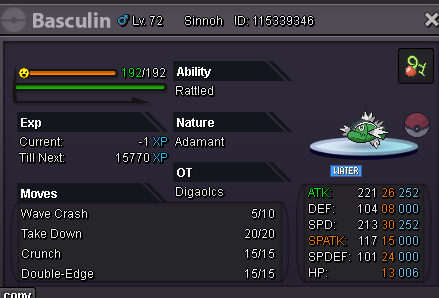
Hi, i'm trying to evolve my White-Striped Basculin, and i'm sure that i did more than 294 recoil damage with him. I need to do 294 recoil damage in the same battle? Or i can do multiple battles and add the recoil in each one until i get 294? He was lvl 70 when i started to do the recoil damage.
-
UP (this just happen rn again)
-
-
4 times in less than 1h, it's impossible to play with this problem
-
The Low Connection Icon keep appearing in my game and dont go away. I checked and tested my internet connection and it's good, i'm not having any problem to navigate in websites, watch youtube, but in PRO it's like every day this icon appears and don't go away never, even if i logout the game don't let me do the login again. I need to close the entire client and open again. Just happen again today in a rare encounter.
-
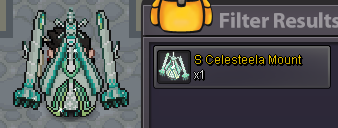
i'm in event pc now
-
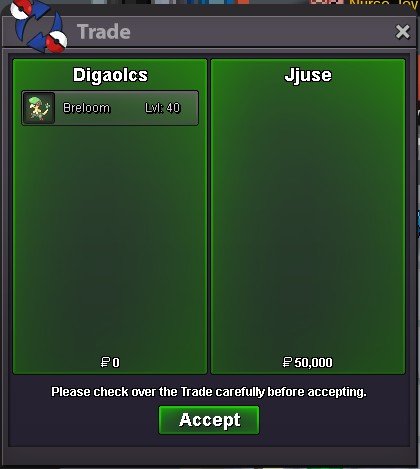
3m
-
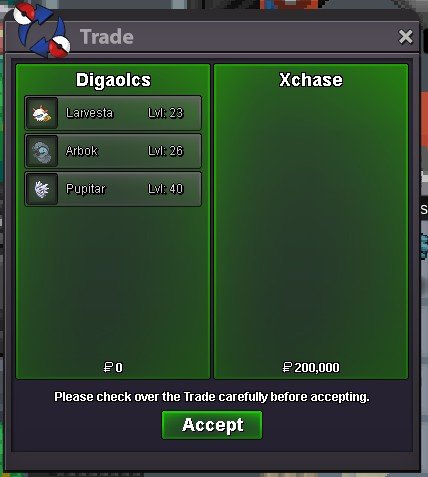
2.5m
-
2.4m
-
-
-
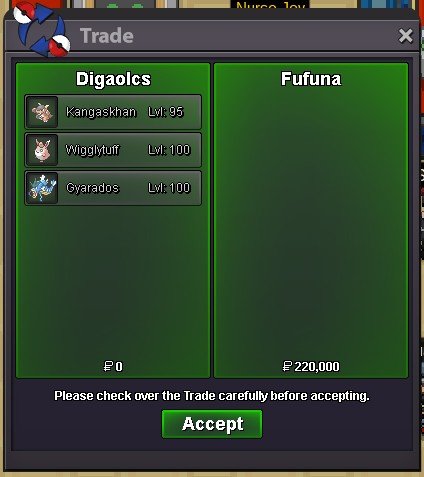
240k
-
-
-
-
I saw other topic about this and it was denied. Why the Avoid Members in PVP option in Manage Tab doesn't work on Random PVP? If guild members can't battle against themselves (or it'll be considered as Rank Boost and both can be banned), and this option works on Normal PVP Ranked, why it cannot work in Random Ranked?

Account
Navigation
Search
Configure browser push notifications
Chrome (Android)
- Tap the lock icon next to the address bar.
- Tap Permissions → Notifications.
- Adjust your preference.
Chrome (Desktop)
- Click the padlock icon in the address bar.
- Select Site settings.
- Find Notifications and adjust your preference.
Safari (iOS 16.4+)
- Ensure the site is installed via Add to Home Screen.
- Open Settings App → Notifications.
- Find your app name and adjust your preference.
Safari (macOS)
- Go to Safari → Preferences.
- Click the Websites tab.
- Select Notifications in the sidebar.
- Find this website and adjust your preference.
Edge (Android)
- Tap the lock icon next to the address bar.
- Tap Permissions.
- Find Notifications and adjust your preference.
Edge (Desktop)
- Click the padlock icon in the address bar.
- Click Permissions for this site.
- Find Notifications and adjust your preference.
Firefox (Android)
- Go to Settings → Site permissions.
- Tap Notifications.
- Find this site in the list and adjust your preference.
Firefox (Desktop)
- Open Firefox Settings.
- Search for Notifications.
- Find this site in the list and adjust your preference.