




New Trade Zone
Trade Zone is now live
Use the new Trade Zone for auctions and instant-price trades so Pokemon and item offers are easy to find.


Vapo61
Registered User
-
Joined
-
Last visited
Everything posted by Vapo61
-
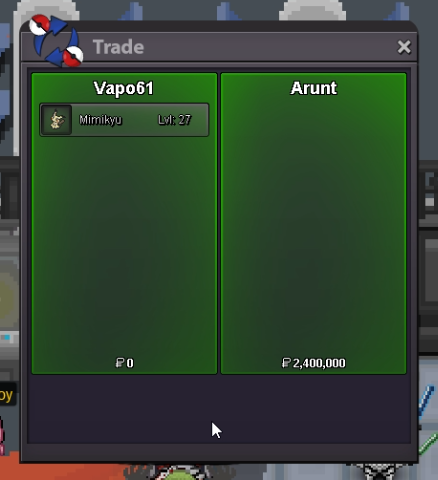
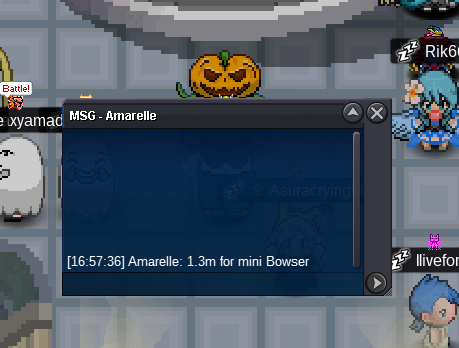
was no offer insta in game so why i need ? ppls had 3 and half hour to offer a guy buyed it insta so !
-
started 2.2m !
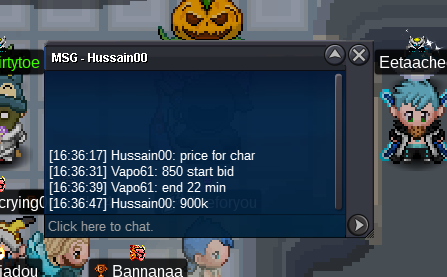
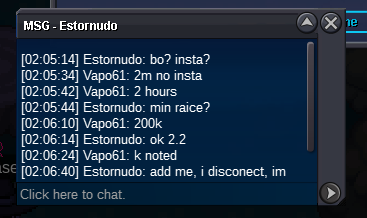 may the 4. ! all 3 together start 800k no insta min bid 50 k ! starts after 1. bid ! 1day auction ! payment in pokedollar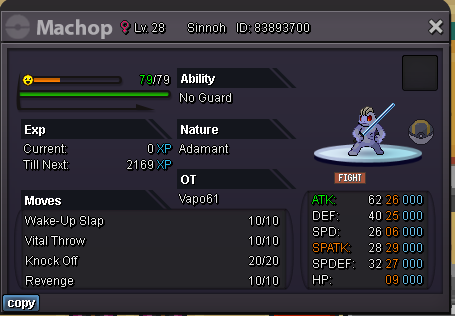
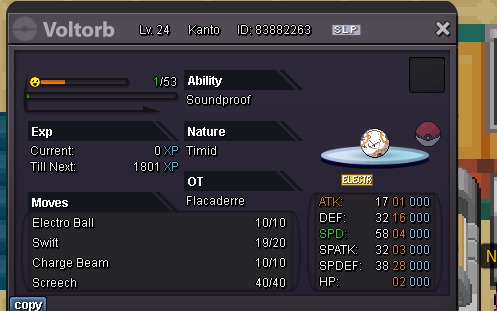
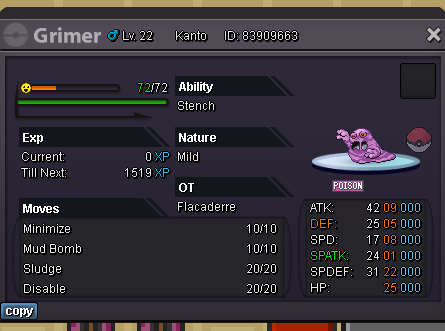 only all 3 together 1m start ! 2H ! no insta 100k min bid ! start after 1. bid ! payment in pokedollar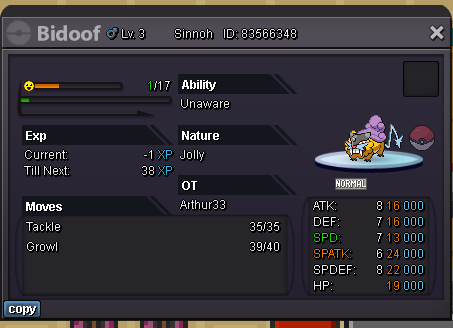
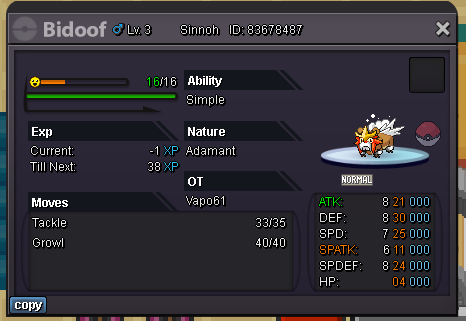
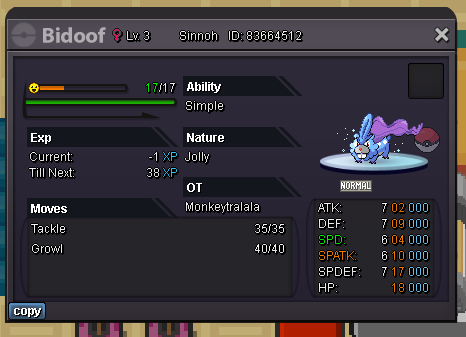 start : 2m! min bid 200k! auction starts after 1. bid ! no insta pay in = Pokedollar 2h auction !
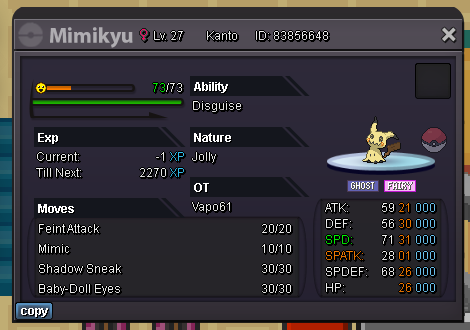 700 k
700 k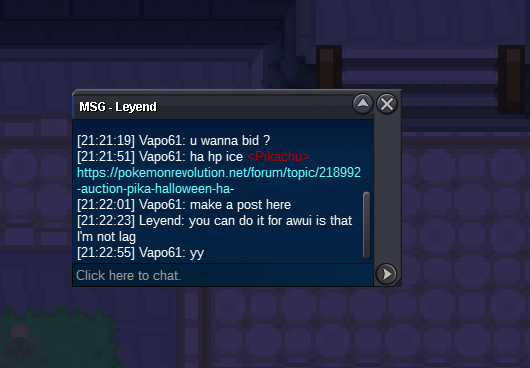 this thread is closed and pika going here with 600 start Bhimoso ! Auction ! Pika ! Halloween ! Ha Hp Ice ! + Customization ! - Selling Pokémon - Silver - Pokemon Revolution OnlinePikachu ! ha hp ice Start: 500k Min bid: 50k Duration: 2 hour (after the first bid) Payment: Pokedollars Insta: 2.5M Insta buy ! Shiny Snolax Hat and Clothes Shiny Bisharp Hat and Clothes Each 250 k Shiny Honedge Backbling 370k or 1Cc
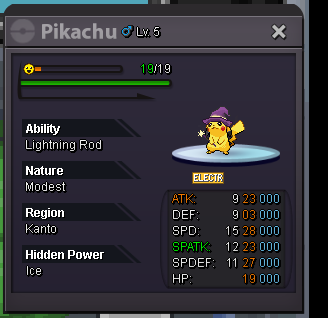 Venu over !pls add poke names behind ur money cuz this are 2 thx !Pikachu ! ha hp ice Start: 500k Min bid: 25k Duration: 2 hour (after the first bid) Payment: Pokedollars Insta: 2M Venusaur ! 100 bossrdy ! Start: 750 Min bid: 25k Duration: 2 hour (after the first bid) Payment: Pokedollars Insta 2.5M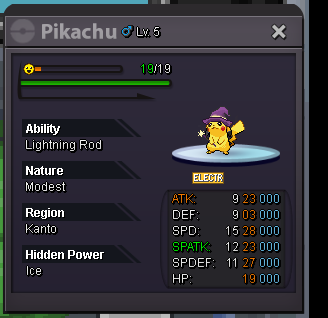
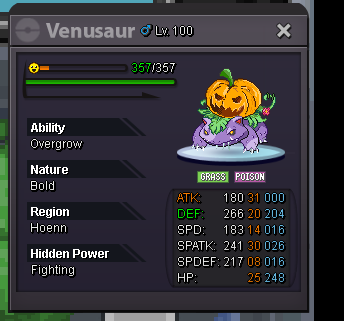 ok over gl to the winner !ok last min i take last offers 2 min then over !Last 10 min !he goes up
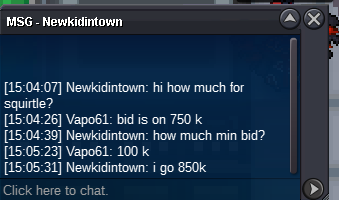
 Auction 2h Insta 15 Million ! pay only pokedollar and cc ! Charizard start 850k ! Squirtle start 650k ! Venusaur start 2.5 Mil ! Pika start 1.5 Mil ! 100k min bid ! ! only silver !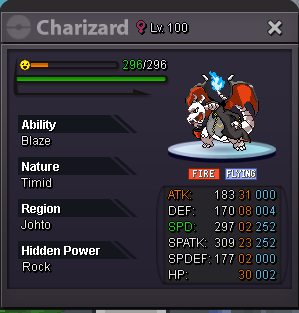
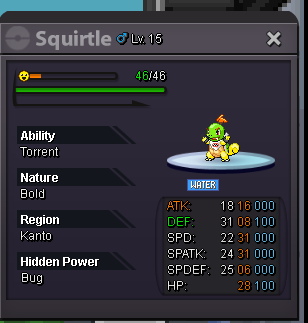
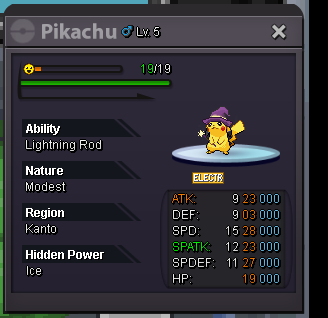
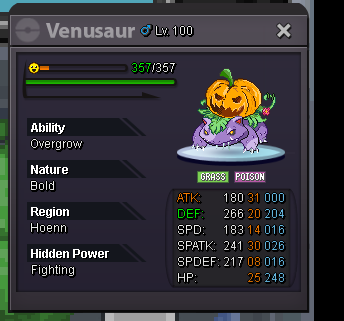 thx !!



Account
Navigation
Search
Configure browser push notifications
Chrome (Android)
- Tap the lock icon next to the address bar.
- Tap Permissions → Notifications.
- Adjust your preference.
Chrome (Desktop)
- Click the padlock icon in the address bar.
- Select Site settings.
- Find Notifications and adjust your preference.
Safari (iOS 16.4+)
- Ensure the site is installed via Add to Home Screen.
- Open Settings App → Notifications.
- Find your app name and adjust your preference.
Safari (macOS)
- Go to Safari → Preferences.
- Click the Websites tab.
- Select Notifications in the sidebar.
- Find this website and adjust your preference.
Edge (Android)
- Tap the lock icon next to the address bar.
- Tap Permissions.
- Find Notifications and adjust your preference.
Edge (Desktop)
- Click the padlock icon in the address bar.
- Click Permissions for this site.
- Find Notifications and adjust your preference.
Firefox (Android)
- Go to Settings → Site permissions.
- Tap Notifications.
- Find this site in the list and adjust your preference.
Firefox (Desktop)
- Open Firefox Settings.
- Search for Notifications.
- Find this site in the list and adjust your preference.