




New Trade Zone
Trade Zone is now live
Use the new Trade Zone for auctions and instant-price trades so Pokemon and item offers are easy to find.

Plzbuffmarksman
Registered User
-
Joined
-
Last visited
Everything posted by Plzbuffmarksman
-
What is your Discord tag? Sulmenash#2875 How often do you use Discord? Everyday If you could improve PRO's Discord with one suggestion, what would it be? Split server member in 3 roles, Red for the Red server, Blue, and Yellow, so you can know who is on which server.
-
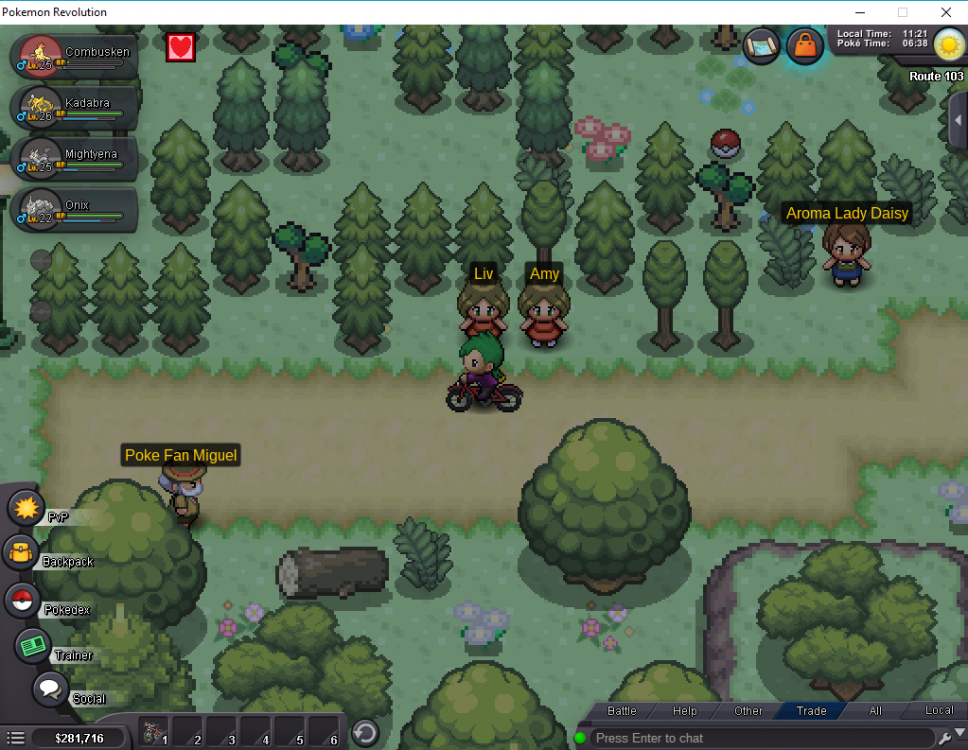
Hello, I just discovered when 2 trainers are very close like that you can skip the second trainer just by pressing Space Bar plus the arrow, and you'll move a little while they speak, so when the battle is over you'll be 1 or 2 steps away. I don't know if this is a bug or not, but I thought I should post it. Thanks for your time.
-
Hey, thanks for the guide! I just lost to her and she disappeared, so I can pass freely. Wanted to note that!
