New Trade Zone
Trade Zone is now live
Use the new Trade Zone for auctions and instant-price trades so Pokemon and item offers are easy to find.

Reyika
Registered User
-
Joined
-
Last visited
-
Problem is still there... can really no one help me? :(
-
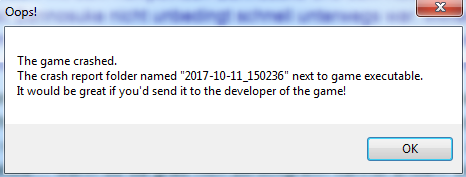
Helas~ Every time i try to start the launcher, i get this error (see popup below). I red this forum-thread: "READ THIS BEFORE MAKING GENERAL SUPPORT TOPIC!" I tryed the "Crash issues or other issues" and the "Windows7-Guide". Everything on my computer should be up to date (last update today), i used CC-cleaner to whipe out every stuff i dont need (temp files, etc.), i downloaded the game from different servers (GoogleDrive, MediaFire and the one what was in die error-description-guide mega.nz). I gave the .exe admin-rights, too. It even crashes when i shut down my firewall. Last time i could login was 2 days ago, after cleaning the cache and temp files with CC-cleaner. The next day it was the crash again :( I use Windows 7, 64bit with a working key, etc. But i dont get why it was working once and then always crashes. Did i miss something to do? Please help me :< Greetings Rey