




New Trade Zone
Trade Zone is now live
Use the new Trade Zone for auctions and instant-price trades so Pokemon and item offers are easy to find.

Kombu
Registered User
-
Joined
-
Last visited
Everything posted by Kombu
-
Reaktywowaliśmy, jeśli nadal jesteście zainteresowani to zapraszam do kontaktu przez discord
-
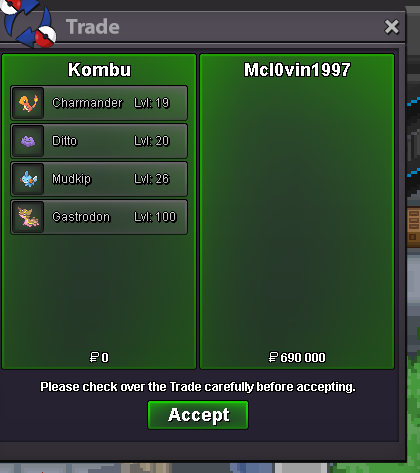
1 day - 15k 7 days - 90k 14 days - 170k 30 days - 320k Shiny/special form +10k per day Accept payment in: CC - 350k, RR - 500k, Nature RR - 250k Service performed using the lending trade option. Contact me for more screens via Discord Kombu113. You are allowed to change EVs and moveset as you wish.

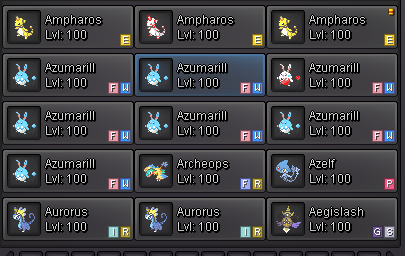
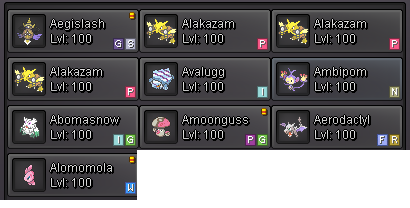
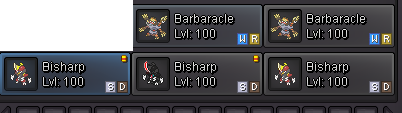
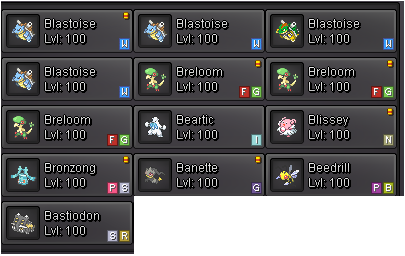
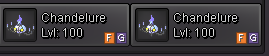
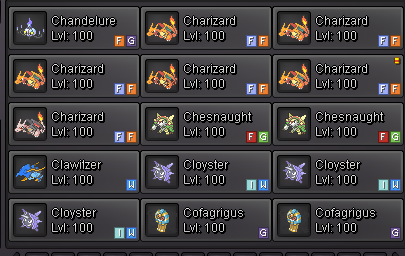
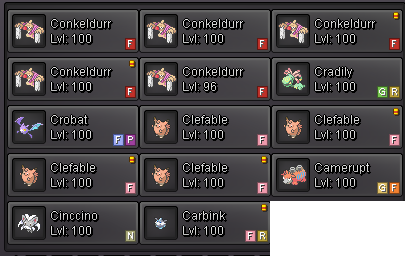

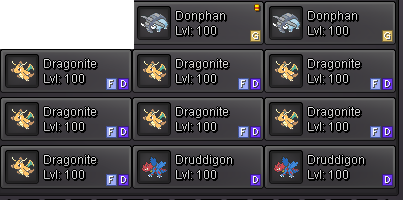
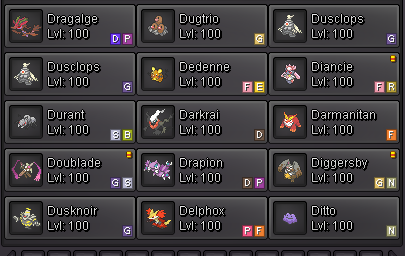
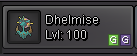
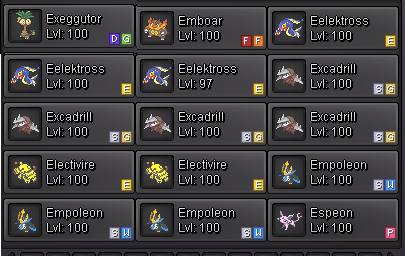
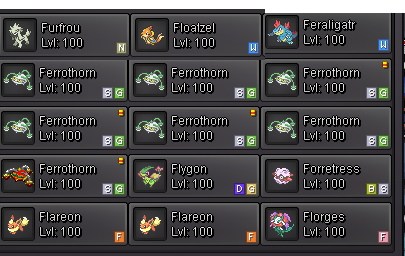
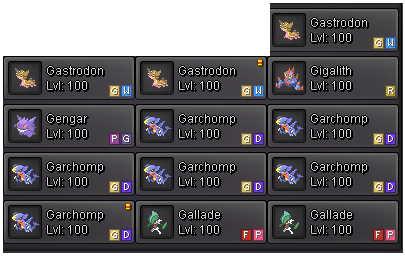

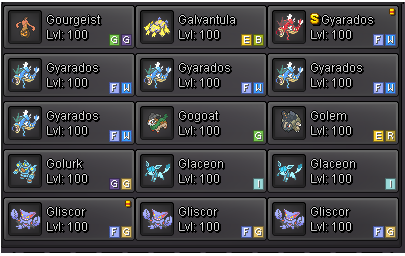
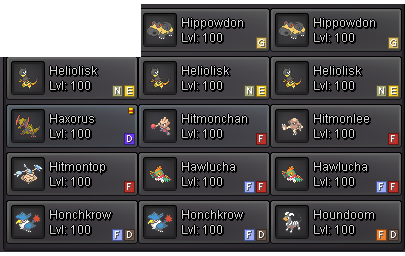
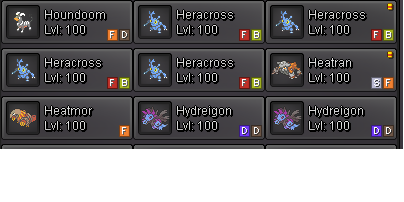
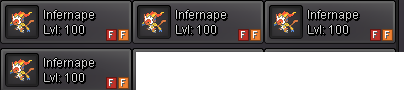
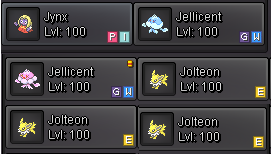
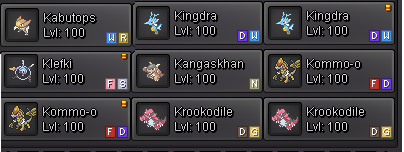
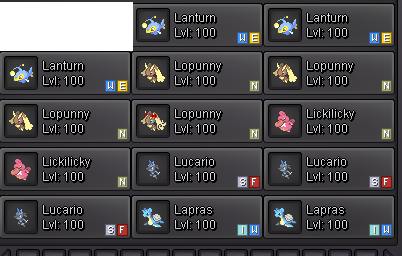


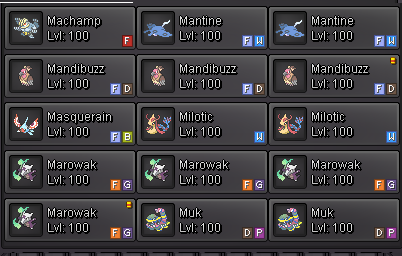
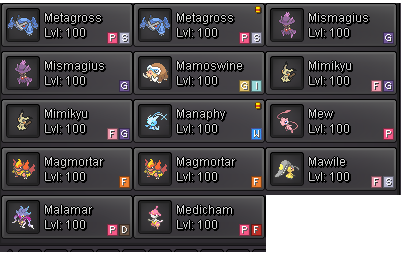
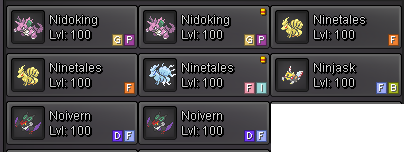


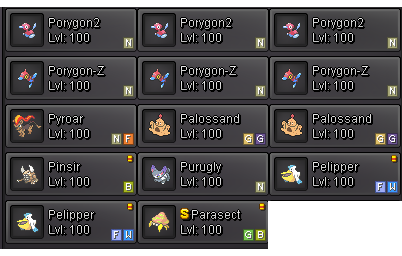
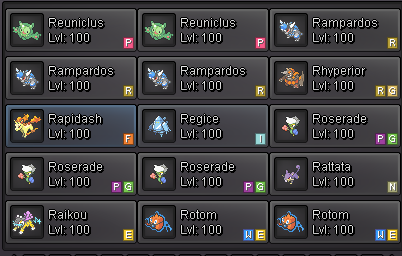
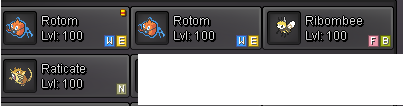
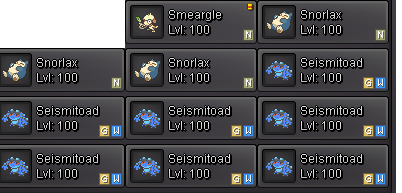
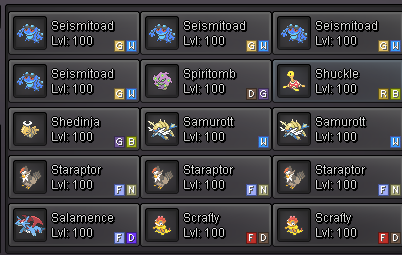
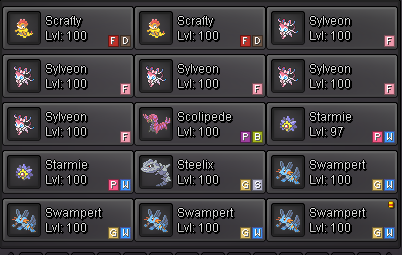
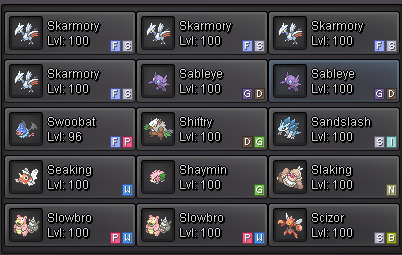
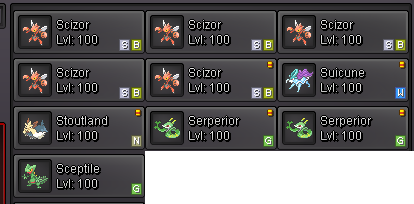
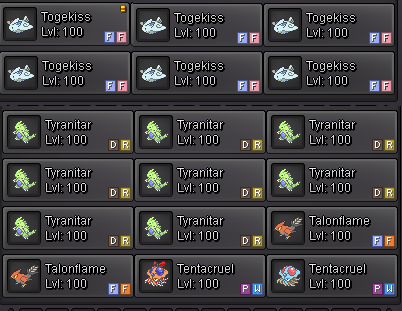

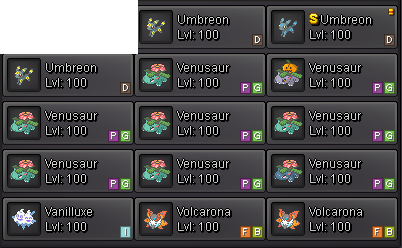
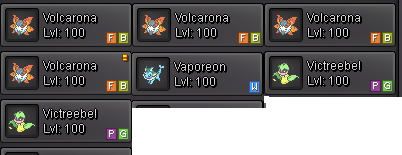
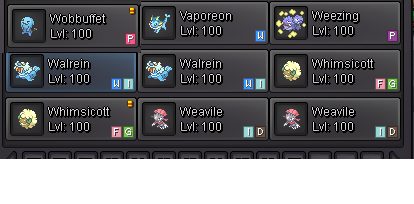
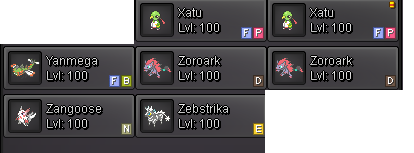
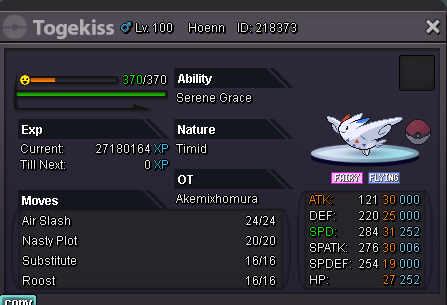
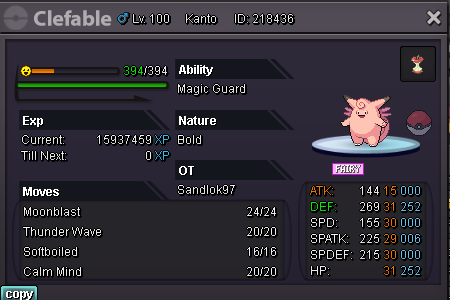
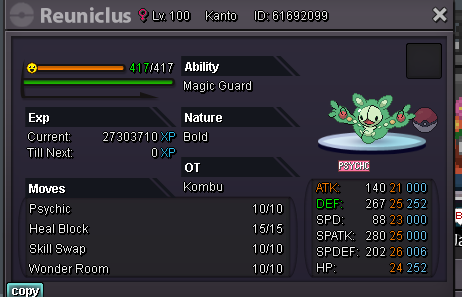
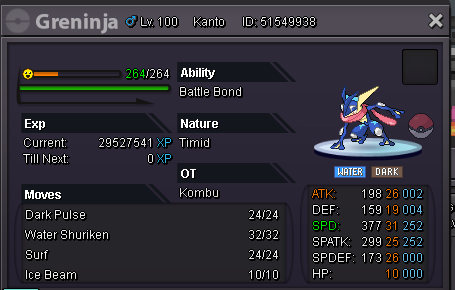
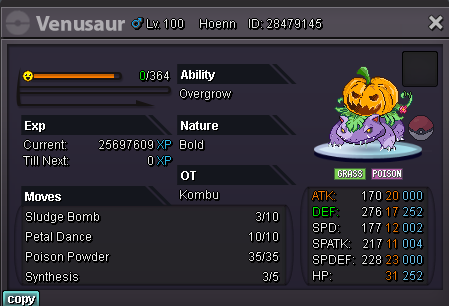
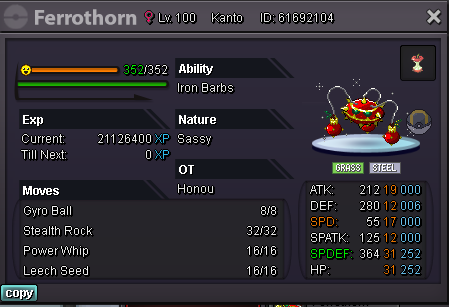



-
bump
-
bump
-
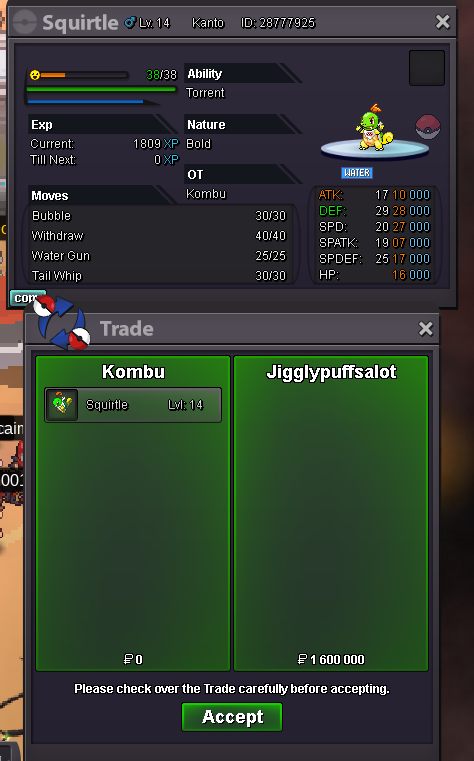
START: 1m MIN BID: 100k INSTA: 5m ENDS IN 48H AFTER 1ST OFFER Accept: CC - 400k, RR Ticket - 700k, Nature RR - 350k
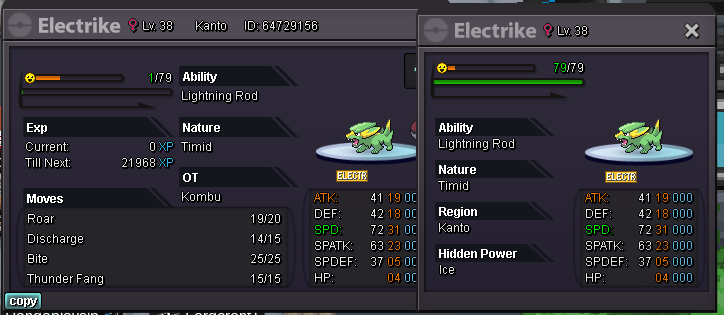 bumpbumpbumpbumpbumpbumpbumpbumpbumpsold insta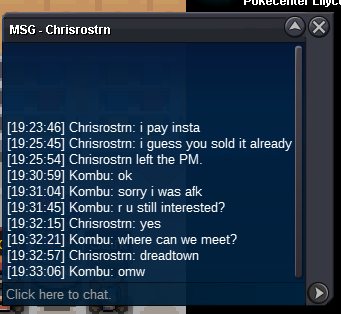
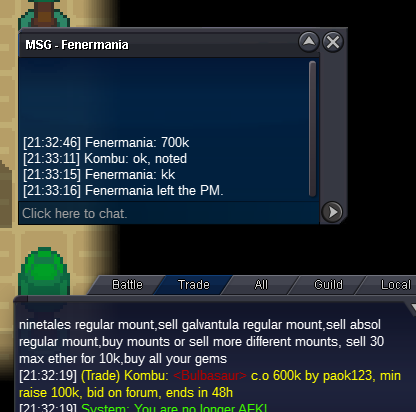
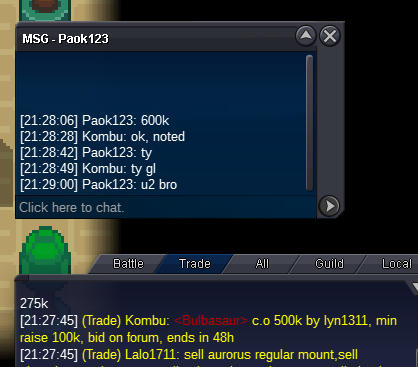
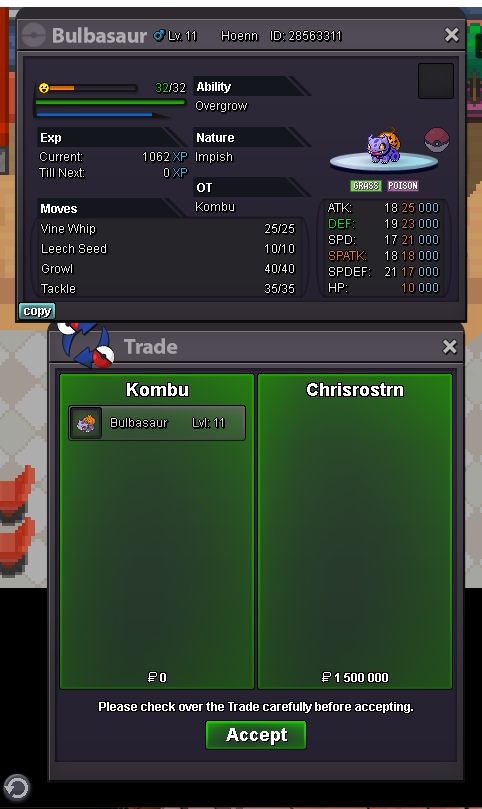 bump 7h leftI reported it on discord before the contest started but I didn't get any help so I'd like to report it here. Fishing contest 8.10 around 13:00 GMT+2 silver server looks like my fishing contest is bugged, I just came here (before contest) and I haven't left the area. I couldn't take part in the previous fishing contest for the same reason. I thought that the next time it would be fixed but it is the same for the second time in a row. Before start After start.Noted. Countdown added. Gl!START: 500k MIN BID: 100k INSTA: 1.5m ENDS IN 48H AFTER 1ST OFFER Accept: CC - 400k, RR Ticket 700k, Nature RR 350k Countdown https://www.timeanddate.com/countdown/generic?iso=20211010T2112&p0=496&msg=Auction+end&font=cursive
 auction closed, @Jigglypuffsalot won pm me in game or discord Kombu#5205

Account
Navigation
Search
Configure browser push notifications
Chrome (Android)
- Tap the lock icon next to the address bar.
- Tap Permissions → Notifications.
- Adjust your preference.
Chrome (Desktop)
- Click the padlock icon in the address bar.
- Select Site settings.
- Find Notifications and adjust your preference.
Safari (iOS 16.4+)
- Ensure the site is installed via Add to Home Screen.
- Open Settings App → Notifications.
- Find your app name and adjust your preference.
Safari (macOS)
- Go to Safari → Preferences.
- Click the Websites tab.
- Select Notifications in the sidebar.
- Find this website and adjust your preference.
Edge (Android)
- Tap the lock icon next to the address bar.
- Tap Permissions.
- Find Notifications and adjust your preference.
Edge (Desktop)
- Click the padlock icon in the address bar.
- Click Permissions for this site.
- Find Notifications and adjust your preference.
Firefox (Android)
- Go to Settings → Site permissions.
- Tap Notifications.
- Find this site in the list and adjust your preference.
Firefox (Desktop)
- Open Firefox Settings.
- Search for Notifications.
- Find this site in the list and adjust your preference.