Skip to content
View in the app

A better way to browse. Learn more.

Pokemon Revolution Online

A full-screen app on your home screen with push notifications, badges and more.

To install this app on iOS and iPadOS
  1. Tap the Share icon in Safari
  2. Scroll the menu and tap Add to Home Screen.
  3. Tap Add in the top-right corner.
To install this app on Android
  1. Tap the 3-dot menu (⋮) in the top-right corner of the browser.
  2. Tap Add to Home screen or Install app.
  3. Confirm by tapping Install.
New Trade Zone
Trade Zone is now live
Use the new Trade Zone for auctions and instant-price trades so Pokemon and item offers are easy to find.
Open Trade Zone

Furylemon97

Registered User
  • Joined

  • Last visited

Everything posted by Furylemon97

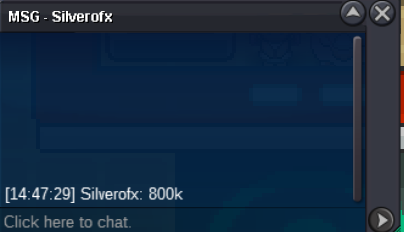
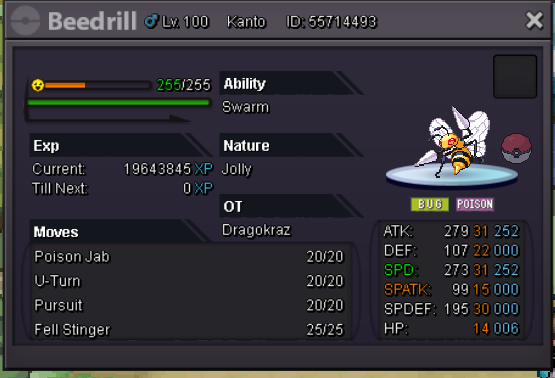
  1. i am auctioning my epic 2x31 beedrill AUCTION ENDS AT 2:47 PM GMT+0 Start offer 800k insta 5m Min bids 100k Auction ends 24 hours after the first bid! Items accepted as payments CC-380k EV Reroll - 350k Iv Reroll - 700k i can deliver to Gold aswell but it will cost 1 CC extra on top of the winning price for me to deliver to gold!
  2. Furylemon97 replied to Pitroipa's topic in Guilds
    Hi There i have added u on discord and trying to message u but it says u only accept messages from friends
  3. Furylemon97 replied to Pitroipa's topic in Guilds
    Hi there could u answer the questions above and send me ur discord please 🙂
  4. Furylemon97 replied to Pitroipa's topic in Guilds
    bump
  5. Furylemon97 replied to Pitroipa's topic in Guilds
    bump 😄
  6. Furylemon97 replied to Pitroipa's topic in Guilds
    bumppp
  7. Furylemon97 replied to Pitroipa's topic in Guilds
    bump for best guild
  8. Furylemon97 replied to Pitroipa's topic in Guilds
    bump 😄
  9. Furylemon97 replied to Pitroipa's topic in Guilds
    Please upload a screenshot of your trainer card and give us your discord tag please :)
  10. Furylemon97 replied to Pitroipa's topic in Guilds
    bump for best guild <3

Account

Navigation

Search

Search

Configure browser push notifications

Chrome (Android)
  1. Tap the lock icon next to the address bar.
  2. Tap Permissions → Notifications.
  3. Adjust your preference.
Chrome (Desktop)
  1. Click the padlock icon in the address bar.
  2. Select Site settings.
  3. Find Notifications and adjust your preference.