New Trade Zone
Trade Zone is now live
Use the new Trade Zone for auctions and instant-price trades so Pokemon and item offers are easy to find.

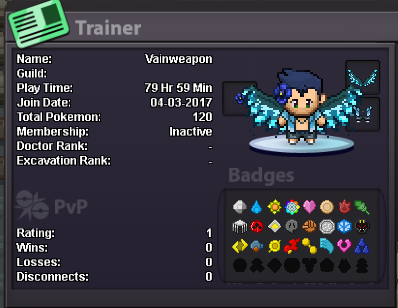
Vainweapon
Registered User
-
Joined
-
Last visited
-
How old are you and where are you from? 27, from the US Why would you like to join Trinity? Many of my friends talk about how active and fun it is; I also like how you guys are active in PVP. What is the highest rating you've ever got? Around 420 or so, don't remember exactly. How much hours did you play PRO so far and how many hours do you play right now? My main is Plasmavortex (I've already talked to Black about this) and this is my alt. My main has almost 2k hours and my alt has around 100. I play a few hours daily. What else other than rating can you contribute to Trinity? I can contribute to a fun and active guild environment and help other members if needed. Add a picture of your trainer card in the application. What is your Discord ID? I'm already in the Trinity discord