




New Trade Zone
Trade Zone is now live
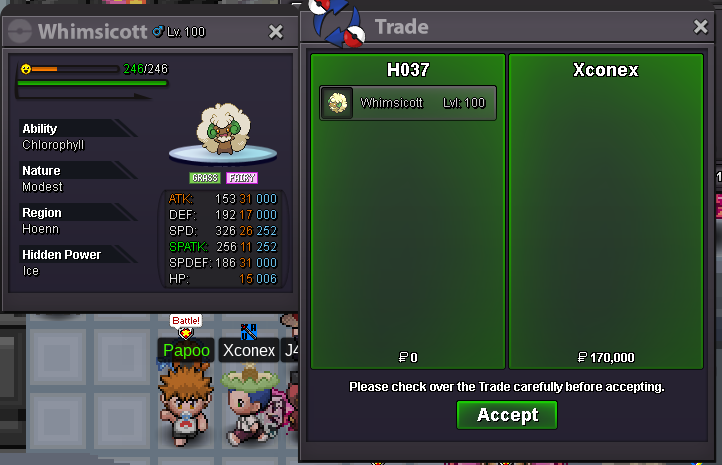
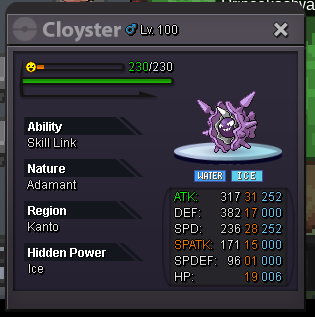
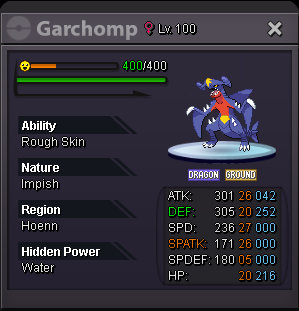
Use the new Trade Zone for auctions and instant-price trades so Pokemon and item offers are easy to find.

H037
Suspended
-
Joined
-
Last visited
Everything posted by H037
-
-
you mean goodra mate ?
-
im online now mate
-
bump rotom 1 hour 50 min left
-
-
23 hour 23 min left https://www.timeanddate.com/countdown/generic?iso=20200317T2018&p0=561&font=cursive
-
Sold https://www.timeanddate.com/countdown/generic?iso=20200318T23&p0=585&font=cursive sold 300k
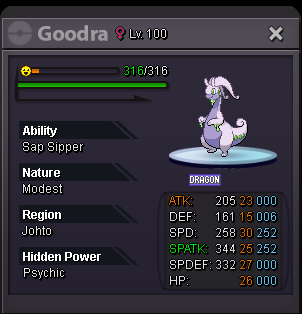
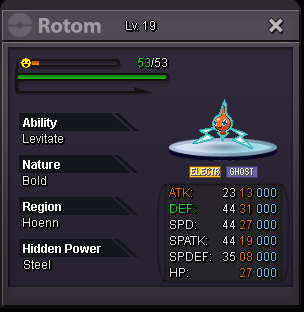
-
beggar is life :>Forget to update, its sold yesterday. Just few hour before you post
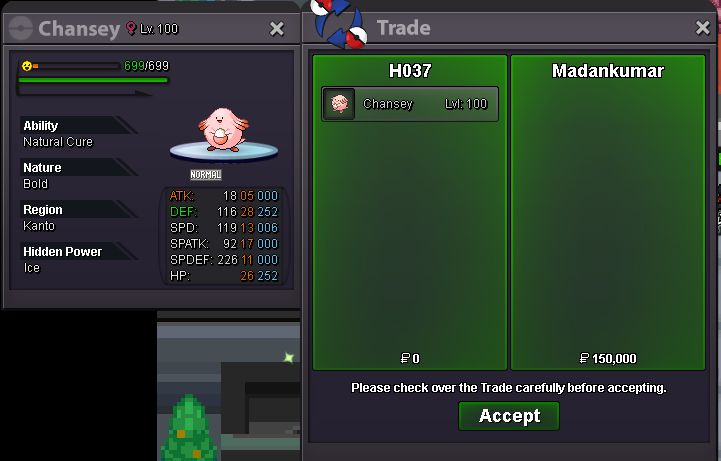 bumpyou win, when we can trade40 min leftBump les thn 9hourK K im going add timer soonk im online now
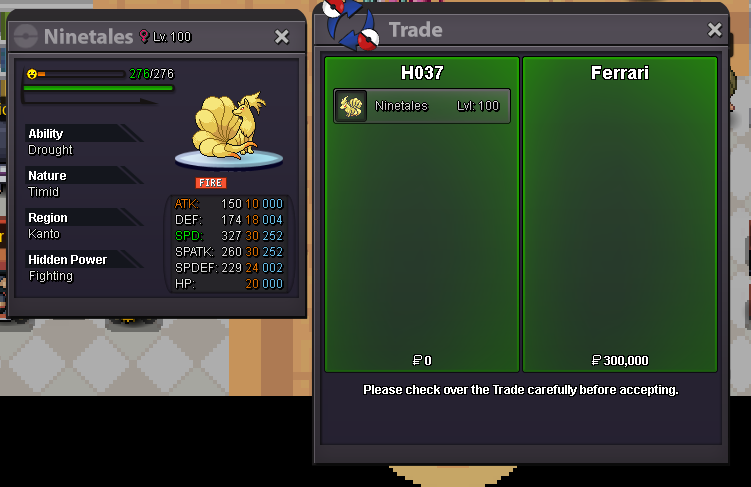 sold to darso (500k) start 200k end in 24 hour start 200k end in 24 hour start 200k end in 24 hour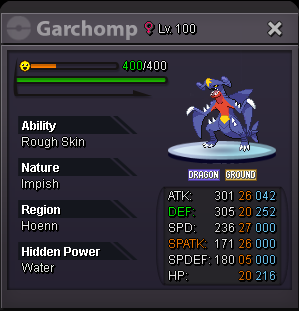
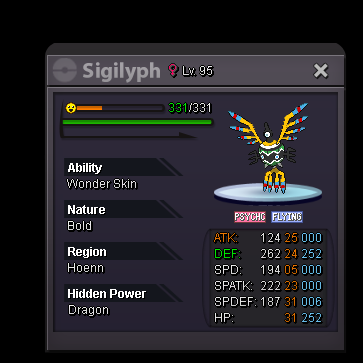
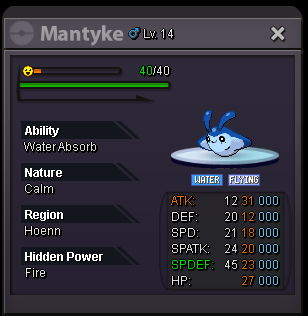
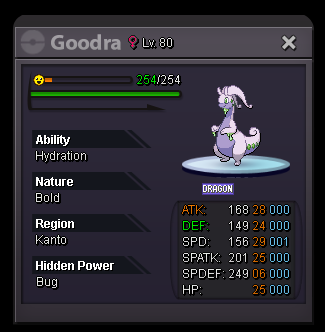 bumpk where we meet . im online now



Account
Navigation
Search
Configure browser push notifications
Chrome (Android)
- Tap the lock icon next to the address bar.
- Tap Permissions → Notifications.
- Adjust your preference.
Chrome (Desktop)
- Click the padlock icon in the address bar.
- Select Site settings.
- Find Notifications and adjust your preference.
Safari (iOS 16.4+)
- Ensure the site is installed via Add to Home Screen.
- Open Settings App → Notifications.
- Find your app name and adjust your preference.
Safari (macOS)
- Go to Safari → Preferences.
- Click the Websites tab.
- Select Notifications in the sidebar.
- Find this website and adjust your preference.
Edge (Android)
- Tap the lock icon next to the address bar.
- Tap Permissions.
- Find Notifications and adjust your preference.
Edge (Desktop)
- Click the padlock icon in the address bar.
- Click Permissions for this site.
- Find Notifications and adjust your preference.
Firefox (Android)
- Go to Settings → Site permissions.
- Tap Notifications.
- Find this site in the list and adjust your preference.
Firefox (Desktop)
- Open Firefox Settings.
- Search for Notifications.
- Find this site in the list and adjust your preference.