




New Trade Zone
Trade Zone is now live
Use the new Trade Zone for auctions and instant-price trades so Pokemon and item offers are easy to find.


Fafouney
Registered User
-
Joined
-
Last visited
Everything posted by Fafouney
-
let's go gold or silver ?
-
I would like this one, can't contact the guy on discord.
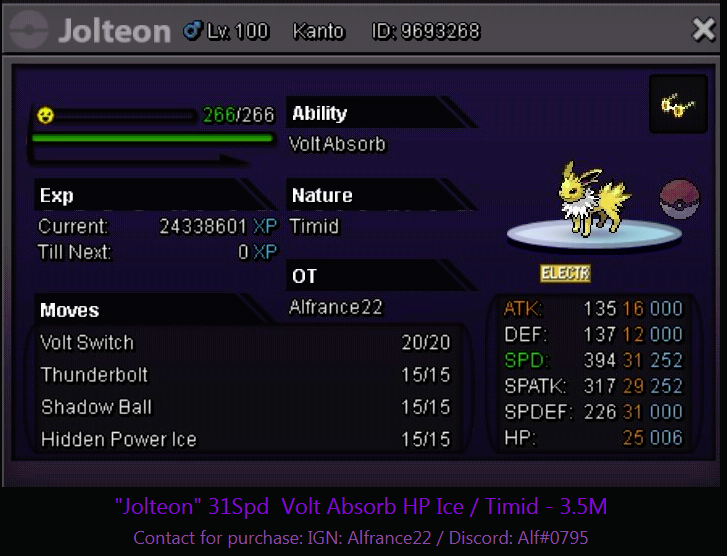
-
22m5
-
21m5
-
20m5
-
19m5
-
18m5
-
17m5
-
16m5
-
15m5
-
14m5
-
13m5
-
12m5
-
10m5
-
ty for clarification
-
Let's continue bidding 😛
-
8m5
-
7m5 gold
-
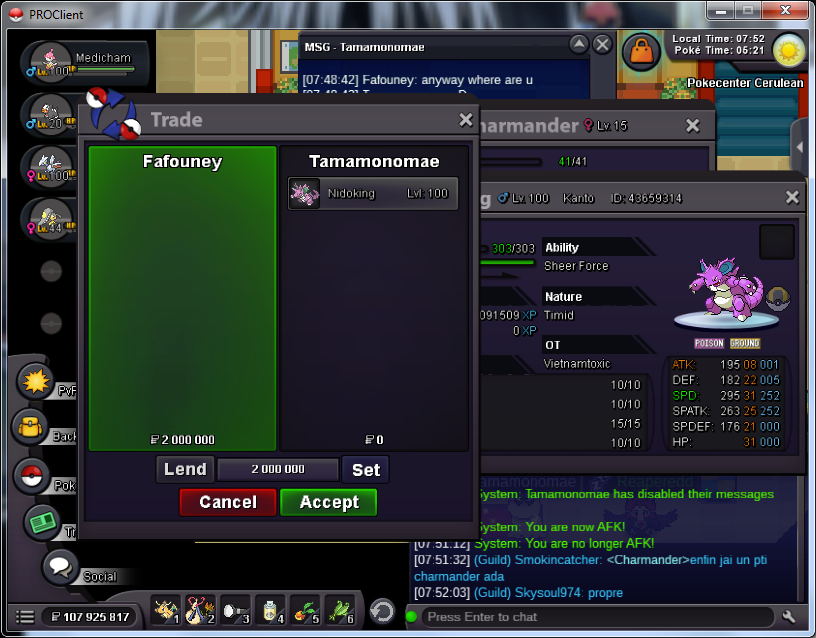
Btw, don't forget to put the screen when you sell a poke. Otherwise, a trade mod will appear 😉.
-
-
-
if you're available now let's go
-
I'm available for 10 hours from now to trade nido ,quote me when ready
-
-
Yo, If someone insta, it means you will sell it directly to him and ignore other offers. So yeah i'm buying it 2m lol
