




New Trade Zone
Trade Zone is now live
Use the new Trade Zone for auctions and instant-price trades so Pokemon and item offers are easy to find.

Rosinanteimmort
Suspended
-
Joined
-
Last visited
Everything posted by Rosinanteimmort
-
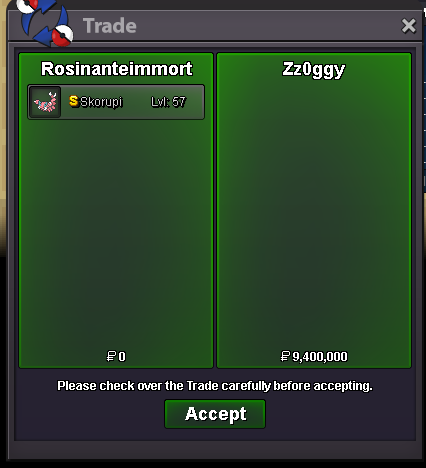
you winI have clearly stated below that it will be calculated according to the clock where I live. It will end at 5pm sir. You can see above.no sir. i have clearly noted that it will end at 17:00 12/29/2024 (UTC+7)end 17h00 29/12/2024 ( UTC+7)you winsorry everyone. because i didn't read the rules carefully. so the auction ended earlier and didn't last 15 minutes so the winner is newfriend
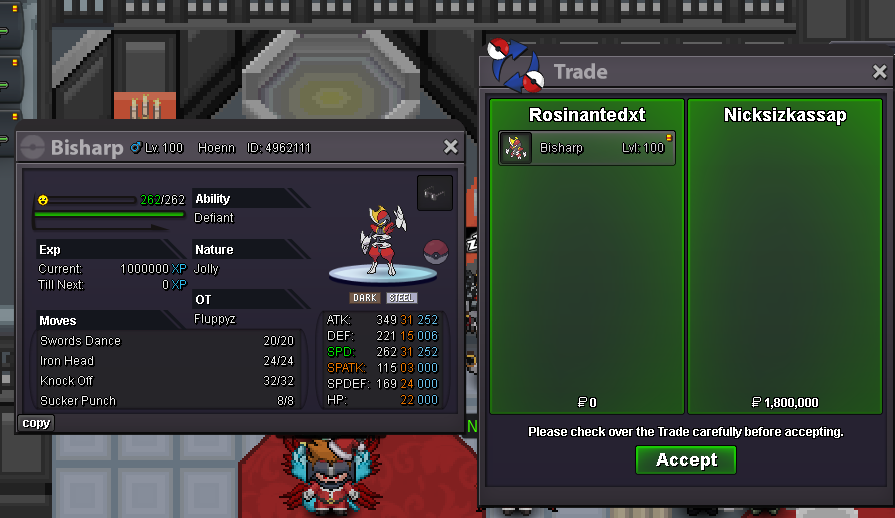
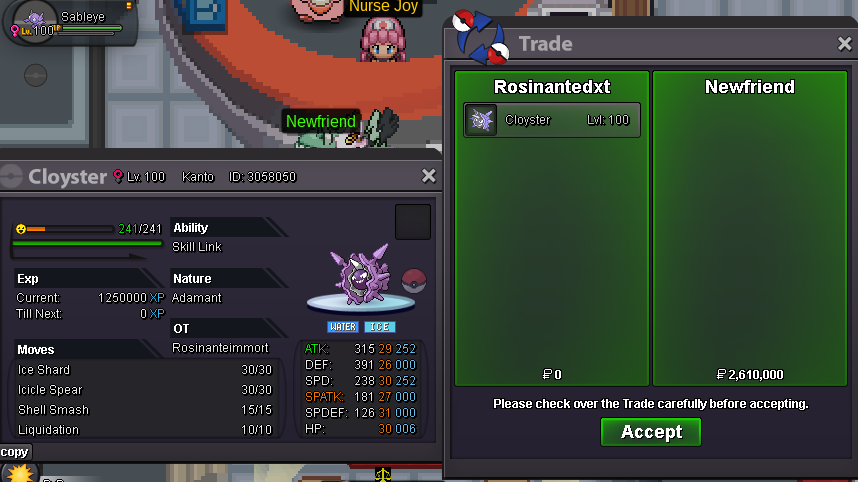 you win bísharpSo now how do I solve it?you win sableyeI see everyone doing that.= 1m6 for bisharp
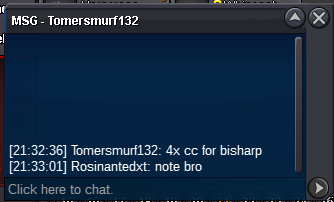 end 17h00 29/12/2024 ( UTC+7)bisharp end 18h20 29/12/2024 (UTC+7)heracross end 17h20 29/12/2024 (UTC+7)Start offer: 5m Min raise: 100k Insta: 50m Duration: 48 hrs after first bid Accept: Coin Capsule: 400k Reroll Ticket: 450k 15 minutes more if there is a new order
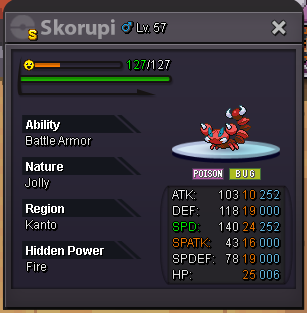 note
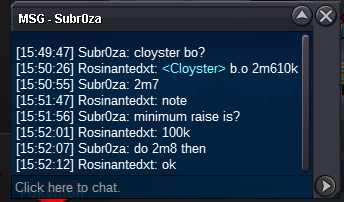
note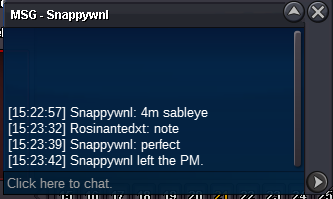 Sableye end 15h20 29/12/2024 (UTC+7)closyter end 15h 29/12/2024 (UTC+7)Starting price is 1 m / each pokemon Min raise: 100k I accept Pokedollars, Coin Capsules and Reroll Tickets. Coin Capsule = 400K Reroll Nature = 200K Reroll Ticket = 450K Duration: 48 hours after the first auction of each pokemon can i move to gold server after 1/1/2025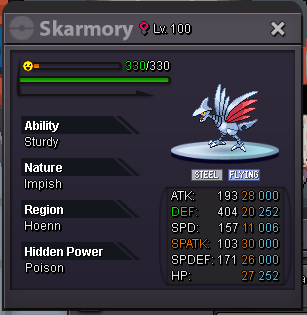
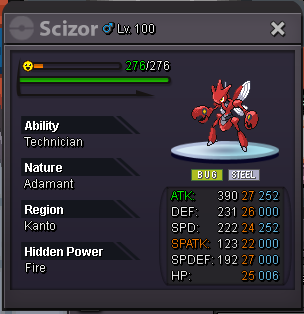
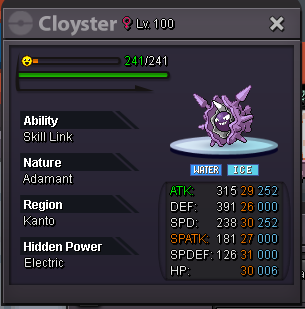
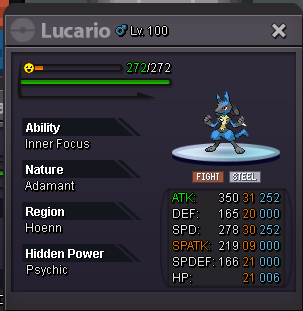
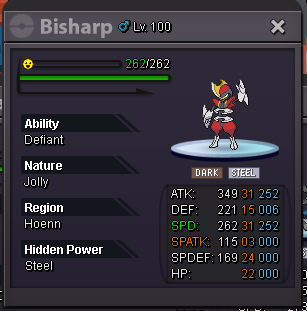
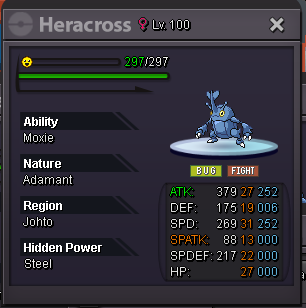
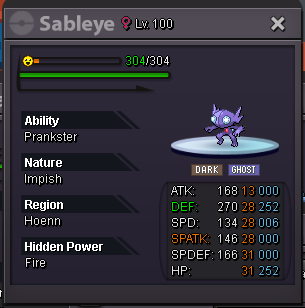
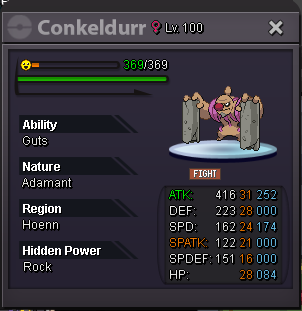 900k by rosinantedxt1m41m2 by rosinantedxt


Account
Navigation
Search
Configure browser push notifications
Chrome (Android)
- Tap the lock icon next to the address bar.
- Tap Permissions → Notifications.
- Adjust your preference.
Chrome (Desktop)
- Click the padlock icon in the address bar.
- Select Site settings.
- Find Notifications and adjust your preference.
Safari (iOS 16.4+)
- Ensure the site is installed via Add to Home Screen.
- Open Settings App → Notifications.
- Find your app name and adjust your preference.
Safari (macOS)
- Go to Safari → Preferences.
- Click the Websites tab.
- Select Notifications in the sidebar.
- Find this website and adjust your preference.
Edge (Android)
- Tap the lock icon next to the address bar.
- Tap Permissions.
- Find Notifications and adjust your preference.
Edge (Desktop)
- Click the padlock icon in the address bar.
- Click Permissions for this site.
- Find Notifications and adjust your preference.
Firefox (Android)
- Go to Settings → Site permissions.
- Tap Notifications.
- Find this site in the list and adjust your preference.
Firefox (Desktop)
- Open Firefox Settings.
- Search for Notifications.
- Find this site in the list and adjust your preference.