




New Trade Zone
Trade Zone is now live
Use the new Trade Zone for auctions and instant-price trades so Pokemon and item offers are easy to find.

Sirpromess
Registered User
-
Joined
-
Last visited
-
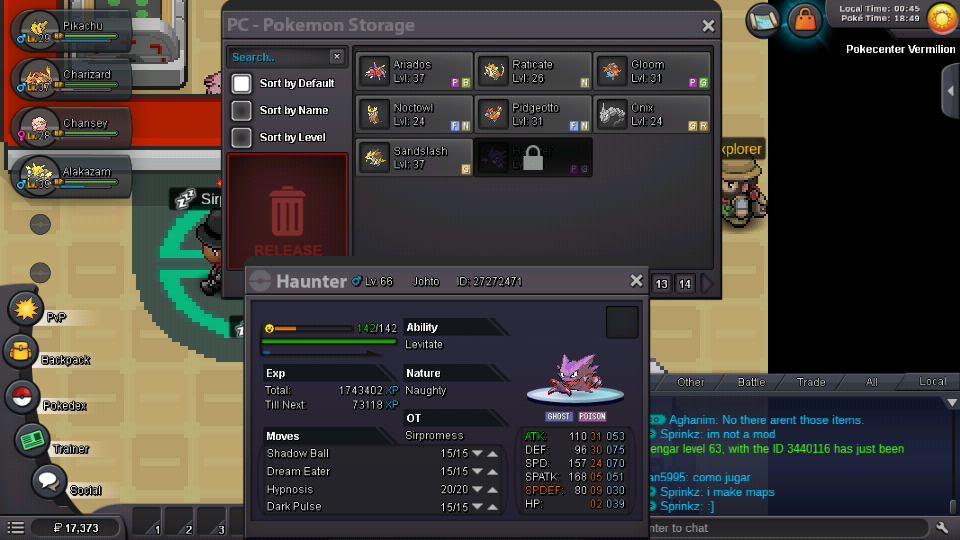
MY MISTAKE, my friend hadnt finished kanto league, so he wasnt able to use johto pokemon, therefor we could not trade back my Johto's Haunter.- Thanks for your reply anyway, i appreciatte it
-
I trade my haunter with a friend in order to evolve it, but it got blocked on my friend's pc and he cant took it out.-
-
#2 I HAVE EXACTLY THE SAME PROBLEM, everyone fixed it with the resolution optimization diable option in compatibility tag on the app properties.- Unfortunetly for us, that option does not exist on windows 7 version, at least not in mine.- I have windows 7 starter 32 bit SP1 2 RAM Pentium D 2.80 GeForce 6200
-
Thanks man, ill check it out in a bit.- im pretty sure fullscreen optimization option does not exist on win 7, or maybe it just doesnt appear to be in compatibility tag in the PRO32 app properties.- Do you now any other way to disable it or should i try the other solutions?
-
I HAVE EXACTLY THE SAME PROBLEM, everyone fixed it with the resolution optimization diable option in compatibility tag on the app properties.- Unfortunetly for us, that option does not exist on windows 7 version, at least not in mine.- I have windows 7 starter 32 bit SP1 2 RAM Pentium D 2.80 GeForce 6200
-
ive tried with all versions for windows, i checked for all solutions from different forums, i have even reinstalled my OS and when i try to open the game i allways got this error: All resolution switches have failed Screen: DX11 could not switch resolution (1366x768 fs=1 hz=0) its been happening since the latias/latios update, or any other from march this year, i dont remember exactly. But i have another pc runnin Windows 10 64bit on my office and it works perfectly there, i just cant run it on my personal win 7 32 pc, so ive been playin on my android phone since then. It isnt as good as the computer version.- Any alternative solution?? the Requirements says that basically anything made after 2004 should work, but my computer is way newer and i cant play, HELP PLEASE
