New Trade Zone
Trade Zone is now live
Use the new Trade Zone for auctions and instant-price trades so Pokemon and item offers are easy to find.

Sxio
Registered User
-
Joined
-
Last visited
Everything posted by Sxio
-
Hi, im using PRO Linux client and i found that whenever i type something and press backspace from my keyboard, it erase 2 characters at once. I thought this is a bug, so im reporting it. I asked windows client user too, and he said that nothing is wrong with the client, so i assume its linux client bug. Hope this will be fix soon Best regards, sxio
-
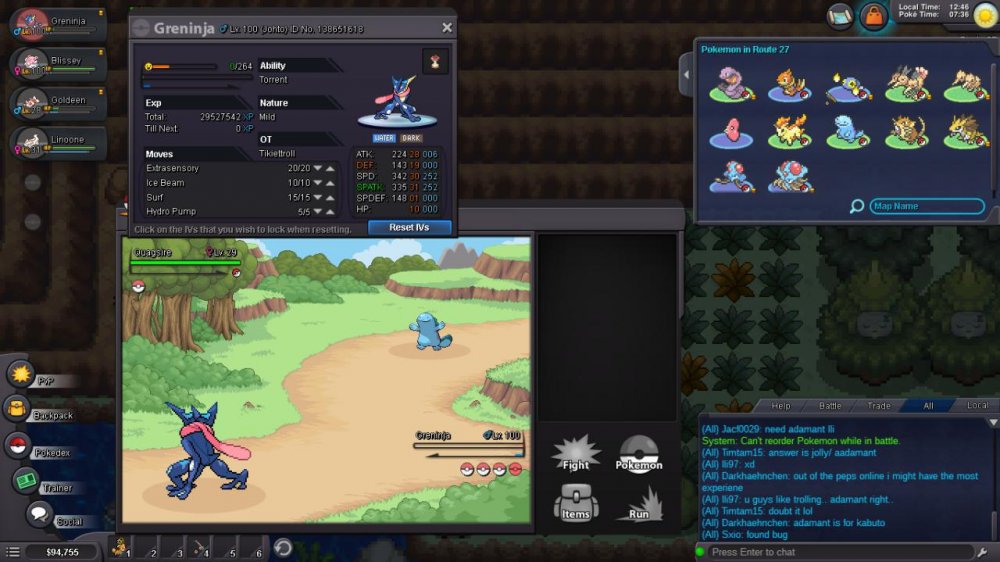
Chronological: 1. Try to change order of pokemon when encountering wild pokemon 2. System chat "Can't reorder pokemon while battling" or something like that 3. Battle start 4. Wild pokemon kill my pokemon 5. Order of pokemon change immediately 6. The one that faint is the poke i tried to change 7. Change again order of pokemon and everything back to normal https://prnt.sc/ht7oz0 https://prntscr.com/ht7pbw https://prnt.sc/ht7q6r