




New Trade Zone
Trade Zone is now live
Use the new Trade Zone for auctions and instant-price trades so Pokemon and item offers are easy to find.


Devon71
Registered User
-
Joined
-
Last visited
Everything posted by Devon71
-
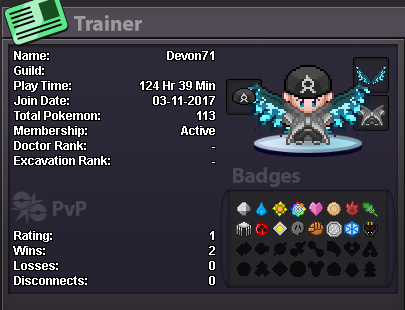
What's your Name/IGN? Devon71 ● How old are you? 28 ● Are you active in Discord? Yes ● Where are you from? United States ● What's your playtime?/How often do you play PRO? Got 124h and play 6 - 10 plus hours almost everyday. ● What's your goal in PRO? To finish all regions, Beat the bosses, Get better at pvp, Enjoy farming good mons. ● Why do you want to be part of Chaos? I want to be part of Chaos because I really like to interact with players while farming, Also like to get some help for pvp teams/movesets. ● What's your favorite Pokemon and why? Snorlax because he is thick, strong and tanky. ● What's your favorite animal and why? I really like wolf because they are pack animals.
-
Thank you so much :D Means alot
-
Looking for answers please?
