




New Trade Zone
Trade Zone is now live
Use the new Trade Zone for auctions and instant-price trades so Pokemon and item offers are easy to find.


Taskiner
Registered User
-
Joined
-
Last visited
Everything posted by Taskiner
-
CC - 380k IV reroll - 700k Nature reroll - 350k Start 500K Min bid: 100K time:48 hours IGN: taskiner Discord: taskiner If you are in SİLVER Server, you need to transfer to GOLD or pay 400k extra on top of the final price Thank you
 Accept; Cc: 380k Rr ticket: 700k Start offer: 1,7m, Minimum bid 250k, 3 days auction insta 5m Auction ends 2 days after first offer Auction starts after first offer Ign: taskiner ı am on the silver server , offers from the gold server the expenses belong to him
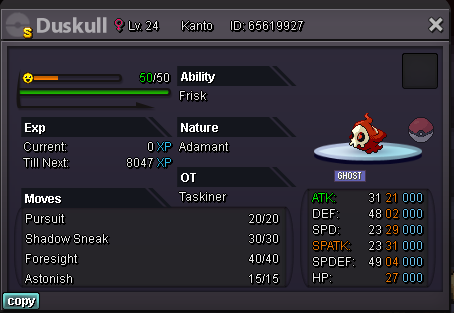 So : 1,5m Bid: 500k No Insta TIME : 24 hour Payment methods Gold 380k 700k
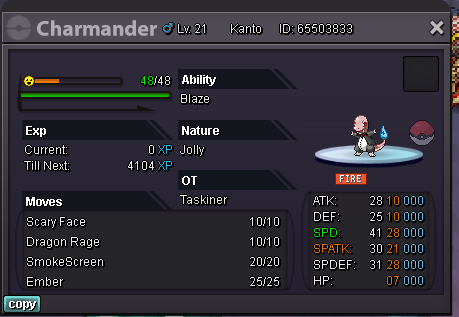 sold frefatime: 2 hour only money charmender S.O: 500k INSTA: 3m min. raise: 100k C.o:frefa 500k
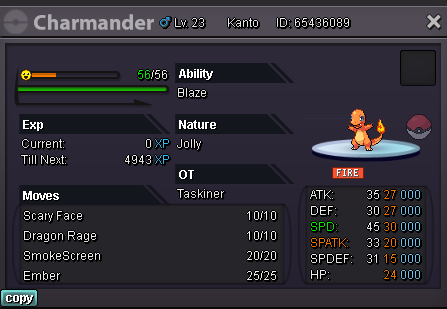 closed before you bid, but those interested can write to me, only silverTIME: all poke 1 hour Payment CC: 360k each Rare Candy: 7k each and Pokedollars. contact : Game: taskiner 1. ha hp fire bold bulbasaur S.O: 500k INSTA: 2.5m min. raise: 100k C.o: ... 2. hallowen charmander S.O: 500k INSTA: 1.5m min. raise: 100k C.o: 3. charmender S.O: 500k INSTA: 2,5m min. raise: 100k C.o: ...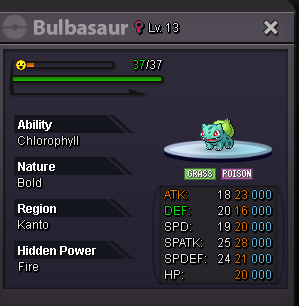
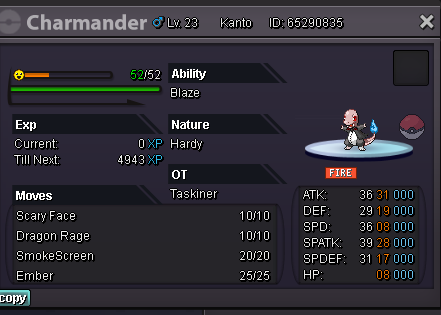 finish win Vermilionzok notedstart offer : 2m minimun bid: 250k insta : 7m 24h of bid after first offer accept reroll tickets=700k, nature reroll=350k , cc=400k
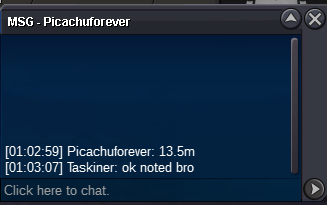
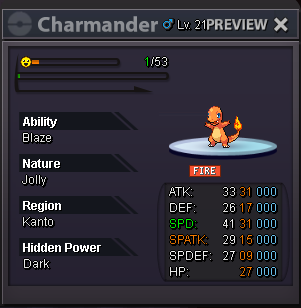 15mfinish win by papoook ı notedleft 10 mmin c.o 15m by mathmachinemathmachine by 15m
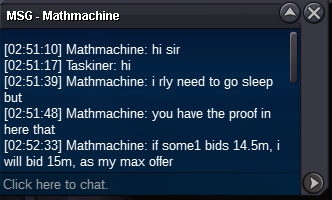 ok ı notedok noted

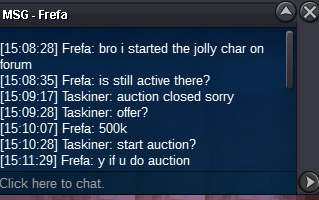
Account
Navigation
Search
Configure browser push notifications
Chrome (Android)
- Tap the lock icon next to the address bar.
- Tap Permissions → Notifications.
- Adjust your preference.
Chrome (Desktop)
- Click the padlock icon in the address bar.
- Select Site settings.
- Find Notifications and adjust your preference.
Safari (iOS 16.4+)
- Ensure the site is installed via Add to Home Screen.
- Open Settings App → Notifications.
- Find your app name and adjust your preference.
Safari (macOS)
- Go to Safari → Preferences.
- Click the Websites tab.
- Select Notifications in the sidebar.
- Find this website and adjust your preference.
Edge (Android)
- Tap the lock icon next to the address bar.
- Tap Permissions.
- Find Notifications and adjust your preference.
Edge (Desktop)
- Click the padlock icon in the address bar.
- Click Permissions for this site.
- Find Notifications and adjust your preference.
Firefox (Android)
- Go to Settings → Site permissions.
- Tap Notifications.
- Find this site in the list and adjust your preference.
Firefox (Desktop)
- Open Firefox Settings.
- Search for Notifications.
- Find this site in the list and adjust your preference.