




New Trade Zone
Trade Zone is now live
Use the new Trade Zone for auctions and instant-price trades so Pokemon and item offers are easy to find.

7natoionarmy
Registered User
-
Joined
-
Last visited
-
Alright, will give it a shot once I'm online. Once again thank you.
-
Thanks for the help. Much appreciated.
-
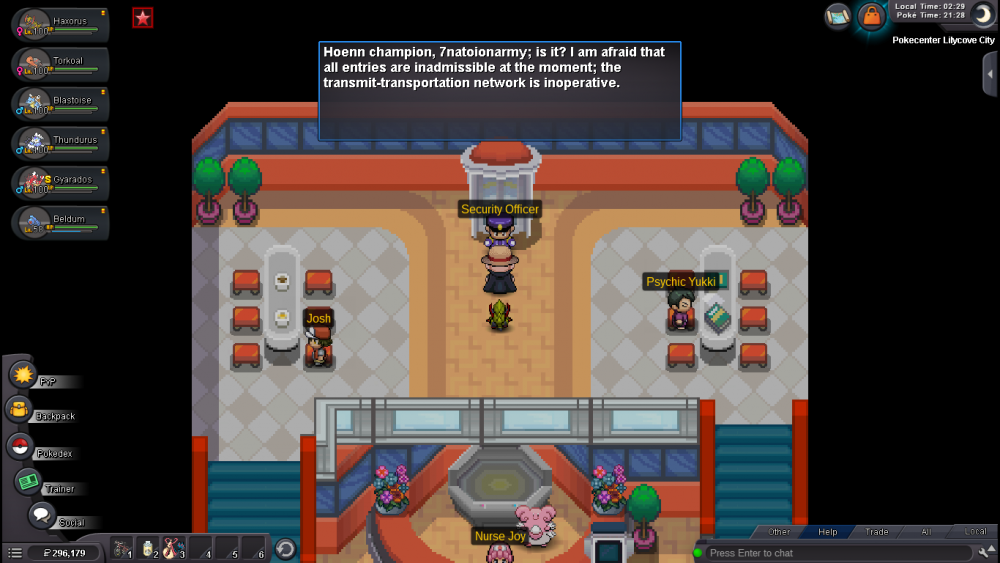
Hello, and thank you for replying I did the wrong quest however, I have already tried doing the quest you've linked me to, as I have said I'm unable to start it nor use the system, I have fought wally "Which was the last step of the quest" and I was able to use the system before even doing the quest. I don't see Wattson anywhere I go and I tried doing the whole quest step by step
.thumb.png.4e0967b63abbe3981edbb4c77aed89b1.png)
.thumb.png.a466f123c17b91ae5b3513fd22cf20e3.png)
-
Hello everyone, So I returned to pro recently and was able to use Hoenn's transportation system, not knowing that I even needed to do a quest to unlock it. Anyway I was using it as usual and saw wally standing on the right, so I was like why not talk to him and he challenged me, I won against him but then I was not able to do the quest or even use the system, It teleported me to Wattson in new Mauville, I tried doing the quest from the first step which did not work, and even gave Wattson the final part from Captain Phantom's ship when he was in front of new Mauville's entrance, he finally fixed his system but I'm still unable to use the transportation.
-
I'll buy the bellsprout
.png.7885768417d930f8c2af9e965986394d.png)
.png.846fb8c4c99992c148de73436e5253a6.png)