New Trade Zone
Trade Zone is now live
Use the new Trade Zone for auctions and instant-price trades so Pokemon and item offers are easy to find.

Snowpirate
Registered User
-
Joined
-
Last visited
-
Yeah Ash Westbrook too i did the 3rd fight earlier and didn't allowed it
-
yeah i get your point but i feel its been so long since that should be fixed... im still gonna ask like i did in the post to get my "encounter" to try to sync it even tho i don't think im asking for too much here :c but i know they probably don't care about that tho or it will ask too much efforts who knows x)
-
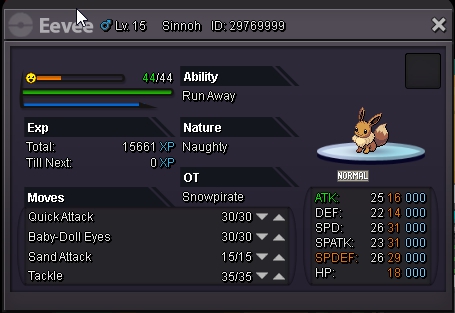
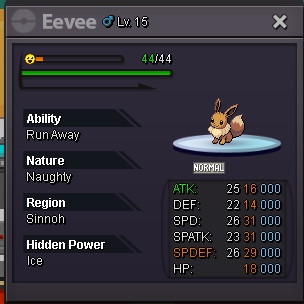
Nah i was able to sync on some so idk if its a bug like the admin said it should not be like that from what i understood :/ and tbh its only upseting cause that eevee was fairly good and jolteon is my favorite eeveelution >.<
-
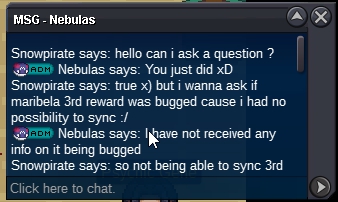
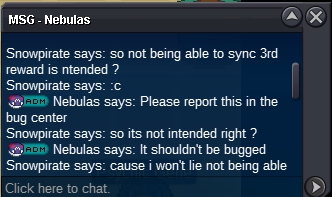
Hi so to explain what happened , i beat boss maribela for the 3rd time and was supposed to chose a reward with sync/shiny chance i then decided to take eevee and trying to get a timid one problem is i got not option to sync and directly got the pokemon. Im wondering if its a bug or if its intended ? An admin told me to post it here and from what i understood it wasn't intended :/ i'll link the chat and the eevee in a link bellow. I was wondering if its actually a bug of course, if there is anyway for me to get a chance to actually sync it or to get the intended nature aka timid.