New Trade Zone
Trade Zone is now live
Use the new Trade Zone for auctions and instant-price trades so Pokemon and item offers are easy to find.

Alcahtras
Suspended
-
Joined
-
Last visited
-
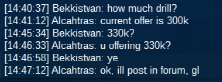
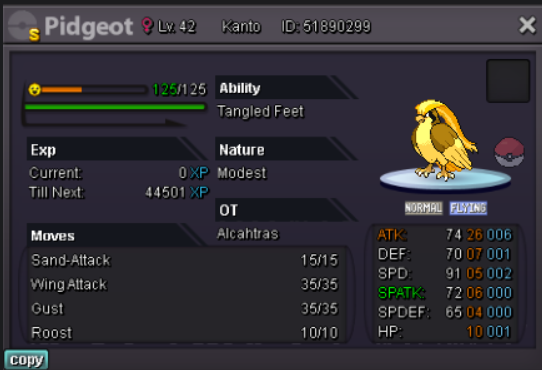
Hello! Came back after a few months from the game. Lost this pidgeot from any of my accounts. Can someone find it for me please where it is right now? Thanks in advance!
-
Hello community! Sorry i was away for some months because of private situation. I am back now. I texted everyone that contacted me and that wanted to buy something. Text me here on discord if you are intersted in something from the shop. Have a nice day everyone!
-
@Hotdaugh Hey! Sorry, i was on holiday for 1.5 week. I did not see your post on here. I have private dmed you!
-
Auction can be closed.
-
allright, since i dont want any issues. Im gonna take the offers that were posted till 7 pm +2. 48 hours before that is when the auction started. That means @Whitt won the hippo auction with 555k. @Carlosvng won the cranidos auction with 90k. @Danchoicamthuat won the drilbur with 400k. All winners pm me on discord Alcatras#8897 to pick up your wins. Sorry for any inconveniences, but gotta stick with the start rules of the auction. Have a good day!
-
1.7 mil1.60 mil1.5 mil, i bid before, but for some reason, auctioner takes ingame bids before forum bids.1.3 mil1.2 mil1.1 mil1mil900kHello evreyone! I am auctioning these 3 mons. All so 1k! All min raise 1k each time! Accept CC 380k each. Accept IV reroll 680k. No insta. Duration 48 hours after first offer on that mon! 🙂 Evreyone goodluck and enjoy! co 400k co 555k co 90k