




New Trade Zone
Trade Zone is now live
Use the new Trade Zone for auctions and instant-price trades so Pokemon and item offers are easy to find.

Deadsoul000
Registered User
-
Joined
-
Last visited
-
+1 I second this, any single one of these would be epic. My personal vote would be for for Dreepy.
-
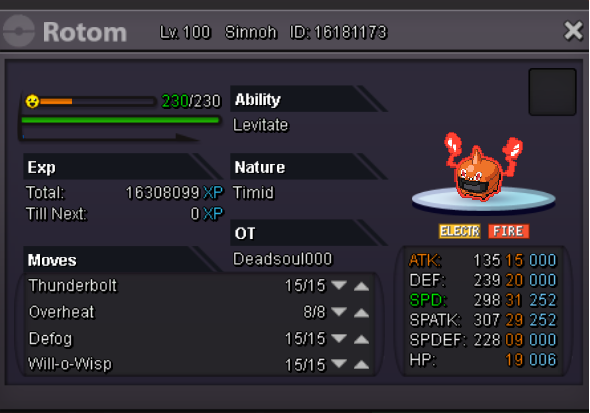
Hi all Would just like to know if it is worth something. What would be an acceptable price to ask. Thank you
-
Hi all Hope someone could help me with this, and sorry if this is the wrong place to post. on this Bulbapedia page, they explain the damage calculation formula and give an example of a lvl. 75 Glaceon (123 ATK) attacking a Garchomp (163 DEF) with Ice Fang (65 POWER). Using the formula, the answer I get for a Max non-crit hit is 198, but their answer is 196. Is there something I am missing? How do you more precisely calculate damage? Edit: So flowing the damage formula on Bulbapedia my equation is: ((((2 * 75 / 5) + 2) * 65 * 123 / 163) / 50) + 2 = 33.39141104 The answer is then multiplied by the modifier which is [5.10 , 6.00] depending on the random number used. So at max it would be: 33 * 6 = 198 But on the site it is stated to be [168, 196] So I would just like to know if I am doing something wrong, or why it does not match the site.
-
Good day i would just like to know, in the rules it is said we allowed up to 4 accounts per person, are we free to trade items and money between them without touble? i know only one account is allowed for pvp.