Skip to content
View in the app

A better way to browse. Learn more.

Pokemon Revolution Online

A full-screen app on your home screen with push notifications, badges and more.

To install this app on iOS and iPadOS
  1. Tap the Share icon in Safari
  2. Scroll the menu and tap Add to Home Screen.
  3. Tap Add in the top-right corner.
To install this app on Android
  1. Tap the 3-dot menu (⋮) in the top-right corner of the browser.
  2. Tap Add to Home screen or Install app.
  3. Confirm by tapping Install.

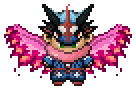
Horon defeat

Featured Replies

I had defeat horon, but there wasn't darkrai in the castle..

I must defeat horon without faint any Pokémon?:PixiuRIP:

I had defeat horon, but there wasn't darkrai in the castle..

I must defeat horon without faint any Pokémon?:PixiuRIP:

Hii LeoFlo24,


As mentioned by PRO Staff member, CS MagicGuard that you have to defeat him(the mini-boss) without having your Pokemon faint in your party. You can check the quoted text which was exactly what he/she had said. You could also visit the thread where it's posted, from this link

Horon, Thief of Souls added to Dark Valley. This miniboss serves as the reset point for Dark Realm (for those of you who left it) and also serves to restore Darkrai if you have failed to catch it for any reason. It also allows for you to obtain the Halloween Rapidash Mount. You must defeat him without having any of your Pokemon faint. Good luck!

I hope it clarified your question, Have a Great Day!


Kind Regard,

Ssoqe234


  • 2 years later...

Thank you for clarifying that. lol I find myself constantly checking on here for answers while playing. lol. 

I've been trying to defeat him for 'longer than I'd like to admit..'   ; p  Any suggestions for what Items the team should be holding to help defeat him?

Account

Navigation

Search

Search

Configure browser push notifications

Chrome (Android)
  1. Tap the lock icon next to the address bar.
  2. Tap Permissions → Notifications.
  3. Adjust your preference.
Chrome (Desktop)
  1. Click the padlock icon in the address bar.
  2. Select Site settings.
  3. Find Notifications and adjust your preference.