




Skip to content
View in the app

A better way to browse. Learn more.

Pokemon Revolution Online

A full-screen app on your home screen with push notifications, badges and more.

To install this app on iOS and iPadOS
  1. Tap the Share icon in Safari
  2. Scroll the menu and tap Add to Home Screen.
  3. Tap Add in the top-right corner.
To install this app on Android
  1. Tap the 3-dot menu (⋮) in the top-right corner of the browser.
  2. Tap Add to Home screen or Install app.
  3. Confirm by tapping Install.

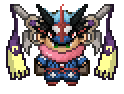
godly volcarona timid 31spd hp ground
Featured Replies

  • Replies 21
  • Views 4.7k
  • Created
  • Last Reply

Top Posters In This Topic

Posted Images

  • Author

Ccs 400 k right?

If so i insta with ccs

Pispi13#8959 disc tag

yes add me: Valentin#9547

  • Author

50cc by jorogumo

sell.thumb.PNG.8fe941166dc1f8df85b810c46a1a8b57.PNG

Edited by fetxize

I wanted to buy for jorogumo anyways so it doesnt matter . But i just wanna say . That u cant accept an insta and then go and accept another one . Cause thats what u did

  • Author

I wanted to buy for jorogumo anyways so it doesnt matter . But i just wanna say . That u cant accept an insta and then go and accept another one . Cause thats what u did

No, I agreed before I saw his message.

Guest
This topic is now closed to further replies.

Account

Navigation

Search

Search

Configure browser push notifications

Chrome (Android)
  1. Tap the lock icon next to the address bar.
  2. Tap Permissions → Notifications.
  3. Adjust your preference.
Chrome (Desktop)
  1. Click the padlock icon in the address bar.
  2. Select Site settings.
  3. Find Notifications and adjust your preference.