




Skip to content
View in the app

A better way to browse. Learn more.

Pokemon Revolution Online

A full-screen app on your home screen with push notifications, badges and more.

To install this app on iOS and iPadOS
  1. Tap the Share icon in Safari
  2. Scroll the menu and tap Add to Home Screen.
  3. Tap Add in the top-right corner.
To install this app on Android
  1. Tap the 3-dot menu (⋮) in the top-right corner of the browser.
  2. Tap Add to Home screen or Install app.
  3. Confirm by tapping Install.

[Ultra-Rare] ✨️ Shiny Necrozma Mount ✨️

EndedGoldItemAuction
Jbadman17 EndedHighest Bidder: B0milu2410
Auction Ended: B0milu2410 won this auction with 10.000.000 Pokedollars on 2026-08-28 02:43 PM UTC.
Start price
10.000.000
Instant price
20.000.000
Minimum bid
100.000
End price
10.000.000

Image of the Item for sale
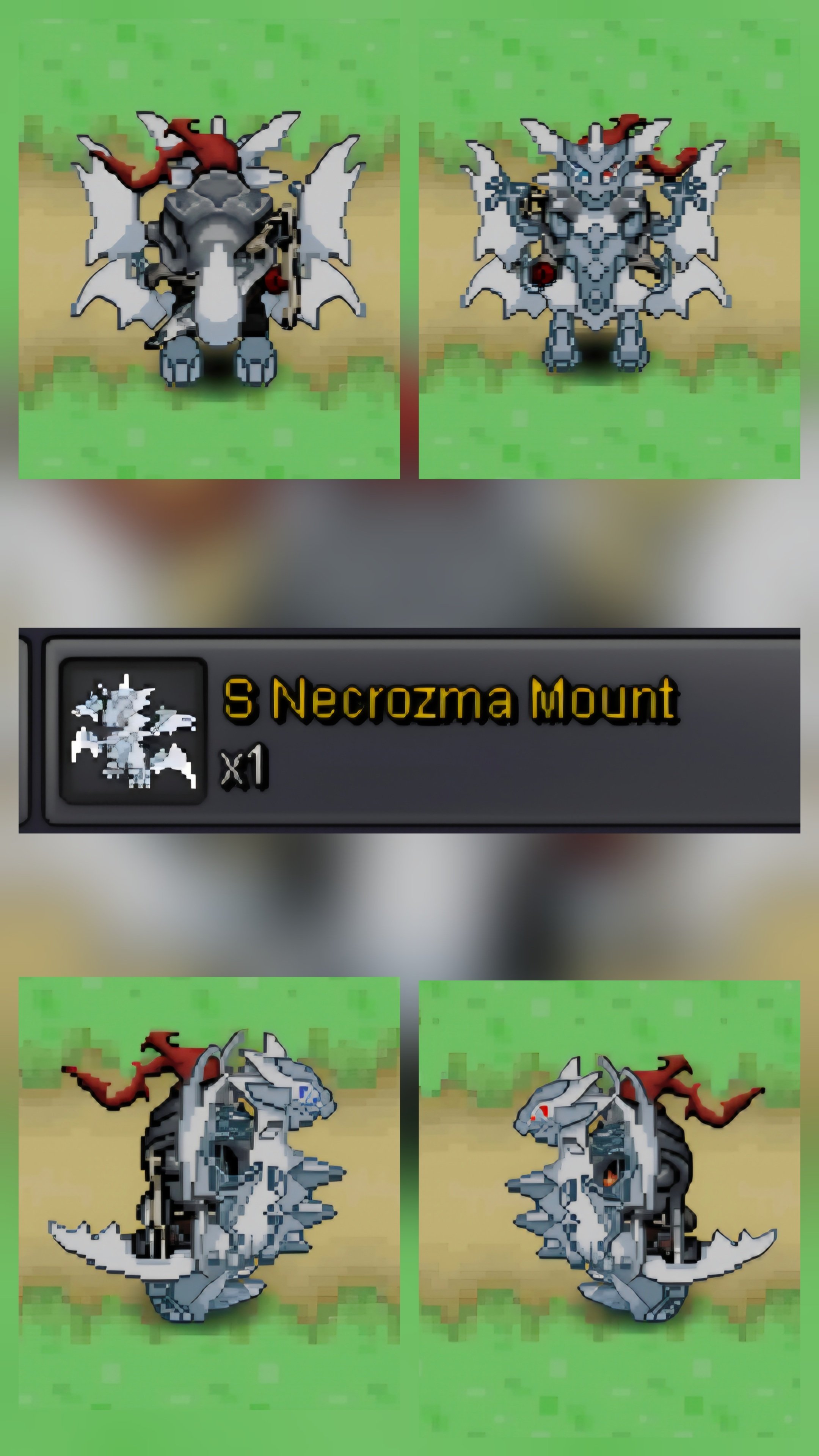
20260825_110600.jpg

Ultra-Rare Shiny Necrozma Mount

  • Dominate the maps and turn every head in PRO with the ultimate endgame cosmetic! This is one of the rarest, most prestigious PvP rewards in the entire game.

  • Features the glowing, radiant white-and-gold design of Shiny Ultra Necrozma.

  • Extremely low drop rate from PvP chests makes it an instant status symbol.

  • Show the entire server your dedication to competitive PvP or high-tier trading.

  • Rarely seen in the trade chat; a true collector's masterpiece.

    Auction Details :-

  • Start Bid : 10,000,000

  • Minimum Raise: 100,000

  • Instant Buy (Insta): 20,000,000

  • Duration: 48 hours after the first bid.

    Accepted Payments & Values:

  • Pokedollars: Pure cash.

  • Coin Capsules (CC): Valued at 500,000 (500k) each.

  • IV Rerolls: Valued at 700,000 (700k) each.

    Serious offers only. Don't miss your chance to own a piece of PRO history!

📞 Contact Info:

PRO In-Game Name (IGN): Jbadman17

Discord Tag: J_badman17

Bid history

B0milu2410
10.000.000
2026-08-26 14:42:36

Account

Navigation

Search

Search

Configure browser push notifications

Chrome (Android)
  1. Tap the lock icon next to the address bar.
  2. Tap Permissions → Notifications.
  3. Adjust your preference.
Chrome (Desktop)
  1. Click the padlock icon in the address bar.
  2. Select Site settings.
  3. Find Notifications and adjust your preference.